Directory trees often use symbolic links to select an active release, share one file from several locations, or keep configuration paths stable. A migration changes that layout when a link becomes an ordinary file or directory at the destination.
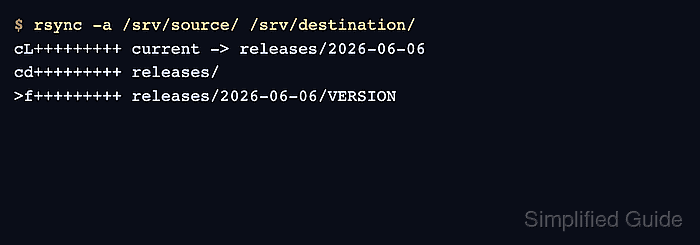
Archive mode includes --links, so rsync recreates each source symlink with the same target text instead of copying the referent. Adding --copy-links or --copy-dirlinks changes that behavior and can pull content from outside the intended transfer tree.
Relative targets are interpreted from the copied link's new directory and usually continue to resolve when the surrounding tree moves with them. Absolute targets keep their original path text, which can send applications back to the old host layout even though the destination entry is still a symlink.
Steps to preserve symlinks when copying with rsync:
- Inspect the source symlinks and record their target text.
$ ls -l /srv/fixture/source/data/latest-report.txt /srv/fixture/source/data/missing-report.txt
lrwxrwxrwx+ 1 root root 23 Jul 11 07:09 /srv/fixture/source/data/latest-report.txt -> ../documents/report.txt
lrwxrwxrwx  1 root root 31 Jul 11 07:10 /srv/fixture/source/data/missing-report.txt -> ../documents/missing-report.txt
missing-report.txt is an optional broken-link control for a staged migration. Omit it when the source tree has no known broken symlink.
- Copy the tree into a new or empty destination with archive mode and itemized changes.
$ rsync --archive --itemize-changes /srv/fixture/source/ /srv/fixture/destination/
.d....og... ./
cd+++++++++ data/
>f+++++++++ data/archive.sparse
>f+++++++++ data/export.sql
cL+++++++++ data/latest-report.txt -> ../documents/report.txt
cL+++++++++ data/missing-report.txt -> ../documents/missing-report.txt
>f+++++++++ data/session.tmp
cd+++++++++ documents/
>f+++++++++ documents/notes.txt
>f+++++++++ documents/report-hardlink.txt
>f+++++++++ documents/report.txt
Each cL row shows that rsync created a symlink and retained the target text shown after ->. No delete option is present, but matching destination entries can still be replaced; keep the old tree available until the copied layout passes verification.
- Confirm that the destination entries are symlinks.
$ ls -l /srv/fixture/destination/data/latest-report.txt /srv/fixture/destination/data/missing-report.txt
lrwxrwxrwx 1 root root 23 Jul 11 07:09 /srv/fixture/destination/data/latest-report.txt -> ../documents/report.txt
lrwxrwxrwx 1 root root 31 Jul 11 07:10 /srv/fixture/destination/data/missing-report.txt -> ../documents/missing-report.txt
- Read the destination link's stored target text.
$ readlink /srv/fixture/destination/data/latest-report.txt
../documents/report.txt
The output must match the target text recorded for the source link.
- Read the copied file through the valid destination link.
$ cat /srv/fixture/destination/data/latest-report.txt
Quarterly operations report
- Find destination symlinks whose targets do not resolve.
$ find /srv/fixture/destination -xtype l -print
/srv/fixture/destination/data/missing-report.txt
No output means every copied link resolves. When a deliberate broken-link control is present, only that known path should be listed; investigate any additional result before switching applications to the destination tree.

Mohd Shakir Zakaria is a cloud architect with deep roots in software development and open-source advocacy. Certified in AWS, Red Hat, VMware, ITIL, and Linux, he specializes in designing and managing robust cloud and on-premises infrastructures.


