Unix services often depend on file metadata as much as file content. A restored configuration tree can contain every expected byte and still fail when its owner, group, mode, or modification time differs from the source.
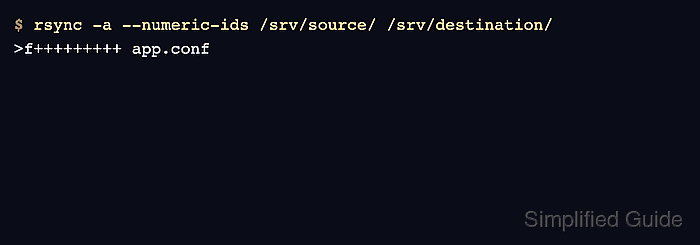
Archive mode, -a, combines recursive transfer with links, permissions, modification times, groups, owners, devices, and special files. It does not preserve ACLs, extended attributes, access times, creation times, or hard-link relationships; those attributes need separate options when they belong in the restore.
The receiving rsync process needs elevated privileges to assign an arbitrary owner. A non-root receiver owns newly copied files itself and can preserve only groups available to that account, so perform a local restore from an administrative account after checking the destination path and the service identities expected there.
Steps to preserve ownership and permissions with rsync:
- Record the source file and directory metadata.
$ stat -c '%n %U:%G %a %y' /srv/app/config /srv/app/config/app.conf
/srv/app/config appsvc:appops 750 2026-06-06 03:30:00.000000000 +0000
/srv/app/config/app.conf appsvc:appops 640 2026-06-06 03:30:00.000000000 +0000
- Confirm the destination path, then copy the tree in archive mode with itemized changes.
A privileged receiver can replace ownership and modes on existing destination entries, which can make a service tree unreadable. Restore into an empty or staged directory when the existing tree must remain available for rollback.
$ sudo rsync -a --itemize-changes /srv/app/ /srv/restore/app/
.d..tpog... ./
cd+++++++++ config/
>f+++++++++ config/app.conf
The trailing slash on /srv/app/ copies its contents and applies the source directory attributes to /srv/restore/app/. In itemized output, p, o, and g identify permission, owner, and group changes.
- Compare the copied file and directory with the source metadata.
$ stat -c '%n %U:%G %a %y' /srv/restore/app/config /srv/restore/app/config/app.conf
/srv/restore/app/config appsvc:appops 750 2026-06-06 03:30:00.000000000 +0000
/srv/restore/app/config/app.conf appsvc:appops 640 2026-06-06 03:30:00.000000000 +0000
- From a shell owned by the non-root backup account, copy the same source into a disposable destination without sudo.
$ rsync -a --itemize-changes /srv/app/ /tmp/rsync-unprivileged/
created directory /tmp/rsync-unprivileged
cd+++++++++ ./
cd+++++++++ config/
>f+++++++++ config/app.conf
The backup account in this comparison can read the source and belongs to appops. The next check shows which metadata it still cannot assign.
- Inspect the unprivileged copy.
$ stat -c '%n %U:%G %a %y' /tmp/rsync-unprivileged/config /tmp/rsync-unprivileged/config/app.conf
/tmp/rsync-unprivileged/config backup:appops 750 2026-06-06 03:30:00.000000000 +0000
/tmp/rsync-unprivileged/config/app.conf backup:appops 640 2026-06-06 03:30:00.000000000 +0000
The modes, times, and permitted group survived, but the owner changed from appsvc to the receiving backup account. Use a privileged receiver when the original owner is required.
- Remove the disposable unprivileged copy.
$ rm -r /tmp/rsync-unprivileged
Check the exact temporary path before removing it. This cleanup does not touch the restored tree under /srv/restore/app/.
- Run a privileged dry run against the retained restore.
$ sudo rsync -a --dry-run --itemize-changes /srv/app/ /srv/restore/app/
An exit status of zero with no itemized output means the source data and the metadata preserved by archive mode already match the destination.

Mohd Shakir Zakaria is a cloud architect with deep roots in software development and open-source advocacy. Certified in AWS, Red Hat, VMware, ITIL, and Linux, he specializes in designing and managing robust cloud and on-premises infrastructures.


