Target versions in Redmine group issues under a release, milestone, or maintenance window. Project managers use them to plan what belongs in a delivery cycle and to review progress from the project roadmap.
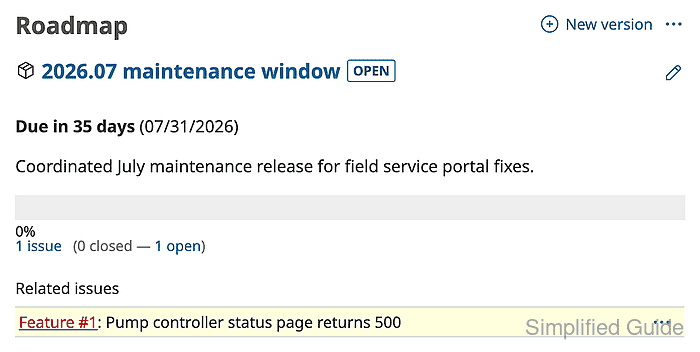
A version is created from the project Settings → Versions tab. After it is saved, Redmine offers it in the issue Target version field for the project and shows the version on the Roadmap when issue tracking is enabled.
Keep the version open while new issues should be assigned to it. The roadmap issue list depends on each tracker's roadmap setting, so use a tracker that appears on the roadmap or update the tracker before expecting issues to show under the version.
Related: How to create a Redmine project
Related: How to create a Redmine issue
Steps to create a Redmine target version:
- Sign in to Redmine with an account that can manage versions for the project.
- Open the target project, click Settings, and open the Versions tab.
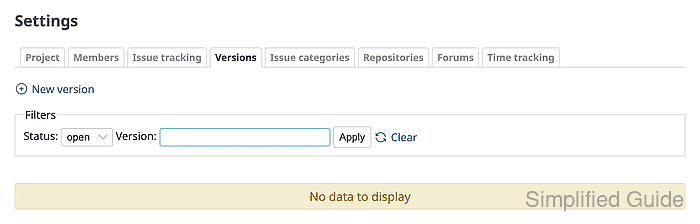
- Click New version.
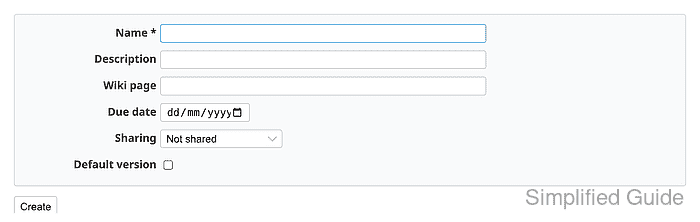
- Enter the Name, Description, Due date, and Sharing values for the version.
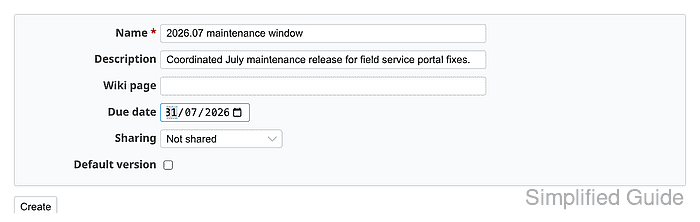
Use Not shared when only this project should assign issues to the version. Wider sharing makes the version selectable from other projects according to the selected scope.
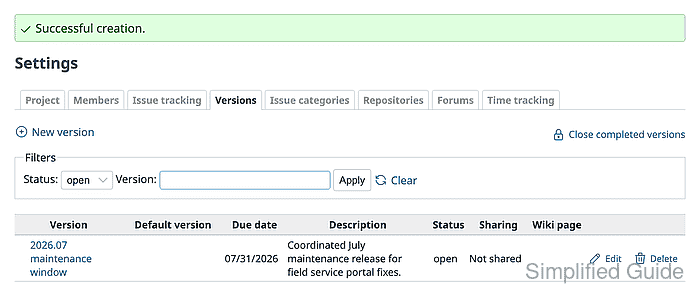
- Click Create and confirm the versions list shows the version with open status.
- Open the project Issues tab and click New issue.
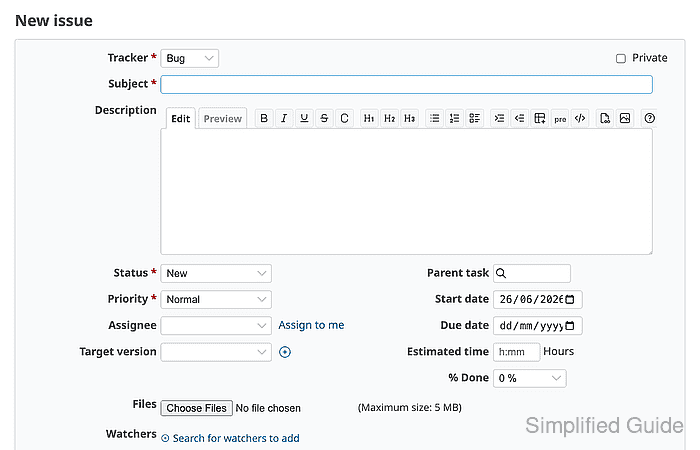
- Select a tracker that appears on the roadmap, enter the issue details, and select the new Target version.
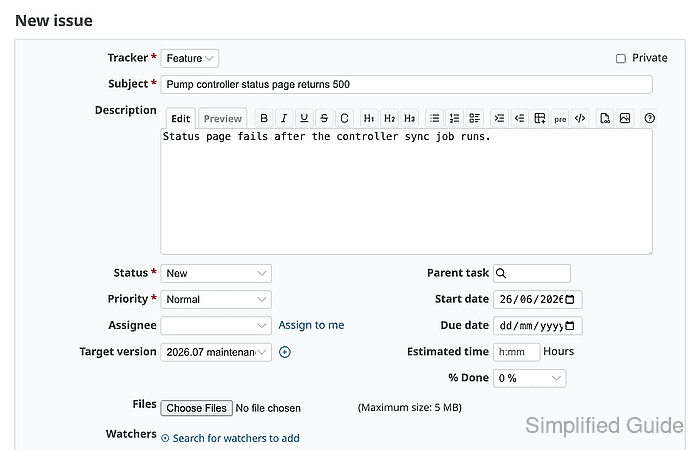
Trackers can hide or show their issues on the roadmap. If an assigned issue does not appear under the version, check the tracker setting before changing the version.
Related: How to create a Redmine tracker - Click Create and confirm the saved issue shows the selected Target version.
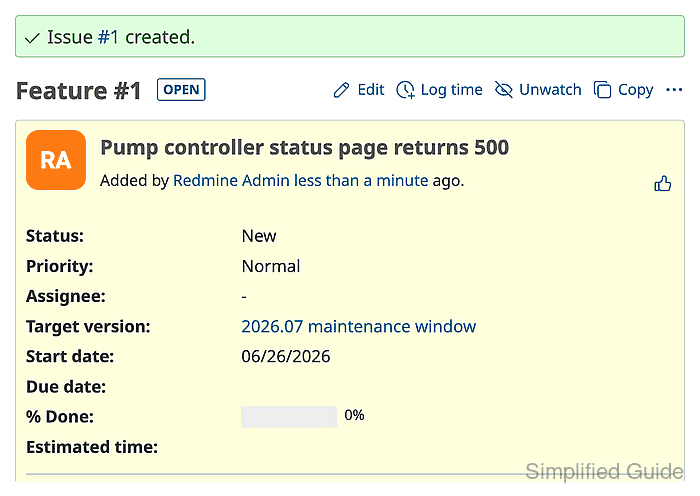
- Open the project Roadmap and confirm the version shows the assigned issue.

Mohd Shakir Zakaria is a cloud architect with deep roots in software development and open-source advocacy. Certified in AWS, Red Hat, VMware, ITIL, and Linux, he specializes in designing and managing robust cloud and on-premises infrastructures.


