Redmine can show commits, files, and revision history inside a project when the project is linked to a local Git repository. This keeps issue discussions and code changes visible in the same workspace, which helps reviewers connect a defect, release task, or support request to the commits behind it.
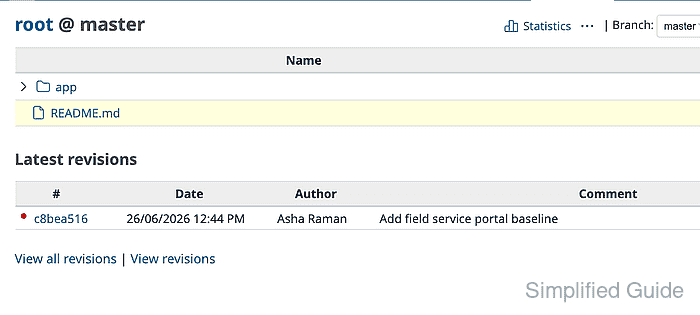
Redmine reads Git through the command available to the application process. For repository browsing, the path must point to a bare repository that is local to the Redmine host or container and readable by the operating-system user that runs Redmine.
Use a dedicated bare clone or mirror when the canonical repository is hosted elsewhere. Redmine imports changesets into its database when the repository is first browsed, and the local bare clone still needs its own fetch process if it should follow an upstream remote.
Related: How to create a Redmine project
Related: How to install Redmine with Docker Compose
Steps to connect a Git repository to Redmine:
- Confirm Git is enabled under Administration → Settings → Repositories.
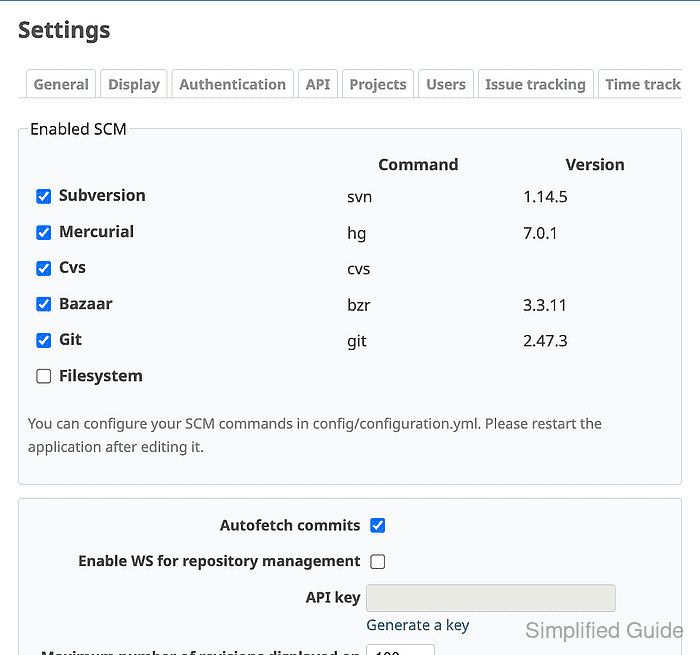
The Git row must show the command Redmine will run. If the command is not on the Redmine process PATH, set the SCM command path in /config/configuration.yml and restart Redmine.
- Create a repository directory owned by the Redmine application user.
$ sudo install -d -o redmine -g redmine -m 0750 /srv/redmine-repos
Use the actual account that runs Redmine on the server, such as redmine, www-data, or the user inside the Redmine container.
- Clone the source repository as a bare repository.
$ sudo -u redmine git clone --bare https://git.example.net/field-service.git /srv/redmine-repos/field-service.git
Cloning into bare repository '/srv/redmine-repos/field-service.git'...
done.
A bare repository has no working tree and is the format Redmine expects for local Git browsing. If this path is inside a containerized Redmine deployment, mount the same path into the Redmine container before saving it in the project.
- Confirm the Redmine user can read the repository as bare.
$ sudo -u redmine git --git-dir=/srv/redmine-repos/field-service.git rev-parse --is-bare-repository
true
- Check the latest commit visible to the Redmine user.
$ sudo -u redmine git --git-dir=/srv/redmine-repos/field-service.git log --oneline --max-count=3
c8bea51 Add field service portal baseline
Redmine reads this local repository. If it mirrors another remote, schedule a separate git fetch process or hook so new commits reach the bare clone.
- Open the project Settings → Project tab, select Repository under Modules, and click Save.

Related: How to create a Redmine project
- Open the project Settings → Repositories tab, click New repository, select Git as the SCM, keep Main repository selected, and enter the local bare path.
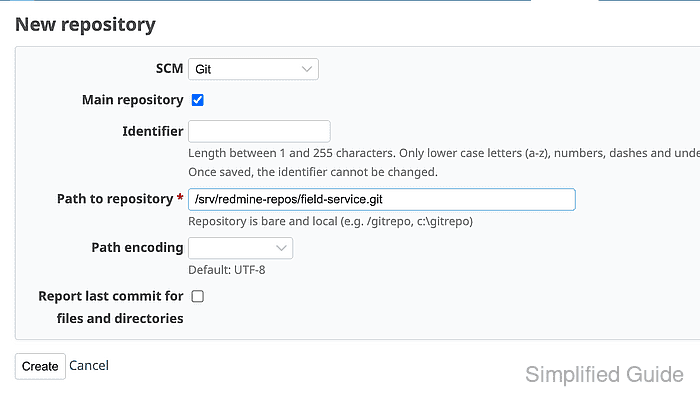
- Click Create.
- Open the project Repository tab and confirm that files and the latest revision are visible.
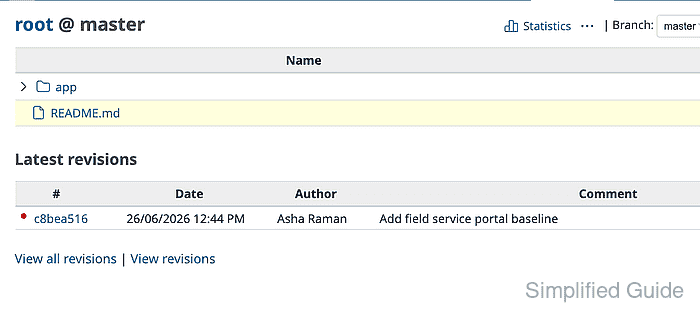
For repositories with long history, run bin/rails runner "Repository.fetch_changesets" -e production from the Redmine application root before asking users to browse the tab.

Mohd Shakir Zakaria is a cloud architect with deep roots in software development and open-source advocacy. Certified in AWS, Red Hat, VMware, ITIL, and Linux, he specializes in designing and managing robust cloud and on-premises infrastructures.


