A pip-installed PyTorch on Linux takes up disk space in two places, the environment that imports it and the pip download cache. A full uninstall removes torch and its companion packages from one selected environment and clears the cached wheels, while project files and unrelated packages stay in place.
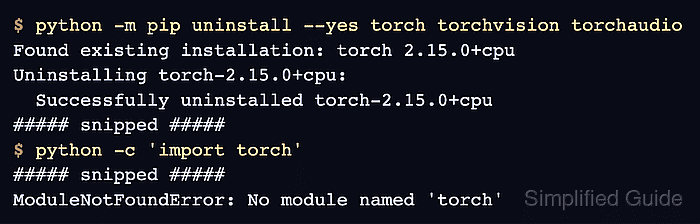
pip removes only the packages named on its command line, so dependencies installed alongside PyTorch, such as sympy and networkx, remain in the environment. Companion packages such as torchvision belong in the same removal because they fail to import once torch is gone.
Downloaded wheels are a separate cleanup because they sit in the HTTP cache of the user account rather than in the environment. pip has no command that removes one package from that cache, so clearing the PyTorch wheels means purging everything cached for the account.
Steps to uninstall PyTorch with pip:
- Activate the virtual environment that contains PyTorch, using your environment's path in place of ~/project/.venv.
$ source ~/project/.venv/bin/activate
(.venv) $
- Show the installed torch package to confirm its location and the packages that depend on it.
(.venv) $ python -m pip show torch
Name: torch
Version: 2.15.0+cpu
##### snipped #####
Location: /home/user/project/.venv/lib/python3.13/site-packages
##### snipped #####
Required-by: torchaudio, torchvision
Location should sit inside the activated environment. Required-by lists the installed packages that stop working without torch.
- Stop any training job or notebook kernel that uses this environment.
A process that has already imported torch keeps running after the uninstall, then fails with ModuleNotFoundError when it imports a torch module it has not loaded yet.
- Uninstall torch and every Required-by package from the active environment.
--yes skips the confirmation prompt, and the files are deleted immediately. Code in this environment that imports these packages stops working until they are installed again.
Related: How to install PyTorch with pip(.venv) $ python -m pip uninstall --yes \ torch torchvision torchaudio Found existing installation: torch 2.15.0+cpu Uninstalling torch-2.15.0+cpu: Successfully uninstalled torch-2.15.0+cpu Found existing installation: torchvision 0.29.2+cpu Uninstalling torchvision-0.29.2+cpu: Successfully uninstalled torchvision-0.29.2+cpu Found existing installation: torchaudio 2.11.1+cpu Uninstalling torchaudio-2.11.1+cpu: Successfully uninstalled torchaudio-2.11.1+cpu
When Required-by shows other packages, the same command takes their names too.
- List the packages that remain in the environment.
(.venv) $ python -m pip list
Package            Version
------------------ ----------
##### snipped #####
networkx           3.7
numpy              2.5.4
pillow             13.0.0
pip                26.3
requests           2.34.2
setuptools         78.1.0
sympy              1.14.0
typing_extensions  4.16.0
urllib3            2.8.0
No torch entries should remain between sympy and typing_extensions. Unrelated packages such as requests and the dependencies of PyTorch stay installed.
- Check that no remaining package needs torch.
(.venv) $ python -m pip check
No broken requirements found.
A package left behind appears as a line such as torchvision 0.29.2+cpu requires torch, which is not installed. Uninstalling that package as well clears the report.
- Confirm that a fresh interpreter cannot import torch.
(.venv) $ python -c 'import torch'
Traceback (most recent call last):
  File "<string>", line 1, in <module>
    import torch
ModuleNotFoundError: No module named 'torch'
No output means this interpreter still imports a torch package.
- Show the size of the pip cache.
(.venv) $ python -m pip cache info
##### snipped #####
Package index page cache size: 215.2 MB
Number of HTTP files: 120
##### snipped #####
Locally built wheels size: 0 bytes
Number of locally built wheels: 0
Wheels downloaded from a package index are counted in the Package index page cache and HTTP files lines. pip cache list and pip cache remove cover only locally built wheels, so pip cache remove torch finds no matching packages for these downloads.
- Purge the pip cache for this user account.
The purge deletes every cached download and locally built wheel for this account, not only the PyTorch wheels. Other projects keep their installed packages, but their next install downloads those wheels again and rebuilds any package that was built from source.
(.venv) $ python -m pip cache purge
Files removed: 120 (215.2 MB)
Directories removed: 247
- Confirm that the pip cache is empty.
(.venv) $ python -m pip cache info
##### snipped #####
Package index page cache size: 0 bytes
Number of HTTP files: 0
##### snipped #####
Locally built wheels size: 0 bytes
Number of locally built wheels: 0
- List the project directory to confirm that its files remain, using your project's path in place of ~/project.
(.venv) $ ls -A ~/project
.venv  checkpoints  requirements.txt  train.py
requirements.txt still lists torch, so installing from that file brings PyTorch back.