Scalar histories reveal whether an optimizer is converging, stalling, or diverging across epochs. PyTorch can write those values as TensorBoard event data, replacing transient console lines with run data that TensorBoard can read and compare.
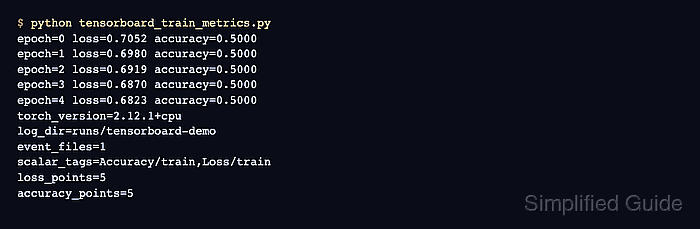
The SummaryWriter creates event files asynchronously under its log_dir. A separate directory for each experiment keeps runs distinct, while hierarchical tags such as Loss/train and MAE/train group related curves in the Scalars dashboard.
A small deterministic regression model makes every recorded value come from a real optimization step rather than fixed sample data. Closing the writer commits queued events, and a successful TensorBoard inspection lists both scalar tags with five recorded steps.
Related: How to run a training loop in PyTorch
Related: How to run the PyTorch profiler
Steps to log PyTorch training metrics to TensorBoard:
- Install TensorBoard in the active PyTorch environment.
$ python -m pip install tensorboard
Related: How to install PyTorch with pip
- Create the foundation of tensorboard_metrics.py through its SummaryWriter construction.
- tensorboard_metrics.py
import torch
from torch import nn
from torch.utils.tensorboard import SummaryWriter


torch.manual_seed(7)
features = torch.arange(-5, 5, 0.1).view(-1, 1)
targets = -5 * features + 0.1 * torch.randn(features.size())
model = nn.Linear(1, 1)
loss_fn = nn.MSELoss()
optimizer = torch.optim.SGD(model.parameters(), lr=0.01)
writer = SummaryWriter("runs/linear-regression")
- Append the training loop below the SummaryWriter construction in tensorboard_metrics.py.
for epoch in range(5):
    predictions = model(features)
    loss = loss_fn(predictions, targets)
    mean_absolute_error = (predictions - targets).abs().mean()
    optimizer.zero_grad()
    loss.backward()
    optimizer.step()
    writer.add_scalar("Loss/train", loss.item(), epoch)
    writer.add_scalar("MAE/train", mean_absolute_error.item(), epoch)
    print(
        f"epoch={epoch} loss={loss.item():.4f} "
        f"mae={mean_absolute_error.item():.4f}"
    )

writer.close()
The epoch number is the global_step for both scalar series, so their points align on the same horizontal scale.
- Run tensorboard_metrics.py from its project directory.
$ python tensorboard_metrics.py
epoch=0 loss=166.7248 mae=11.1799
epoch=1 loss=115.8200 mae=9.3178
epoch=2 loss=80.4710 mae=7.7664
epoch=3 loss=55.9236 mae=6.4736
epoch=4 loss=38.8768 mae=5.3963
- Run TensorBoard's inspection on runs/linear-regression to confirm both scalar series contain five steps.
$ tensorboard --inspect --logdir runs/linear-regression
TensorFlow installation not found - running with reduced feature set.
======================================================================
Processing event files... (this can take a few minutes)
======================================================================

Found event files in:
runs/linear-regression

These tags are in runs/linear-regression:
audio -
histograms -
images -
scalars
   Loss/train
   MAE/train
tensor -
======================================================================

Event statistics for runs/linear-regression:
audio -
graph -
histograms -
images -
scalars
   first_step           0
   last_step            4
   max_step             4
   min_step             0
   num_steps            5
   outoforder_steps     []
sessionlog:checkpoint -
sessionlog:start -
sessionlog:stop -
tensor -
======================================================================
The reduced-feature message only indicates that TensorFlow is absent; the scalars tags and num_steps value come from the PyTorch event file.

Mohd Shakir Zakaria is a cloud architect with deep roots in software development and open-source advocacy. Certified in AWS, Red Hat, VMware, ITIL, and Linux, he specializes in designing and managing robust cloud and on-premises infrastructures.


