Install a local wheel when CI, an internal build host, or a release handoff has already produced the package archive that must land in a target Python environment. Reusing that file keeps promotion tied to one staged artifact and avoids rebuilding from source on each host.
A wheel is Python's built distribution format, and pip can install it directly from a local filesystem path. Running the install through the exact interpreter that should own the package keeps the files in the intended site-packages directory, while the wheel filename tags tell pip whether the archive matches the current Python version, ABI, and platform.
The examples assume a POSIX shell, a writable project-local .venv, and a staged wheelhouse/ directory. On Windows, use py -m pip or .venv\\Scripts\\python.exe for the same flow, and when a distro-managed Linux interpreter reports an externally-managed-environment error, switch to a virtual environment unless that platform explicitly permits --break-system-packages.
Steps to install a local Python wheel with pip:
- Confirm that the target interpreter or virtual environment owns the pip invocation.
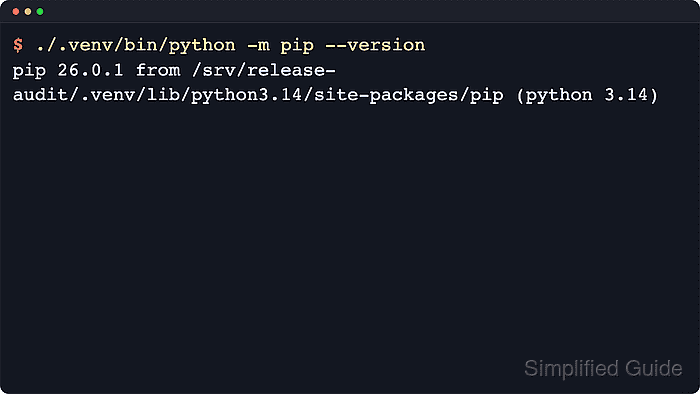
$ ./.venv/bin/python -m pip --version
pip 25.1.1 from /srv/release-audit/.venv/lib/python3.14/site-packages/pip (python 3.14)
The path after from identifies the exact environment that will receive the wheel contents. On Windows, use py -m pip --version or .venv\\Scripts\\python.exe -m pip --version.
- Check that the wheel file exists locally and that its filename tags match the target interpreter and platform.
$ ls wheelhouse/inventory_metrics-0.9.0-py3-none-any.whl
wheelhouse/inventory_metrics-0.9.0-py3-none-any.whl
A suffix such as py3-none-any identifies a pure-Python wheel, while tags such as cp312, abi3, manylinux, macosx, or win_amd64 must match the target runtime. Wheel filenames also normalize package names, so the inventory-metrics distribution appears as inventory_metrics inside the archive filename.
- Install the wheel through the exact interpreter that should own the package.
$ ./.venv/bin/python -m pip install wheelhouse/inventory_metrics-0.9.0-py3-none-any.whl
Processing ./wheelhouse/inventory_metrics-0.9.0-py3-none-any.whl
Installing collected packages: inventory-metrics
Successfully installed inventory-metrics-0.9.0
Direct wheel installs use the local archive for the requested package, but missing dependencies can still be resolved from configured indexes unless index access is disabled.
When the wheel and its dependencies are staged together in one local directory, use ./.venv/bin/python -m pip install --no-index --find-links=wheelhouse inventory-metrics==0.9.0 to keep dependency resolution local.
- Show the installed package metadata to confirm that the wheel landed in the intended environment.
$ ./.venv/bin/python -m pip show inventory-metrics
Name: inventory-metrics
Version: 0.9.0
Summary: Metrics helpers for inventory import jobs.
Home-page: https://packages.internal.example/inventory-metrics
Author:
Author-email: Platform Engineering <python-maintainers@example.invalid>
License-Expression: Apache-2.0
Location: /srv/release-audit/.venv/lib/python3.14/site-packages
Requires:
Required-by:
The Location field confirms which interpreter environment received the package files, while the masked package metadata keeps the example aligned with the shape of a real internal wheel.
- Run pip check to confirm that the active environment has no broken dependency metadata after the install.
$ ./.venv/bin/python -m pip check
No broken requirements found.
If pip check reports a broken requirement, fix the pinned versions or package source before reusing the environment.
- Replace the wheel file or change to a matching interpreter when pip reports that the archive is not supported on the current platform.
$ ./.venv/bin/python -m pip install wheelhouse-win/orjson-3.11.4-cp313-cp313-win_amd64.whl
ERROR: orjson-3.11.4-cp313-cp313-win_amd64.whl is not a supported wheel on this platform.
An unsupported wheel usually means the filename tags or the package's Requires-Python metadata do not match the selected interpreter.
If the error instead reports an externally-managed-environment, stop and install into a virtual environment rather than forcing packages into the operating system interpreter unless that platform explicitly requires --break-system-packages.

Mohd Shakir Zakaria is a cloud architect with deep roots in software development and open-source advocacy. Certified in AWS, Red Hat, VMware, ITIL, and Linux, he specializes in designing and managing robust cloud and on-premises infrastructures.


