Resolving a hostname to an IP address lets a script confirm the address returned by the local resolver before it connects, logs a target, or hands the address to another network check.
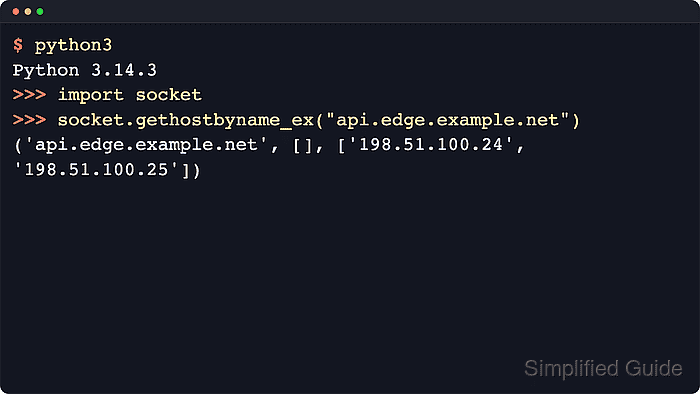
The socket module passes hostname lookups to the operating system resolver. socket.gethostbyname() returns one IPv4 address string, while socket.gethostbyname_ex() returns the primary hostname, alias list, and all IPv4 addresses returned for the same name in that lookup.
Resolver results follow local DNS answers, search domains, hosts-file entries, and address rotation, so the same hostname can return different addresses across systems or between runs. Python documentation describes both functions as IPv4-only interfaces; use socket.getaddrinfo() instead when the program must handle IPv6 or select an address family explicitly.
Related: Get a hostname from an IP address
Related: Extract a hostname from a URL
Tool: IP Geolocation Finder
Steps to get an IP address from a hostname in Python:
- Start the Python 3 interpreter.
$ python3
Python 3.14.4
>>>
- Import the socket module.
>>> import socket
- Resolve one hostname to one IPv4 address with socket.gethostbyname().
>>> socket.gethostbyname("example.com")
'172.66.147.243'
A hostname can be a short local name or a fully qualified domain name such as example.com.
The returned IPv4 address can differ between runs when DNS rotates across several records.
- Resolve all IPv4 answers returned for the hostname with socket.gethostbyname_ex().
>>> socket.gethostbyname_ex("example.com")
('example.com', [], ['172.66.147.243', '104.20.23.154'])
The returned tuple is (hostname, aliaslist, ipaddrlist).
Use socket.getaddrinfo() instead when the program needs IPv6 results or explicit address-family selection.
- Create a short script that reads one hostname argument and prints the resolved IPv4 addresses.
- hostname-to-ip.py
#!/usr/bin/env python3

import socket
import sys

if len(sys.argv) != 2:
    raise SystemExit(f"Usage: {sys.argv[0]} <hostname>")

hostname = sys.argv[1]

try:
    primary_name, aliases, addresses = socket.gethostbyname_ex(hostname)
except socket.gaierror as exc:
    raise SystemExit(f"Lookup failed for {hostname}: {exc}")

print(f"Input hostname: {hostname}")
print(f"Canonical hostname: {primary_name}")

if aliases:
    print("Aliases:")
    for alias in aliases:
        print(f"  {alias}")

print("IPv4 addresses:")
for address in addresses:
    print(f"  {address}")
The script uses socket.gethostbyname_ex() so one lookup can expose the primary name and every current IPv4 answer.
- Run the script with a hostname and confirm that it prints the current IPv4 answers.
$ python3 hostname-to-ip.py example.com
Input hostname: example.com
Canonical hostname: example.com
IPv4 addresses:
  172.66.147.243
  104.20.23.154
Address order and membership can change when the hostname is served through multiple records or a CDN.
- Run the script with a reserved invalid host name to confirm the failure path.
$ python3 hostname-to-ip.py no-such-hostname.invalid
Lookup failed for no-such-hostname.invalid: [Errno -2] Name or service not known
The exact resolver error text can vary by operating system, but socket.gaierror remains the failure condition to catch.

Mohd Shakir Zakaria is a cloud architect with deep roots in software development and open-source advocacy. Certified in AWS, Red Hat, VMware, ITIL, and Linux, he specializes in designing and managing robust cloud and on-premises infrastructures.


