Pulling the host name out of a URL keeps logging, routing, allowlist checks, and endpoint comparisons focused on the network destination instead of the full string with credentials, ports, paths, queries, or fragments.
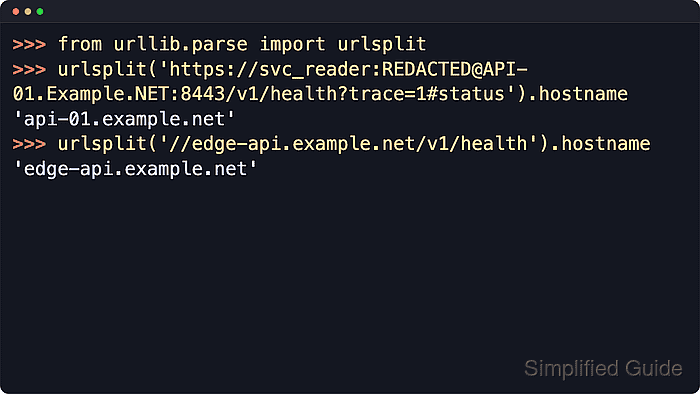
Python exposes URL parsing through urllib.parse. Current Python documentation says urlsplit() should generally be used instead of urlparse() unless path parameters must be split separately, and the returned SplitResult.hostname attribute exposes the normalized host while netloc keeps the original authority section.
A hostname is available only when the input includes a network location. Absolute URLs work directly, and scheme-less network URLs still need a leading // or Python will treat the value as a path. The examples use masked credentialed API, scheme-less service, and hostless mail targets, while urlsplit() still requires explicit scheme and host checks when the result affects security decisions.
Related: Get an IP address from a hostname
Related: Get a hostname from an IP address
Tool: URL Parser
Steps to get a hostname from a URL in Python:
- Start the Python 3 interpreter.
$ python3
Python 3.14.5
>>>
- Import urlsplit from the standard urllib.parse module.
>>> from urllib.parse import urlsplit
- Split the full URL string into its structured components.
>>> parsed = urlsplit('https://svc_reader:REDACTED@API-01.Example.NET:8443/v1/health?trace=1#status')
>>> parsed
SplitResult(scheme='https', netloc='svc_reader:REDACTED@API-01.Example.NET:8443', path='/v1/health', query='trace=1', fragment='status')
Current Python documentation says urlsplit() should generally be used instead of urlparse() unless the extra path-parameter split from urlparse() is required.
- Read the hostname attribute when only the host name is needed.
>>> parsed.hostname
'api-01.example.net'
hostname strips credentials and the port number, and normalizes the host name to lowercase.
- Read netloc only when the raw authority section is still needed for another part of the program.
>>> parsed.netloc
'svc_reader:REDACTED@API-01.Example.NET:8443'
Use netloc for the original authority string and hostname for host-only matching, logging, or filtering.
- Keep the leading // on a scheme-less network URL so Python still recognizes the host component.
>>> urlsplit('//edge-api.example.net/v1/health').hostname
'edge-api.example.net'
>>> urlsplit('edge-api.example.net/v1/health').hostname
None
Without the leading //, Python parses the value as a path and no hostname is returned.
- Save the extraction in a short script when the same check needs to run from the shell or another tool.
- get-host-name-from-url.py
#!/usr/bin/env python3

from urllib.parse import urlsplit
import sys

if len(sys.argv) != 2:
    print(f"Usage: {sys.argv[0]} <url>")
    raise SystemExit(1)

url = sys.argv[1]
parsed = urlsplit(url)

if parsed.hostname is None:
    print(f"No host name found in URL: {url}")
    raise SystemExit(1)

print(parsed.hostname)
The explicit None check keeps hostless URLs such as mailto:alerts@example.net from being treated as successful matches.
- Run the script with a full URL and confirm that it prints only the host name.
$ python3 get-host-name-from-url.py 'https://svc_reader:REDACTED@API-01.Example.NET:8443/v1/health?trace=1#status'
api-01.example.net
- Test a hostless URL and confirm that the script prints a clear failure message.
$ python3 get-host-name-from-url.py 'mailto:alerts@example.net'
No host name found in URL: mailto:alerts@example.net
- Check the exit status when shell automation needs to branch on failure.
$ echo $?
1
The non-zero exit status makes the failure path easier to detect from shell scripts and automation.

Mohd Shakir Zakaria is a cloud architect with deep roots in software development and open-source advocacy. Certified in AWS, Red Hat, VMware, ITIL, and Linux, he specializes in designing and managing robust cloud and on-premises infrastructures.


