Configuring basic authentication for Prometheus requires a username and bcrypt password hash in the web configuration file. It protects the expression browser and HTTP API from unauthenticated access when the Prometheus web endpoint is reachable beyond a fully trusted local path.
Prometheus keeps scrape jobs, alerting, and rule files in /etc/prometheus/prometheus.yml or the file named by --config.file. HTTP server security settings live in a separate YAML file loaded through --web.config.file, and the basic_auth_users map stores bcrypt hashes rather than plaintext passwords.
Adding the web configuration file to an existing systemd service requires a restart because the startup flag changes. Use basic authentication only on localhost, a trusted private network, or behind HTTPS because plain HTTP exposes credentials to anyone who can inspect the traffic, and update clients such as Grafana with matching credentials after the restart.
Steps to configure Prometheus basic authentication:
- Generate a bcrypt password hash for the Prometheus user.
$ htpasswd -nB -C 12 prometheusadmin
New password:
Re-type new password:
prometheusadmin:$2y$12$l08cniLcHmH1Q6OKhnEXb.mIOq8HGSxpQ68Vc8xjVFvAql3hp674a
Copy only the hash after the first colon into /etc/prometheus/web.yml. The htpasswd command is commonly provided by apache2-utils on Debian and Ubuntu or httpd-tools on Red Hat-family systems, and -n prints the hash instead of writing an htpasswd file.
- Create an empty web configuration file for Prometheus.
$ sudo install -o prometheus -g prometheus -m 0640 /dev/null /etc/prometheus/web.yml
Use the service user and group from your Prometheus unit when the service does not run as prometheus:prometheus.
- Open the web configuration file.
$ sudo vi /etc/prometheus/web.yml
- Add the basic authentication user map.
- /etc/prometheus/web.yml
basic_auth_users:
  prometheusadmin: "$2y$12$l08cniLcHmH1Q6OKhnEXb.mIOq8HGSxpQ68Vc8xjVFvAql3hp674a"
Protect this file from ordinary users. Prometheus reads the web configuration during HTTP requests, so a user who can replace it can add credentials or remove authentication.
- Validate the web configuration file.
$ sudo promtool check web-config /etc/prometheus/web.yml
/etc/prometheus/web.yml SUCCESS
Use promtool check web-config for the web server YAML. promtool check config validates the main Prometheus configuration and rejects web-only keys such as basic_auth_users.
Related: How to test Prometheus configuration - Inspect how the prometheus service receives startup arguments.
$ systemctl cat prometheus
# /usr/lib/systemd/system/prometheus.service
[Service]
EnvironmentFile=/etc/default/prometheus
ExecStart=/usr/bin/prometheus $ARGS
The examples below use the packaged Debian and Ubuntu environment file pattern. If your unit has a full ExecStart line instead, add --web.config.file=/etc/prometheus/web.yml through a systemd override while preserving the existing flags.
- Open the service environment file.
$ sudo vi /etc/default/prometheus
- Add the web configuration file flag to the existing ARGS value.
- /etc/default/prometheus
ARGS="--config.file=/etc/prometheus/prometheus.yml --storage.tsdb.path=/var/lib/prometheus --web.config.file=/etc/prometheus/web.yml"
Keep any existing storage, listen-address, console, lifecycle, retention, and feature flags that your service already uses. Dropping an existing startup flag can change how Prometheus listens, stores data, or reloads configuration.
- Restart Prometheus to load the new startup flag.
$ sudo systemctl restart prometheus
If you changed a unit file or override instead of /etc/default/prometheus, run sudo systemctl daemon-reload before restarting.
Related: How to manage the Prometheus service with systemctl - Confirm the service started after the restart.
$ systemctl is-active prometheus
active
Check the unit journal when the service fails. Invalid startup flags, unreadable /etc/prometheus/web.yml permissions, and malformed web configuration usually appear before the web endpoint is ready.
Related: How to manage the Prometheus service with systemctl - Verify that an unauthenticated web request is rejected.
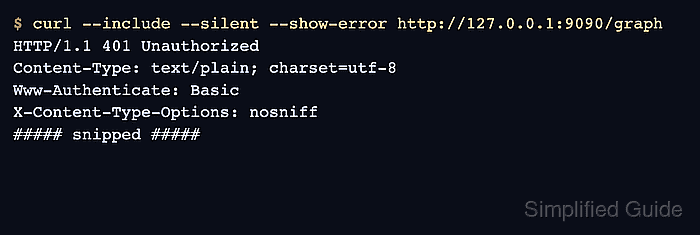
$ curl --include --silent --show-error http://127.0.0.1:9090/graph
HTTP/1.1 401 Unauthorized
Content-Type: text/plain; charset=utf-8
Www-Authenticate: Basic
X-Content-Type-Options: nosniff
##### snipped #####

Unauthorized
- Verify that an authenticated request succeeds.
$ curl --user prometheusadmin --silent --show-error http://127.0.0.1:9090/-/ready
Enter host password for user 'prometheusadmin':
Prometheus Server is Ready.
Use the prompted form when testing from a shell so the password does not appear in shell history or process listings. Configure Grafana data sources, scripts, and other clients with the same basic authentication credentials before they call the Prometheus API.

Mohd Shakir Zakaria is a cloud architect with deep roots in software development and open-source advocacy. Certified in AWS, Red Hat, VMware, ITIL, and Linux, he specializes in designing and managing robust cloud and on-premises infrastructures.


