A Prometheus snapshot backup restores local TSDB blocks to a stopped or replacement server after disk loss, host replacement, or a rollback. The restored server should start with historical samples available for PromQL instead of an empty data directory.
Prometheus writes local storage under the path set by --storage.tsdb.path. The snapshot API creates a named directory under snapshots inside that storage path, but the restore should use a copied snapshot that already sits outside the live data directory, such as a backup subdirectory under /srv/prometheus-backups.
Restore into an empty data directory and keep the old directory aside until the replacement server is ready and queries return the expected samples. Copy only the snapshot block directories into the target storage path; do not merge snapshot data over an active TSDB or copy unrelated wal, chunks_head, or wbl directories from a non-snapshot backup.
Steps to restore a Prometheus snapshot backup:
- Check the Prometheus service command for the active storage path.
$ systemctl cat prometheus
# /etc/systemd/system/prometheus.service
[Service]
ExecStart=/usr/local/bin/prometheus \
  --config.file=/etc/prometheus/prometheus.yml \
  --storage.tsdb.path=/var/lib/prometheus
##### snipped #####
Use the path after --storage.tsdb.path in the restore commands. If the flag is omitted, Prometheus uses the data directory relative to its working directory.
- List the copied snapshot directory before changing the live data path.
$ ls -1 \
  /srv/prometheus-backups/20260620T103135Z-226a92a889872a74
01KVJ9BZ6GH939SFFXZ5NQJKMA
A snapshot can contain one or more block directories. Each block directory contains a meta.json file plus the block's chunks and index files.
- Stop the Prometheus service.
$ sudo systemctl stop prometheus
- Move the current data directory out of the way.
$ sudo mv /var/lib/prometheus \
  /var/lib/prometheus.before-restore
Skip this step on a new replacement host when the target storage path is already empty or absent. Keep this copy until the restored server is ready and the recovered time range has been checked.
- Create an empty target data directory.
$ sudo install -d \
  -o prometheus -g prometheus \
  /var/lib/prometheus
- Copy the snapshot blocks into the target data directory.
$ sudo cp -a \
  /srv/prometheus-backups/20260620T103135Z-226a92a889872a74/. \
  /var/lib/prometheus/
Restore into an empty directory only. Copying over an existing TSDB can leave stale blocks mixed with restored blocks.
- Set the restored data ownership for the Prometheus service user.
$ sudo chown -R \
  prometheus:prometheus \
  /var/lib/prometheus
- Start the Prometheus service.
$ sudo systemctl start prometheus
- Check the readiness endpoint.
$ curl --silent http://localhost:9090/-/ready
Prometheus Server is Ready.
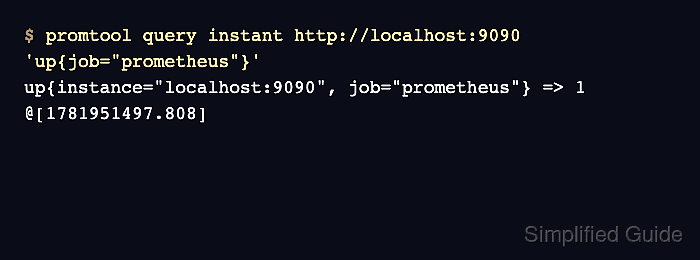
- Query a restored series.
$ promtool query instant \
  http://localhost:9090 \
  'up{job="prometheus"}'
up{instance="localhost:9090", job="prometheus"} => 1
@[1781951497.808]
The metric and label selector should match a series that existed before the snapshot was taken. A value of 1 for up confirms that the restored Prometheus server can read the recovered block data and evaluate the query.
- Remove the pre-restore data directory after the recovery has been accepted.
$ sudo rm -rf \
  /var/lib/prometheus.before-restore
Run this only after the restored server has been monitored long enough to confirm that no old local data still needs to be recovered.

Mohd Shakir Zakaria is a cloud architect with deep roots in software development and open-source advocacy. Certified in AWS, Red Hat, VMware, ITIL, and Linux, he specializes in designing and managing robust cloud and on-premises infrastructures.


