A large Playwright Test suite can outgrow one CI runner even when tests already run in parallel on that machine. Sharding lets the same suite run as several independent CI jobs, with each job receiving a one-based shard index such as 1/4 or 2/4.
Playwright accepts the shard selection through --shard=current/total. The CI matrix supplies those two numbers, so every job runs the same test command with a different shard value while the total shard count stays fixed for the run.
Balanced shards depend on how the suite is collected. Enabling fullyParallel lets Playwright distribute individual tests more evenly; without it, whole test files are assigned to shards, so unevenly sized files can leave one runner with more work than the others. GitLab CI is used here because its parallel jobs expose one-based shard variables directly; other CI systems need equivalent current and total values.
Related: How to run Playwright tests
Related: How to generate a Playwright HTML report
Steps to shard Playwright tests in CI:
- Open playwright.config.js in the Playwright project root.
- Configure a CI reporter and shard balancing mode.
- playwright.config.js
const { defineConfig } = require('@playwright/test');

module.exports = defineConfig({
  testDir: './tests',
  fullyParallel: true,
  reporter: process.env.CI ? 'blob' : 'html',
});
The blob reporter writes one machine-readable report per shard. Use fullyParallel only when tests do not depend on file order or shared mutable state; otherwise leave it out and keep spec files evenly sized.
Related: How to set Playwright reporters - List the collected tests before choosing the shard count.
$ npx playwright test --list
Listing tests:
  shard-a.spec.js:3:1 › account settings page renders
  shard-a.spec.js:7:1 › profile menu opens
  shard-b.spec.js:3:1 › checkout summary totals
  shard-b.spec.js:7:1 › search filters results
Total: 4 tests in 2 files
Use enough shards to reduce wall time without creating mostly empty jobs. A suite with only a few files usually needs fewer shards than a suite with many independent tests.
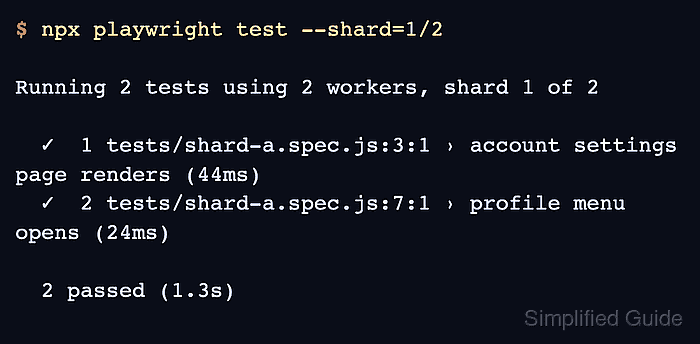
- Run the first shard locally.
$ npx playwright test --shard=1/2

Running 2 tests using 2 workers, shard 1 of 2

  ✓  1 tests/shard-a.spec.js:3:1 › account settings page renders (44ms)
  ✓  2 tests/shard-a.spec.js:7:1 › profile menu opens (24ms)

  2 passed (1.3s)
- Run the second shard locally.
$ npx playwright test --shard=2/2

Running 2 tests using 2 workers, shard 2 of 2

  ✓  1 tests/shard-b.spec.js:3:1 › checkout summary totals (14ms)
  ✓  2 tests/shard-b.spec.js:7:1 › search filters results (11ms)

  2 passed (824ms)
The two local runs should show different tests and a passing summary for each shard. If one shard has no tests, lower the shard count or split large spec files before moving the pattern into CI.
- Add a GitLab CI job that passes each parallel job index to Playwright.
- .gitlab-ci.yml
stages:
  - test

playwright-tests:
  stage: test
  image: mcr.microsoft.com/playwright:v1.61.0-noble
  parallel: 4
  script:
    - npm ci
    - npx playwright test --shard=$CI_NODE_INDEX/$CI_NODE_TOTAL
  artifacts:
    when: always
    paths:
      - blob-report
    expire_in: 1 day
parallel: 4 creates four CI jobs. GitLab sets CI_NODE_INDEX to 1, 2, 3, or 4 and CI_NODE_TOTAL to 4 for those jobs.
- Download all shard report archives into one report-merge job directory named all-blob-reports.
- Merge the downloaded blob reports into one HTML report.
$ npx playwright merge-reports --reporter=html ./all-blob-reports
merging reports from /work/all-blob-reports
extracting: all-blob-reports/report-1.zip
extracting: all-blob-reports/report-2.zip
merging events
processing test events
building final report
finished building report
- Confirm that the workflow produced the combined report artifact.
$ test -f playwright-report/index.html && printf 'playwright-report/index.html\n'
playwright-report/index.html
In CI, the same success state appears as a playwright-report artifact after the merge job uploads /playwright-report.

Mohd Shakir Zakaria is a cloud architect with deep roots in software development and open-source advocacy. Certified in AWS, Red Hat, VMware, ITIL, and Linux, he specializes in designing and managing robust cloud and on-premises infrastructures.


