Playwright's HTML reporter turns a test run into a local web report for reviewing passed tests, failures, traces, screenshots, and attachments. When terminal output is too short for failure triage, the report keeps the run summary and debugging artifacts together in one folder.
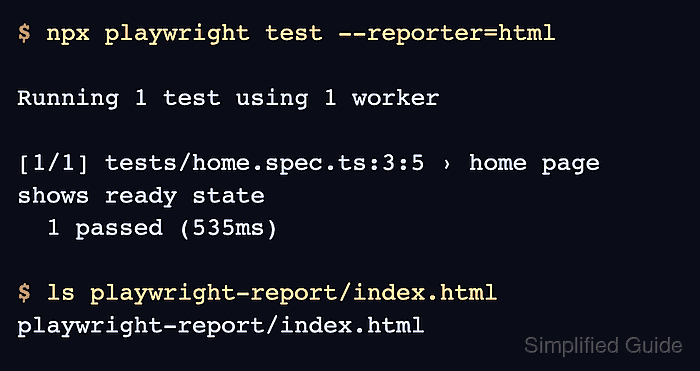
The report is generated by Playwright Test when the html reporter is selected on the command line or in playwright.config.ts. A one-time command writes playwright-report in the project root without changing the project's default reporter configuration.
The local viewer serves the saved folder with npx playwright show-report. Keep report folders internal when they contain traces, screenshots, videos, request payloads, or DOM snapshots from protected environments.
Related: How to run Playwright tests
Related: How to set Playwright reporters
Related: How to record Playwright traces
Steps to generate a Playwright HTML report:
- Open a terminal in the Playwright project root.
$ pwd
~/projects/playwright-demo
- Run the suite with the html reporter.
$ npx playwright test --reporter=html

Running 1 test using 1 worker

[1/1] tests/home.spec.ts:3:5 › home page shows ready state
  1 passed (535ms)
Use the command-line --reporter=html option for a one-time report. Use playwright.config.ts when the project should always write an HTML report.
- Confirm that the report folder contains the HTML entry point.
$ ls playwright-report/index.html
playwright-report/index.html
- Serve the report with the built-in viewer.
$ npx playwright show-report playwright-report --port 9323

  Serving HTML report at http://localhost:9323. Press Ctrl+C to quit.
If the project writes reports to another folder, pass that folder instead of playwright-report.
- Press Ctrl+C in the terminal when finished reviewing the report.

Mohd Shakir Zakaria is a cloud architect with deep roots in software development and open-source advocacy. Certified in AWS, Red Hat, VMware, ITIL, and Linux, he specializes in designing and managing robust cloud and on-premises infrastructures.


