Disabling a PHP extension is safer than removing its package when one module breaks an application, exposes an unneeded capability, or needs to be removed from only one runtime while the rest of the PHP stack stays in place.
On packaged Ubuntu and Debian systems, optional extensions are defined under /etc/php/<version>/mods-available and each SAPI such as cli, fpm, or apache2 loads them through its own /conf.d symlink set. phpquery reports the active per-SAPI state, and phpdismod removes only the selected runtime link while leaving the shared module definition and package installed.
The steps below use the packaged php-common helper flow with PHP 8.5 on Ubuntu 26.04, but the same pattern applies to current Debian and Ubuntu package builds that ship phpquery and phpdismod. The CLI interpreter picks up the change on the next invocation, while web-facing apache2 or fpm SAPIs need a service reload, and custom source builds, Homebrew installs, bundled stacks such as XAMPP, and built-in extensions without a separate .ini file require a different workflow.
Steps to disable a PHP extension on Ubuntu or Debian:
- List the installed PHP versions and available SAPIs so the disable action targets the correct runtime.
$ phpquery -V
8.5

$ phpquery -S -v 8.5
cli
If PHP-FPM or the Apache module is installed, the same SAPI list also shows fpm or apache2. Run the rest of the commands against the SAPI that actually serves the application.
Related: How to check PHP version
- Check whether the target SAPI currently loads the extension before changing it.
$ phpquery -v 8.5 -s cli -m curl
curl (Enabled for cli by maintainer script)
The state text shows whether the module was linked automatically by package maintainer logic or enabled manually later. Replace cli with fpm or apache2 when the affected runtime is web-facing.
Related: How to show loaded PHP extensions
- Disable the extension for the selected PHP version and SAPI.
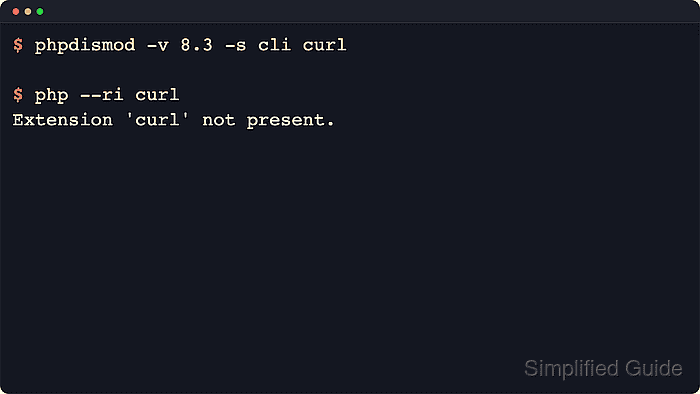
$ sudo phpdismod -v 8.5 -s cli curl
Keep -v and -s explicit on multi-version or multi-SAPI hosts so the disable action stays scoped to the intended runtime.
The module definition under /etc/php/8.5/mods-available/curl.ini remains in place, so the change can be reversed later with phpenmod instead of reinstalling the package.
- Confirm that the selected SAPI now reports the module as disabled.
$ phpquery -v 8.5 -s cli -m curl
No module matches curl (Disabled for cli by local administrator)
The local administrator marker records the intentional disable for the targeted SAPI. Run the same query against apache2 or fpm when another installed SAPI should stay enabled after a cli-only change.
- Reload the matching web service when the module was disabled for a web-facing SAPI.
$ sudo systemctl reload php8.5-fpm
No service reload is required for a cli-only change because the next shell invocation reads the updated module list immediately. Use sudo systemctl reload apache2 when the target SAPI is apache2 instead of fpm.
- Verify that the affected runtime no longer exposes the extension.
$ php --ri curl
Extension 'curl' not present.
The CLI result proves the cli SAPI no longer loads the module. For PHP-FPM or apache2, confirm with phpquery for that SAPI or with a request handled by that runtime because each SAPI reads its own configuration tree.

Mohd Shakir Zakaria is a cloud architect with deep roots in software development and open-source advocacy. Certified in AWS, Red Hat, VMware, ITIL, and Linux, he specializes in designing and managing robust cloud and on-premises infrastructures.


