Migrating a Prometheus scrape job to the OpenTelemetry Collector moves target polling out of a Prometheus server and into a metrics pipeline that can process and export the same samples to another destination. Teams use this pattern when Prometheus-format endpoints stay in place but collection, batching, and export move into Collector deployments.
The Collector contrib distribution includes the prometheus receiver, which accepts the same scrape_configs structure used by Prometheus for static targets, service discovery, relabeling, and metric relabeling. The receiver is active only when the metrics pipeline lists it under receivers, then processors and exporters decide where the scraped samples go.
Keep alert rules, Alertmanager settings, remote_read, and remote_write outside this migration unless they have a separate Collector or backend replacement. Run the Collector beside the existing Prometheus scrape first, compare the expected metric names and labels, and remove the old scrape job only after duplicate collection is intentional.
Steps to migrate Prometheus scraping to the OpenTelemetry Collector:
- Copy the Prometheus scrape job that is being moved.
- prometheus.yml
global:
  scrape_interval: 15s

scrape_configs:
  - job_name: checkout-api
    scrape_interval: 5s
    metrics_path: /metrics
    static_configs:
      - targets: ['checkout-api.internal:9100']
        labels:
          deployment_environment: staging
Move only the scrape jobs that choose targets, paths, labels, and relabeling behavior. Prometheus rules, Alertmanager configuration, remote_read, and remote_write need separate replacements or should stay with Prometheus.
- Create a Collector configuration with the same scrape job under the prometheus receiver.
- otelcol-prometheus.yaml
receivers:
  prometheus:
    config:
      scrape_configs:
        - job_name: checkout-api
          scrape_interval: 5s
          metrics_path: /metrics
          static_configs:
            - targets: ['checkout-api.internal:9100']
              labels:
                deployment_environment: staging

processors:
  batch:
    timeout: 1s

exporters:
  debug:
    verbosity: detailed

service:
  pipelines:
    metrics:
      receivers: [prometheus]
      processors: [batch]
      exporters: [debug]
Use otelcol-contrib or another Collector build that includes the prometheus receiver. If the original scrape job uses relabel replacement values such as $1, write them as $$1 in Collector YAML so environment-variable expansion does not consume them.
- Validate the Collector configuration.
$ otelcol-contrib validate --config=otelcol-prometheus.yaml
No output with a zero exit status means the file parsed and every referenced receiver, processor, exporter, and pipeline exists in the Collector distribution.
- Start the Collector with the migrated scrape job.
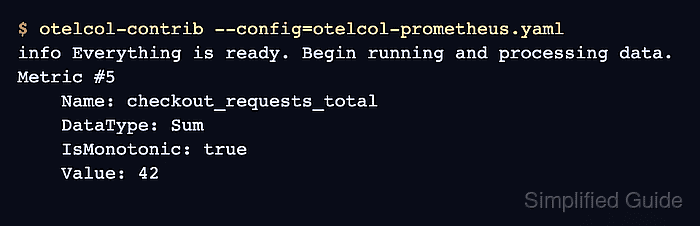
$ otelcol-contrib --config=otelcol-prometheus.yaml
info Everything is ready. Begin running and processing data.
For a packaged service or container, restart the deployment that owns the Collector process after mounting the same configuration file.
- Confirm that the debug exporter shows the expected scraped metric and labels.
info Metrics exporter=debug signal=metrics resource_metrics=1 metrics=7 data_points=7
Metric #5
Descriptor:
     -> Name: checkout_requests_total
     -> Description: Total checkout requests.
     -> DataType: Sum
     -> Metadata:
          -> prometheus.type: Str(counter)
     -> IsMonotonic: true
     -> AggregationTemporality: Cumulative
NumberDataPoints #0
Data point attributes:
     -> deployment_environment: Str(staging)
     -> method: Str(POST)
     -> route: Str(/checkout)
Value: 42.000000
The metric name, label set, monotonic counter type, and value show that the Collector scraped the Prometheus-format endpoint and converted the sample into the metrics pipeline.
- Replace the debug exporter with the destination exporter used by the metrics backend.
- otelcol-prometheus.yaml
exporters:
  otlp:
    endpoint: metrics-gateway.example.com:4317

service:
  pipelines:
    metrics:
      receivers: [prometheus]
      processors: [batch]
      exporters: [otlp]
Keep the receiver and processor list the same when changing only the destination. Add TLS, headers, or authentication required by the metrics backend before sending production traffic.
Related: How to export telemetry from the OpenTelemetry Collector with OTLP - Remove the migrated scrape job from the old Prometheus configuration after the Collector destination shows the expected series.
Do not leave both scrapers active for the same target unless duplicate collection is intentional. Two active scrapes can double ingest volume and may create duplicate series depending on the backend labels.

Mohd Shakir Zakaria is a cloud architect with deep roots in software development and open-source advocacy. Certified in AWS, Red Hat, VMware, ITIL, and Linux, he specializes in designing and managing robust cloud and on-premises infrastructures.


