Collecting host metrics with the OpenTelemetry Collector lets a server report CPU, memory, disk, filesystem, and network measurements through the same telemetry pipeline used for application signals. That keeps host telemetry available when a server needs infrastructure metrics without adding a separate monitoring agent.
The host_metrics receiver runs inside the Collector and scrapes local operating-system sources on a regular interval. The receiver must be enabled in a metrics pipeline, and the pipeline needs an exporter so the collected metric points leave the Collector.
Start from a Linux host where the official package installed the otelcol service. The debug exporter is used only for the first proof because it prints metric names to the service logs; production configurations can route the same pipeline to an OTLP, Prometheus, or vendor exporter after the scrape appears.
Steps to collect host metrics with the OpenTelemetry Collector:
- Open the Collector configuration file.
$ sudo vi /etc/otelcol/config.yaml
The package-managed otelcol service reads /etc/otelcol/config.yaml by default on Linux systems installed from the official packages.
- Add the host_metrics receiver to a metrics pipeline.
receivers:
  host_metrics:
    collection_interval: 10s
    scrapers:
      cpu:
      memory:
      filesystem:
      network:
      disk:
      load:

processors:
  resource/host:
    attributes:
      - key: host.name
        value: web-01
        action: upsert
  batch:

exporters:
  debug:
    verbosity: detailed

service:
  pipelines:
    metrics:
      receivers: [host_metrics]
      processors: [resource/host, batch]
      exporters: [debug]
Replace web-01 with the host label expected in the backend. The host metrics receiver does not add resource attributes by itself, so the resource/host processor makes the host identity explicit. If the Collector itself runs in a container, bind-mount the host filesystem and set root_path to the mount point, such as /hostfs. Without that setting, filesystem metrics describe the container view.
- Validate the Collector configuration.
$ sudo otelcol validate --config=/etc/otelcol/config.yaml
No output means the configuration parsed successfully and every referenced receiver, processor, and exporter exists in the installed Collector build.
- Restart the otelcol service.
$ sudo systemctl restart otelcol
Official Linux packages start the Collector with /etc/otelcol/config.yaml unless OTELCOL_OPTIONS in /etc/otelcol/otelcol.conf overrides the config path.
- Check that the Collector service is running.
$ sudo systemctl status otelcol --no-pager otelcol.service - OpenTelemetry Collector Loaded: loaded (/lib/systemd/system/otelcol.service; enabled; preset: enabled) Active: active (running) since Thu 2026-06-18 06:16:21 UTC; 7s ago ##### snipped ##### - Inspect the debug exporter output for host metric names.
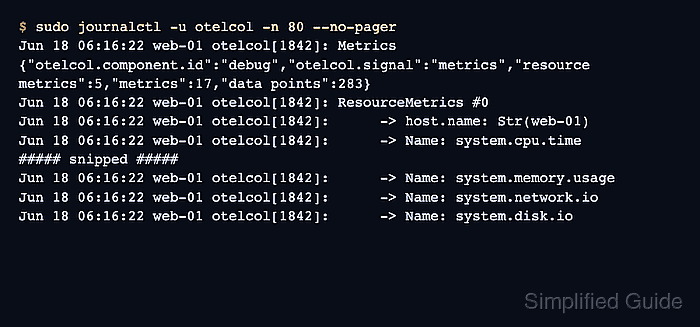
$ sudo journalctl -u otelcol -n 80 --no-pager
Jun 18 06:16:22 web-01 otelcol[1842]: Metrics {"otelcol.component.id":"debug","otelcol.signal":"metrics","resource metrics":5,"metrics":17,"data points":283}
Jun 18 06:16:22 web-01 otelcol[1842]: ResourceMetrics #0
Jun 18 06:16:22 web-01 otelcol[1842]:      -> host.name: Str(web-01)
Jun 18 06:16:22 web-01 otelcol[1842]:      -> Name: system.cpu.time
##### snipped #####
Jun 18 06:16:22 web-01 otelcol[1842]:      -> Name: system.memory.usage
Jun 18 06:16:22 web-01 otelcol[1842]:      -> Name: system.network.io
Jun 18 06:16:22 web-01 otelcol[1842]:      -> Name: system.disk.io
The first scrape normally appears after initial_delay, which defaults to one second. Later scrapes follow collection_interval.
- Route the metrics pipeline to the production exporter after the host scrape is visible.
exporters:
  otlp:
    endpoint: otel-gateway.example.net:4317

service:
  pipelines:
    metrics:
      receivers: [host_metrics]
      processors: [resource/host, batch]
      exporters: [otlp]
Keep debug alongside the backend exporter during rollout when service logs are the fastest way to compare Collector output with backend ingestion.
Related: How to export telemetry from the OpenTelemetry Collector with OTLP

Mohd Shakir Zakaria is a cloud architect with deep roots in software development and open-source advocacy. Certified in AWS, Red Hat, VMware, ITIL, and Linux, he specializes in designing and managing robust cloud and on-premises infrastructures.


