ALPN lets a TLS client and server choose the application protocol for the encrypted session, such as HTTP/2 or HTTP/1.1. Testing the negotiation with OpenSSL shows what one web server, proxy, load balancer, or CDN edge selects from the network path where the probe runs.
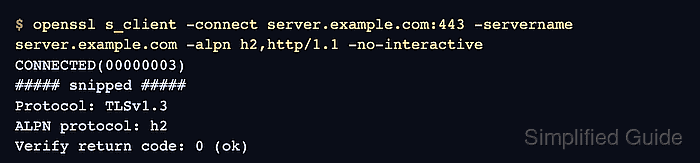
The openssl s_client command offers protocol names with -alpn and prints the selected protocol in the normal handshake transcript. Keep -servername set to the service DNS name so shared listeners use the same virtual host that real clients reach.
Use the protocol list that matches the client behavior being checked. A line such as ALPN protocol: h2 means the endpoint selected HTTP/2, ALPN protocol: http/1.1 means it selected HTTP/1.1, and No ALPN negotiated means TLS completed without an application-protocol agreement. Certificate trust and hostname coverage are separate checks.
Steps to test TLS ALPN negotiation using OpenSSL:
- Identify the endpoint host, port, SNI name, and protocol list for the probe.
Use the DNS name clients request as -servername. Offer protocol names in preference order, such as h2,http/1.1 when HTTP/2 should be preferred with HTTP/1.1 fallback.
- Run openssl s_client with the ALPN offer list.
$ openssl s_client -connect server.example.com:443 -servername server.example.com -alpn h2,http/1.1 -no-interactive
CONNECTED(00000003)
##### snipped #####
Protocol: TLSv1.3
ALPN protocol: h2
Verify return code: 0 (ok)
The ALPN protocol line is the application-protocol result. Do not add -brief for this check because compact output can omit the ALPN line.
- Offer only HTTP/1.1 when fallback behavior is the target.
$ openssl s_client -connect server.example.com:443 -servername server.example.com -alpn http/1.1 -no-interactive
CONNECTED(00000003)
##### snipped #####
Protocol: TLSv1.3
ALPN protocol: http/1.1
Verify return code: 0 (ok)
This confirms that the server can choose HTTP/1.1 from the offered list. A different result means the listener, proxy, or edge policy is not behaving like the client path being tested.
- Check the no-ALPN case when the listener should not negotiate an application protocol.
$ openssl s_client -connect server.example.com:443 -servername server.example.com -alpn h2,http/1.1 -no-interactive
CONNECTED(00000003)
##### snipped #####
Protocol: TLSv1.3
No ALPN negotiated
Verify return code: 0 (ok)
No ALPN negotiated is different from a failed TLS connection. It means the handshake completed, but the server did not select any protocol from the client's ALPN offer list.

Mohd Shakir Zakaria is a cloud architect with deep roots in software development and open-source advocacy. Certified in AWS, Red Hat, VMware, ITIL, and Linux, he specializes in designing and managing robust cloud and on-premises infrastructures.


