Certificate stores and appliance importers often expect a PFX or PKCS#12 archive instead of separate PEM certificate and key files. A correct archive keeps the leaf certificate, matching private key, and issuing chain together for import into Windows, IIS, load balancers, mobile-device managers, or vendor portals.
OpenSSL builds the archive through pkcs12 export mode. The export reads the leaf certificate with -in, reads the private key with -inkey, adds issuer certificates with -certfile, and protects the output archive with the password source passed to -passout.
A PFX archive contains private-key material, so stage the inputs in a private working directory and keep the archive password out of shell history. Check the certificate metadata, confirm that the certificate and private key expose the same public key, verify the issuer chain where possible, and inspect the finished archive without printing the private key.
Steps to create a PFX file from PEM certificates using OpenSSL:
- Create a private working directory for the PFX export.
$ install -d -m 700 "$HOME/pfx-export"
- Copy the leaf certificate into the working directory.
$ install -m 644 "$HOME/certs/server.crt.pem" "$HOME/pfx-export/server.crt.pem"
- Copy the private key into the working directory with restricted permissions.
$ install -m 600 "$HOME/certs/server.key.pem" "$HOME/pfx-export/server.key.pem"
The private key must stay readable only by the account performing the export or by an approved secret-management process.
- Copy the CA chain or issuer bundle into the working directory.
$ install -m 644 "$HOME/certs/ca-chain.pem" "$HOME/pfx-export/ca-chain.pem"
- Copy the PFX password from protected storage.
$ install -m 600 /run/secrets/pfx-password "$HOME/pfx-export/pfx-password.txt"
Replace /run/secrets/pfx-password with the protected source that holds the archive password. Omit -passout file:pfx-password.txt in the export step to let OpenSSL prompt interactively instead.
- Open the working directory.
$ cd "$HOME/pfx-export"
- Check the staged file permissions.
$ ls -l server.crt.pem server.key.pem ca-chain.pem pfx-password.txt
-rw-r--r-- 1 deploy deploy 1212 Jun 30 07:49 ca-chain.pem
-rw------- 1 deploy deploy   29 Jun 30 07:49 pfx-password.txt
-rw-r--r-- 1 deploy deploy 1277 Jun 30 07:49 server.crt.pem
-rw------- 1 deploy deploy 1704 Jun 30 07:49 server.key.pem
- Check the leaf certificate metadata.
$ openssl x509 -in server.crt.pem -noout -subject -issuer -enddate
subject=CN=server.example.com, O=Example Web
issuer=CN=ca.example.com, O=Example Internal PKI
notAfter=Oct  2 07:49:53 2028 GMT
Stop before packaging if the subject, issuer, or expiry date belongs to a different certificate than the receiving system should import.
- Write the certificate public key to a temporary file.
$ openssl x509 -in server.crt.pem -pubkey -noout -out server.crt.pub.pem
- Write the public key derived from the private key to a temporary file.
$ openssl pkey -in server.key.pem -pubout -out server.key.pub.pem
- Compare the public-key digests.
$ openssl dgst -sha256 server.crt.pub.pem server.key.pub.pem
SHA2-256(server.crt.pub.pem)= 4eae227a1e6c88e6b51d36eab98d4134439a44166c01b442c340c711667e1cde
SHA2-256(server.key.pub.pem)= 4eae227a1e6c88e6b51d36eab98d4134439a44166c01b442c340c711667e1cde
Matching digests show that the certificate and private key belong to the same key pair.
Tool: SSL Matcher (Certificate, CSR, and Key) - Verify the certificate against the CA chain file.
$ openssl verify -CAfile ca-chain.pem server.crt.pem
server.crt.pem: OK
Use a CA bundle that the importing system should trust. If the PEM chain contains only intermediates, verify against the organization root bundle or system trust store instead.
Related: How to verify a certificate chain using OpenSSL - Create the PFX archive from the certificate, private key, and CA chain file.
$ openssl pkcs12 -export -out server.pfx -inkey server.key.pem -in server.crt.pem -certfile ca-chain.pem -name "server.example.com" -passout file:pfx-password.txt
Omit -certfile ca-chain.pem only when the target system already has the required issuer chain. Use -legacy only for older importers that reject the default OpenSSL 3.x PKCS#12 encryption.
Avoid -twopass unless the importer explicitly requires separate integrity and encryption passwords. Many importers expect one archive password.
- Restrict the PFX archive.
$ chmod 600 server.pfx
- Confirm the PFX archive permissions.
$ ls -l server.pfx
-rw------- 1 deploy deploy 3672 Jun 30 07:49 server.pfx
The PFX archive contains the private key. Store it with the same controls used for the original private key.
- Inspect the PFX archive without printing credential material.
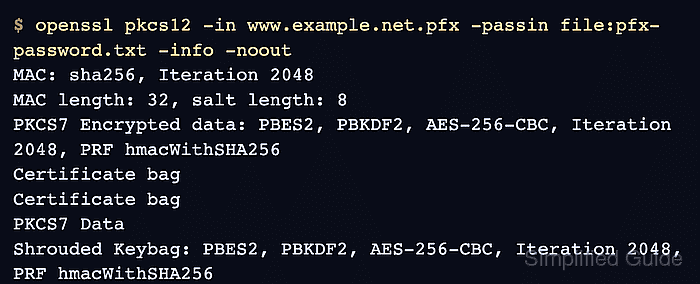
$ openssl pkcs12 -in server.pfx -passin file:pfx-password.txt -info -noout
MAC: sha256, Iteration 2048
MAC length: 32, salt length: 8
PKCS7 Encrypted data: PBES2, PBKDF2, AES-256-CBC, Iteration 2048, PRF hmacWithSHA256
Certificate bag
Certificate bag
PKCS7 Data
Shrouded Keybag: PBES2, PBKDF2, AES-256-CBC, Iteration 2048, PRF hmacWithSHA256
The output should show certificate bags and a shrouded keybag. A password error or missing keybag means the archive is not ready for import.
- Extract only the leaf certificate from the PFX archive.
$ openssl pkcs12 -in server.pfx -passin file:pfx-password.txt -clcerts -nokeys -out pfx-leaf.crt.pem
-clcerts -nokeys writes the leaf certificate and skips private keys and CA certificates.
- Confirm that the extracted leaf certificate is still the intended certificate.
$ openssl x509 -in pfx-leaf.crt.pem -noout -subject -issuer -enddate
subject=CN=server.example.com, O=Example Web
issuer=CN=ca.example.com, O=Example Internal PKI
notAfter=Oct  2 07:49:53 2028 GMT
- Remove the temporary password and public-key comparison files after verification passes.
$ rm -f pfx-password.txt server.crt.pub.pem server.key.pub.pem pfx-leaf.crt.pem
Do not attach the private key, PFX archive, or password file to tickets, chat messages, screenshots, or saved troubleshooting logs.

Mohd Shakir Zakaria is a cloud architect with deep roots in software development and open-source advocacy. Certified in AWS, Red Hat, VMware, ITIL, and Linux, he specializes in designing and managing robust cloud and on-premises infrastructures.


