Certificate revocation lists let a certificate authority publish certificates that should no longer be trusted before their normal expiry date. Checking a CRL with OpenSSL helps before publishing revocation material, debugging a client trust decision, or confirming why a certificate fails validation.
The openssl crl command reads the revocation list itself, while openssl verify applies that list during certificate validation. Use the CA certificate that issued both the target certificate and the CRL, because a revocation list from another issuer does not prove the target certificate's status.
PEM files named ca.crt, ca.crl, and server.crt keep the command path readable. Use the same command structure with your own file names as long as the CRL is current and the serial number from the target certificate can be compared with the CRL entries.
Steps to check a certificate revocation list using OpenSSL:
- Print the CRL issuer and update window.
$ openssl crl -in ca.crl -noout -issuer -lastupdate -nextupdate
issuer=CN=Example Root CA
lastUpdate=Jun 30 07:02:10 2026 GMT
nextUpdate=Jul 30 07:02:10 2026 GMT
The nextUpdate value is the latest time clients should treat this CRL as fresh. Replace a stale CRL before treating an absent serial as not revoked.
- Print the target certificate serial and issuer.
$ openssl x509 -in server.crt -noout -serial -issuer
serial=1000
issuer=CN=Example Root CA
The issuer should match the CRL issuer. The serial number is the value to compare with the revoked certificate entries.
- List the CRL entries and compare the target serial.
$ openssl crl -in ca.crl -noout -text
Certificate Revocation List (CRL):
        Version 2 (0x1)
        Signature Algorithm: sha256WithRSAEncryption
        Issuer: CN=Example Root CA
        Last Update: Jun 30 07:02:10 2026 GMT
        Next Update: Jul 30 07:02:10 2026 GMT
##### snipped #####
Revoked Certificates:
    Serial Number: 1000
        Revocation Date: Jun 30 07:02:10 2026 GMT
##### snipped #####
A matching serial means the certificate is revoked by this CRL. If No Revoked Certificates. appears or the serial is absent, continue with openssl verify so issuer, CA trust, and CRL application are checked together.
- Verify the target certificate with the CRL.
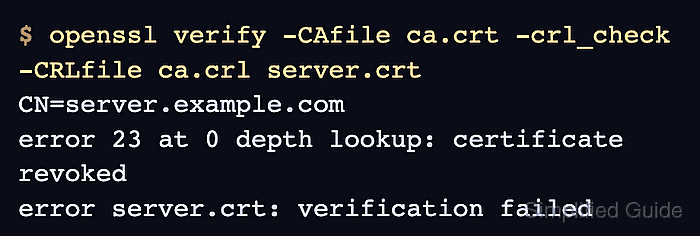
$ openssl verify -CAfile ca.crt -crl_check -CRLfile ca.crl server.crt
CN=server.example.com
error 23 at 0 depth lookup: certificate revoked
error server.crt: verification failed
-crl_check checks the leaf certificate against the CRL supplied with -CRLfile. Use -crl_check_all only when the CRL set covers every certificate in the chain.
- Verify a known non-revoked certificate from the same CA when every certificate appears to fail.
$ openssl verify -CAfile ca.crt -crl_check -CRLfile ca.crl client.crt
client.crt: OK
An OK result confirms the CA certificate and CRL file work together. If every certificate fails, check that ca.crt is the issuing CA and that ca.crl is not expired or from another issuer.

Mohd Shakir Zakaria is a cloud architect with deep roots in software development and open-source advocacy. Certified in AWS, Red Hat, VMware, ITIL, and Linux, he specializes in designing and managing robust cloud and on-premises infrastructures.


