OpenNebula stores control-plane state in the database configured on the Front-end. A database backup protects users, Hosts, virtual networks, templates, quotas, and accounting records before an upgrade, database cleanup, or recovery drill changes the management server.
The onedb maintenance tool reads the active database connection from /etc/one/oned.conf unless command-line database options override it. OpenNebula supports SQLite and MySQL/MariaDB backends, and a backup must be restored into the same backend type that created it.
Run the backup during a maintenance window with opennebula stopped, then bring services back before copying the saved file to the backup repository. The database file is only control-plane metadata; keep it with matching configuration backups from /etc/one and /var/lib/one/remotes/etc when the goal is rollback or disaster recovery.
Steps to back up the OpenNebula database:
- Open a shell on the OpenNebula Front-end with sudo privileges.
- Create a restricted directory for database backup files.
$ sudo install -d -o oneadmin -g oneadmin -m 0750 /var/backups/opennebula
- List the installed OpenNebula service units.
$ systemctl list-unit-files 'opennebula*' --type=service
UNIT FILE                    STATE   PRESET
opennebula.service           enabled enabled
opennebula-fireedge.service  enabled enabled
opennebula-flow.service      enabled enabled
opennebula-gate.service      enabled enabled
opennebula-hem.service       enabled enabled
Stop the units that exist on the Front-end. opennebula-fireedge provides the current Sunstone web interface, and opennebula-hem may appear as a dependency of the main daemon.
- Stop the Front-end services.
$ sudo systemctl stop opennebula opennebula-flow.service opennebula-gate.service opennebula-fireedge.service opennebula-hem.service
Stop Apache or Nginx too when FireEdge is published through a reverse proxy.
Related: How to manage OpenNebula services with systemctl in Linux - Confirm that the Front-end services are inactive.
$ systemctl is-active opennebula opennebula-flow.service opennebula-gate.service opennebula-fireedge.service opennebula-hem.service
inactive
inactive
inactive
inactive
inactive
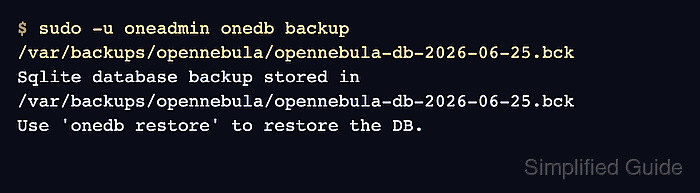
- Run onedb backup as the oneadmin system user.
$ sudo -u oneadmin onedb backup /var/backups/opennebula/opennebula-db-2026-06-25.bck
Sqlite database backup stored in /var/backups/opennebula/opennebula-db-2026-06-25.bck
Use 'onedb restore' to restore the DB.
MySQL/MariaDB environments print MySQL dump stored instead. Keep the backend type with the backup record because onedb restore does not convert between SQLite and MySQL/MariaDB.
- Restrict the backup file permissions.
$ sudo chmod 0640 /var/backups/opennebula/opennebula-db-2026-06-25.bck
- Check the saved backup file.
$ sudo ls -lh /var/backups/opennebula/opennebula-db-2026-06-25.bck
-rw-r----- 1 oneadmin oneadmin 48M Jun 25 10:34 /var/backups/opennebula/opennebula-db-2026-06-25.bck
- Start the Front-end services.
$ sudo systemctl start opennebula opennebula-flow.service opennebula-gate.service opennebula-fireedge.service opennebula-hem.service
Start Apache or Nginx too when the Sunstone endpoint depends on a reverse proxy.
Related: How to manage OpenNebula services with systemctl in Linux - Confirm that the OpenNebula API responds again.
$ sudo -u oneadmin oneuser show 0
USER 0 INFORMATION
ID              : 0
NAME            : oneadmin
GROUP           : oneadmin
AUTH_DRIVER     : core
ENABLED         : Yes
- Copy the backup file to the backup repository.
$ sudo scp /var/backups/opennebula/opennebula-db-2026-06-25.bck backup-admin@backup01.example.net:/srv/opennebula/db/
opennebula-db-2026-06-25.bck 100%   48MB  42.0MB/s   00:01
Do not leave the only copy on the Front-end. A host loss or filesystem corruption can remove the database and its local backup together.
- Verify the copied file from the backup repository.
$ ssh backup-admin@backup01.example.net ls -lh /srv/opennebula/db/opennebula-db-2026-06-25.bck
-rw-r----- 1 backup-admin backup-admin 48M Jun 25 10:36 /srv/opennebula/db/opennebula-db-2026-06-25.bck
Use a separate restore drill host for onedb restore. Restoring over the production database replaces control-plane state.

Mohd Shakir Zakaria is a cloud architect with deep roots in software development and open-source advocacy. Certified in AWS, Red Hat, VMware, ITIL, and Linux, he specializes in designing and managing robust cloud and on-premises infrastructures.


