Image cropping isolates a region of interest before a computer-vision pipeline measures, displays, or saves a smaller part of the frame. In OpenCV Python code, a loaded image is a NumPy array, so the crop is an array slice rather than a separate image-processing function.
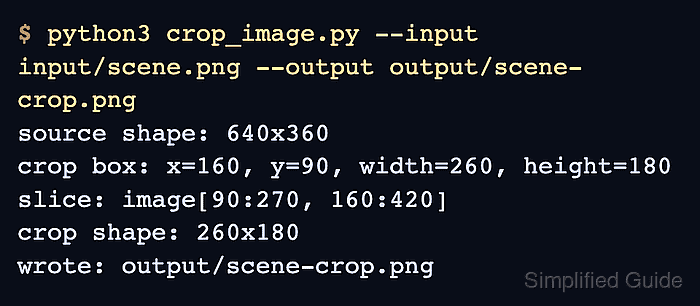
The coordinate detail matters because OpenCV reports image shapes as height, width, channels, while crop boxes are often described as x, y, width, height. Convert the box into row and column slice bounds before indexing the image, with the y range first and the x range second.
A small script keeps the crop repeatable by checking the requested box before saving the smaller image. The printed source shape, crop box, slice bounds, and output shape make wrong coordinate order or out-of-bounds values visible before the cropped file is used downstream.
Related: How to read and write an image with OpenCV
Related: How to resize an image with OpenCV
Related: How to install OpenCV on Ubuntu
Steps to crop an image with OpenCV:
- Create an input directory for the source image.
$ mkdir -p input
- Copy the source image into the expected path.
$ cp scene.png input/scene.png
Replace scene.png with the image that contains the region to isolate. Keep the input/scene.png path or pass a different path with --input when running the script.
- Create the crop script.
- crop_image.py
from argparse import ArgumentParser
from pathlib import Path

import cv2 as cv


parser = ArgumentParser()
parser.add_argument("--input", default="input/scene.png", help="Source image")
parser.add_argument("--output", default="output/scene-crop.png", help="Cropped output image")
parser.add_argument("--x", type=int, default=160, help="Left edge of the crop")
parser.add_argument("--y", type=int, default=90, help="Top edge of the crop")
parser.add_argument("--width", type=int, default=260, help="Crop width in pixels")
parser.add_argument("--height", type=int, default=180, help="Crop height in pixels")
args = parser.parse_args()

image = cv.imread(args.input)
if image is None:
    raise SystemExit(f"could not read input image: {args.input}")

source_height, source_width = image.shape[:2]
x1 = args.x
y1 = args.y
x2 = x1 + args.width
y2 = y1 + args.height

if x1 < 0 or y1 < 0 or x2 > source_width or y2 > source_height:
    raise SystemExit(
        "crop rectangle is outside the source image: "
        f"source={source_width}x{source_height}, "
        f"box=({x1},{y1})-({x2},{y2})"
    )

crop = image[y1:y2, x1:x2]

output_path = Path(args.output)
output_path.parent.mkdir(parents=True, exist_ok=True)
if not cv.imwrite(str(output_path), crop):
    raise SystemExit(f"could not write output image: {output_path}")

print(f"source shape: {source_width}x{source_height}")
print(f"crop box: x={x1}, y={y1}, width={args.width}, height={args.height}")
print(f"slice: image[{y1}:{y2}, {x1}:{x2}]")
print(f"crop shape: {crop.shape[1]}x{crop.shape[0]}")
print(f"wrote: {output_path}")
The default crop starts at x=160 and y=90, then keeps a 260×180 pixel region. Change those defaults or pass --x, --y, --width, and --height for a different region.
- Run the script and confirm the crop dimensions.
$ python3 crop_image.py --input input/scene.png --output output/scene-crop.png
source shape: 640x360
crop box: x=160, y=90, width=260, height=180
slice: image[90:270, 160:420]
crop shape: 260x180
wrote: output/scene-crop.png
- Keep the y range before the x range in the slice.
crop = image[y1:y2, x1:x2]
image.shape[:2] returns height, width. Use y1:y2 for rows and x1:x2 for columns, even when the crop box is described as x, y, width, height.
- Review the cropped output image.

The saved file should contain only the selected region. If it shows the wrong part of the image, check whether the x and y values were swapped.
- Remove the sample script after adapting the crop logic.
$ rm crop_image.py

Mohd Shakir Zakaria is a cloud architect with deep roots in software development and open-source advocacy. Certified in AWS, Red Hat, VMware, ITIL, and Linux, he specializes in designing and managing robust cloud and on-premises infrastructures.


