Open WebUI monitoring needs separate signals for the web application and the model providers users depend on. A server can answer the login page while a provider is unreachable, so checking only the port or container process can miss the outage that breaks chat for users.
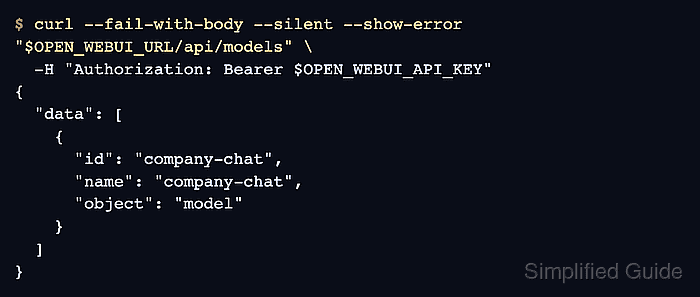
The unauthenticated /health endpoint reports application liveness. The authenticated /api/models?refresh=true request refreshes the model list instead of relying on cached entries. An expected model ID in that response confirms model visibility for the account, but does not prove that the model can generate a reply.
A dedicated standard monitoring account needs access to the expected model and permission to use an API key. With API-key endpoint restrictions enabled, allowing only /api/models limits the key's route access. The shell checks require Bash, curl, and jq on the monitoring host, using the same network path and TLS trust as the monitor.
Steps to monitor Open WebUI health and model availability:
- Set the Open WebUI base URL reached by the monitoring host.
$ export OPEN_WEBUI_URL="https://openwebui.example.com"
- Set the exact provider model ID expected by the monitoring account.
$ export OPEN_WEBUI_MODEL="company-chat"
The ID must match a model the account is allowed to use; a display name can differ from its ID.
- Load the monitoring account's API key without echoing it.
$ read -r -s -p "Monitoring API key: " OPEN_WEBUI_API_KEY
Monitoring API key:
The key grants access as its owner. Shell tracing, verbose HTTP logs, and shared captures can disclose it. The requests below pass the authorization header through standard input so the expanded key does not appear in curl's process arguments. The key stays in a shell variable rather than an exported environment variable.
Related: How to enable API keys in Open WebUI - Check the unauthenticated application health response.
$ curl --fail-with-body --silent --show-error --max-time 10 \
  --write-out '\nHTTP %{http_code}\n' "$OPEN_WEBUI_URL/health"
{"status":true}
HTTP 200
HTTP 200 with "status":true means the application answered its health route. A timeout, connection error, non-2xx status, or different body requires investigation. This response does not check the database or model providers.
- Request a refreshed model list with the monitoring key.
$ curl --fail-with-body --silent --show-error --max-time 20 \
  --output openwebui-models.json --write-out '%{http_code}\n' \
  --config - "$OPEN_WEBUI_URL/api/models?refresh=true" <<EOF
header = "Authorization: Bearer $OPEN_WEBUI_API_KEY"
EOF
200
A failed request has a nonzero exit status and must fail the monitor before the JSON check. HTTP 401 or 403 points to authentication, key restrictions, or account permissions. HTTP 200 alone is insufficient because an unreachable provider can produce an empty model list. Refreshing queries configured providers, so frequent polling adds provider traffic; an ordinary /api/models request may return cached entries during an outage. Connections with manually specified Model IDs can list those IDs without contacting the provider.
- Confirm that the refreshed response contains the expected model ID.
$ jq --exit-status --arg model "$OPEN_WEBUI_MODEL" \
  'any(.data[]; .id == $model)' openwebui-models.json
true
true exits with status 0. false exits with status 1 when the expected ID is absent, including an empty list; malformed JSON also fails. A healthy application with a failed model check separates web liveness from model discovery or access problems. A listed model can still fail during generation, so inference readiness needs a separate chat request.
Related: How to refresh the Open WebUI model list
Related: How to fix Open WebUI localhost connection errors in Docker