An attachment badge does not mean a chat model has read a document. In Open WebUI, an attached knowledge base can be ignored when the model cannot use the tools that read its documents, leaving it to guess or refuse a question whose answer is already in the file.
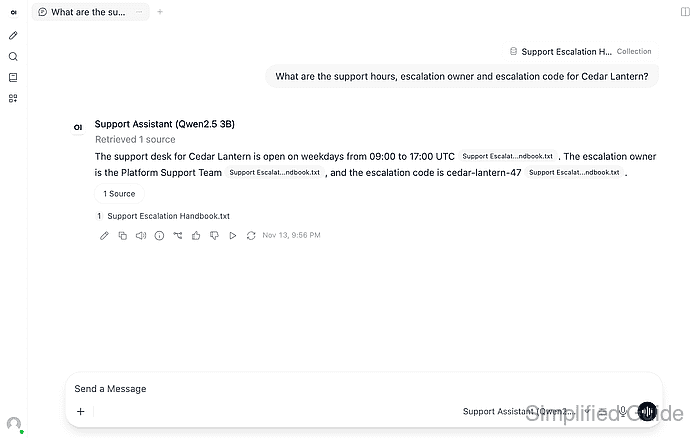
Native function calling relies on the model's tools to access knowledge. A model with built-in tools disabled cannot use that route, and some small local models do not call the available tools reliably. Legacy mode supplies document context before the reply, providing a remedy for that chat without changing the knowledge base or global retrieval settings.
A question about a specific fact in a readable, processed file helps separate this problem from a failed upload or missing text. The answer and its source must agree, including qualifications such as the days a service operates; a plausible reply alone does not establish that the attached knowledge base was used.
Steps to fix Open WebUI ignoring an attached knowledge base:
- Identify a reply that overlooks information in your attached knowledge base.
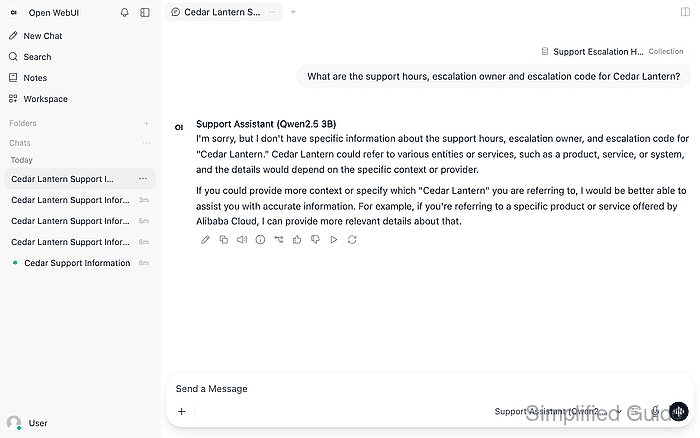
A refusal, an invented answer, or a reply without a relevant source can indicate that the model never received the document text. The attachment must be present in the affected chat, and the question must have an answer in your file.
- Check the affected file's Indexed text under Workspace → Knowledge → your knowledge base.
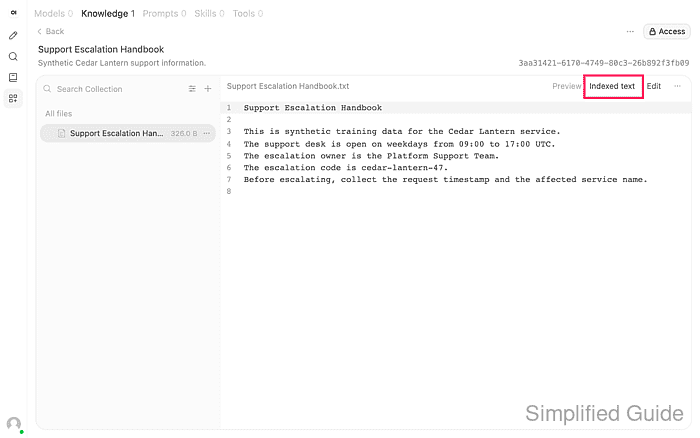
The text must contain the answer to your question. If the upload is still processing, reports an error, or has empty or garbled text, the ingestion problem needs repair before changing the chat's retrieval mode.
- Start a fresh conversation with the affected model through New Chat.
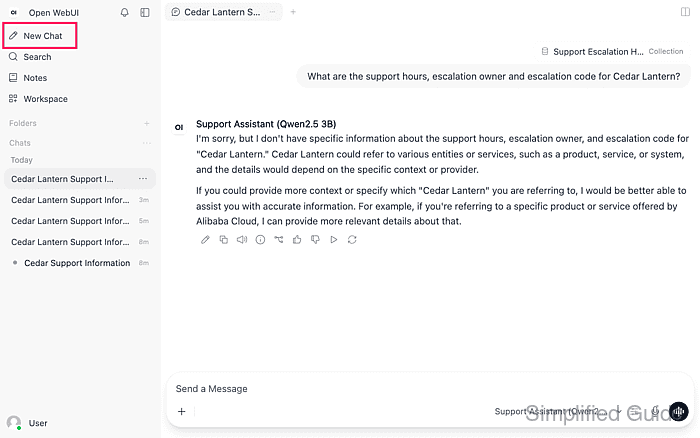
A fresh chat avoids carrying the earlier unsupported answer into the retest. The model shown is a local Qwen2.5 3B preset; smaller models can omit source qualifications even when retrieval works.
Related: How to pull an Ollama model - Attach your knowledge base through the composer's # selector.
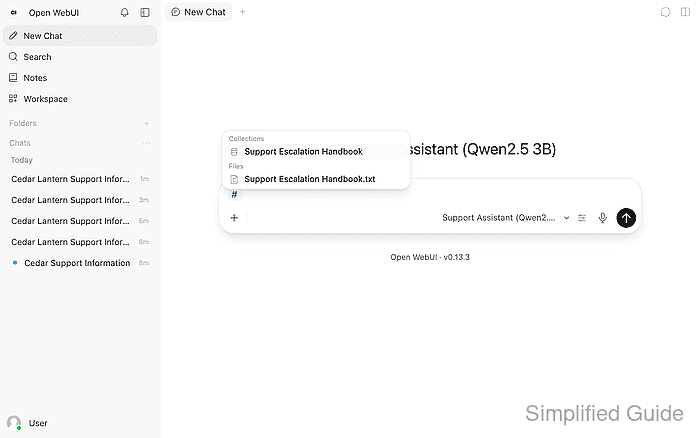
The knowledge base appears under Collections. The individual files appear separately under Files.
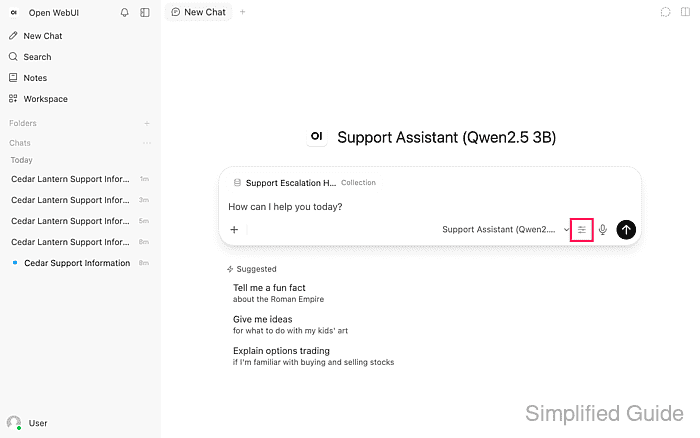
- Open Model controls beside the model name in the composer.
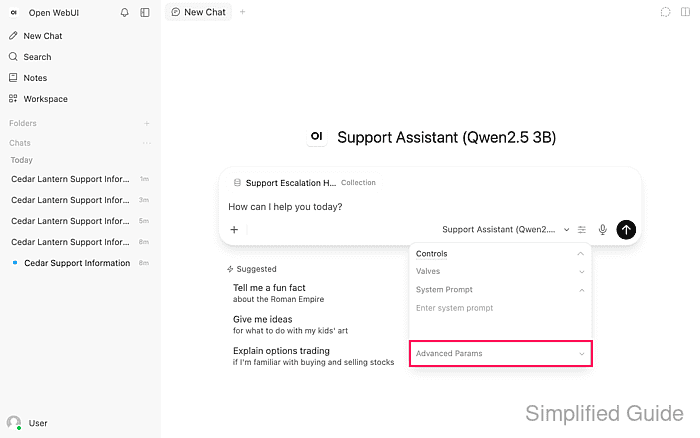
- Expand Advanced Params in the controls panel.
- Set Function Calling to Legacy.
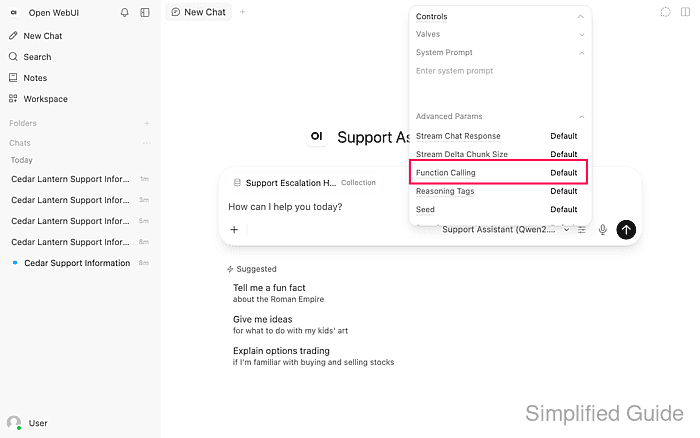
The control cycles through Default, Native, and Legacy. This overrides the mode for the chat so retrieval does not depend on the model choosing a knowledge tool. It does not delete files, rebuild embeddings, or change the administrator's document settings.
- Dismiss the controls panel with Esc once Function Calling shows Legacy.
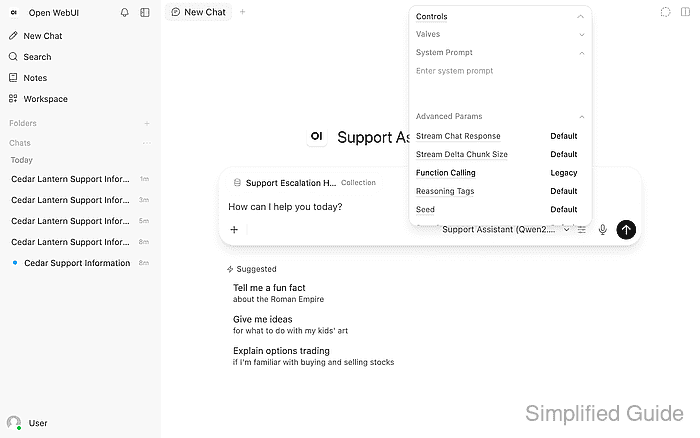
- Send your original document-specific question in the fresh chat.
The handbook question is “What are the support hours, escalation owner and escalation code for Cedar Lantern?”
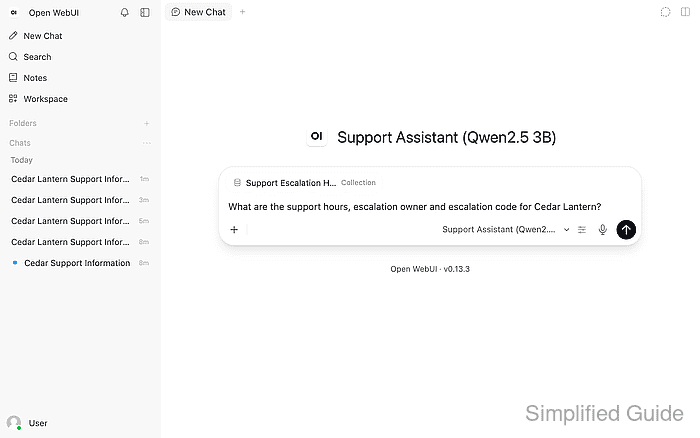
The question above refers to the handbook shown in the screenshots. For your own knowledge base, the question must refer to facts in your own document.
- Expand the Source button beneath the completed answer.
Example output:
The support desk for Cedar Lantern is open on weekdays from 09:00 to 17:00 UTC [1]. The escalation owner is the Platform Support Team [1], and the escalation code is cedar-lantern-47 [1].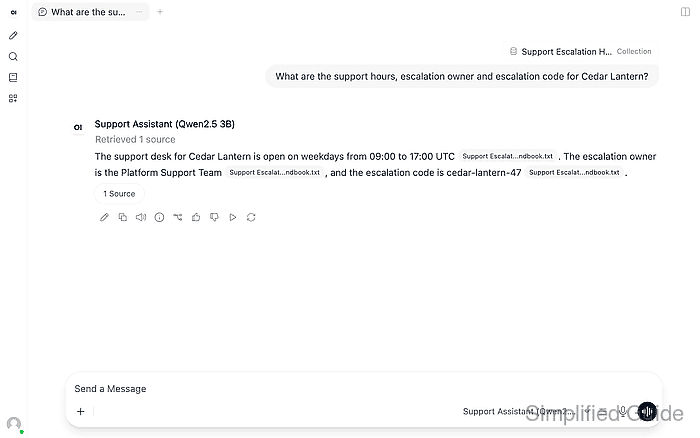
The wording varies by model. Retrieved 1 source and the source count show that document retrieval ran; the answer must also contain the information requested. A missing source or unrelated answer means the symptom remains.
- Open the source file listed below the answer.
- Confirm that the answer includes every requested fact and material qualification in the cited passage.
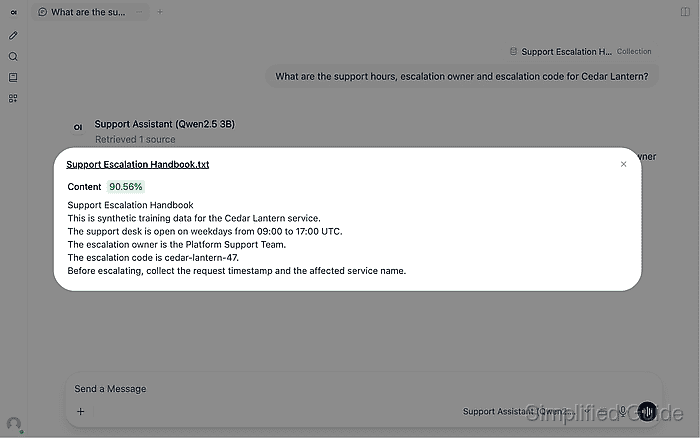
The handbook gives weekday hours of 09:00–17:00 UTC, the Platform Support Team as escalation owner, and cedar-lantern-47 as the code. For your own document, every requested fact and its restrictions must appear in the answer as well as the source. A missing day restriction, changed hours or time zone, wrong owner, or altered code fails this check even when a citation appears.