Long conversations consume a model's context window even when the latest question is short. In Open WebUI, context-window errors stop a reply when the provider rejects the accumulated history; context compaction can shorten that history so the conversation can continue.
Rejection depends on the model provider. A llama.cpp server can reject a request that exceeds its configured window, whereas Ollama connections may silently truncate older context and return a reply with missing details. For a very small local model used for plain text chat, native tool definitions can fill the window even after older messages are summarized.
An administrator controls the instance defaults and chooses the summarization model, which receives the older chat messages. A connected local model with a larger window can summarize history that the chat model can no longer read. Summaries may omit details, although the original messages remain in the saved chat; an exported chat preserves a separate copy of that record.
Steps to troubleshoot context-window errors in Open WebUI:
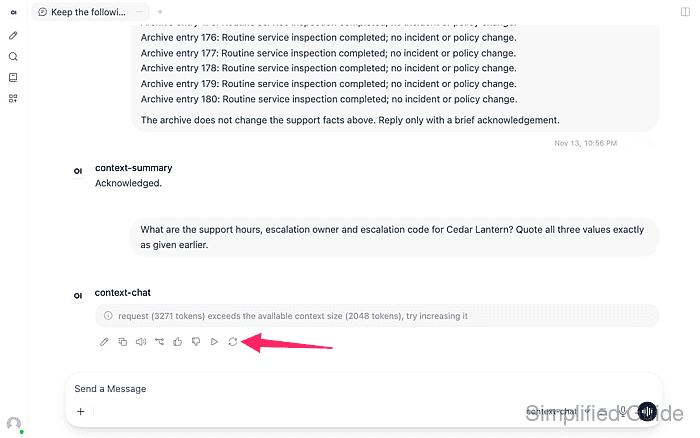
- Confirm that the chat error reports a request larger than the model's context window.
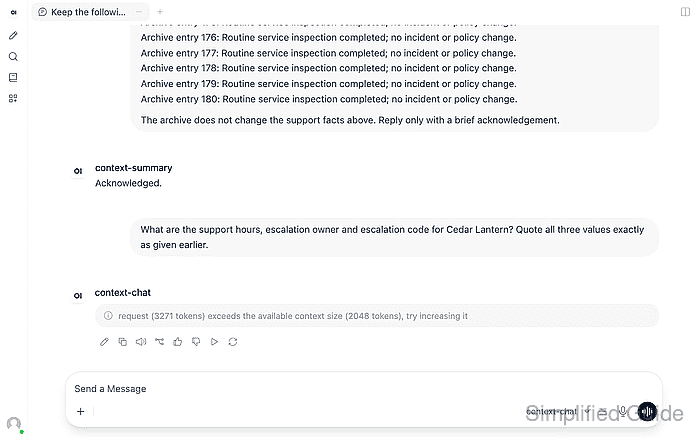
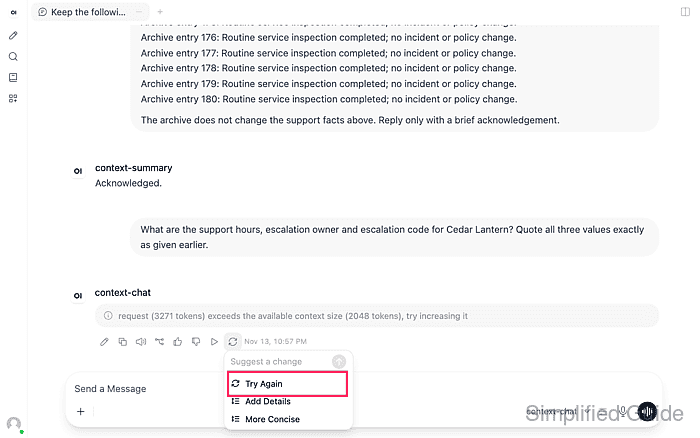
The provider rejected 3,271 input tokens against a 2,048-token window. The request includes earlier messages, the system prompt, attachments and tool results. A connection or authentication error needs a different repair.
- Open the chat's model controls beside the model picker.
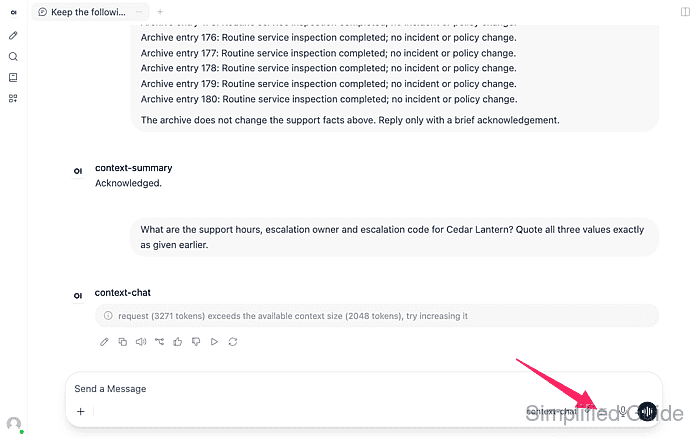
- Expand Advanced Params.
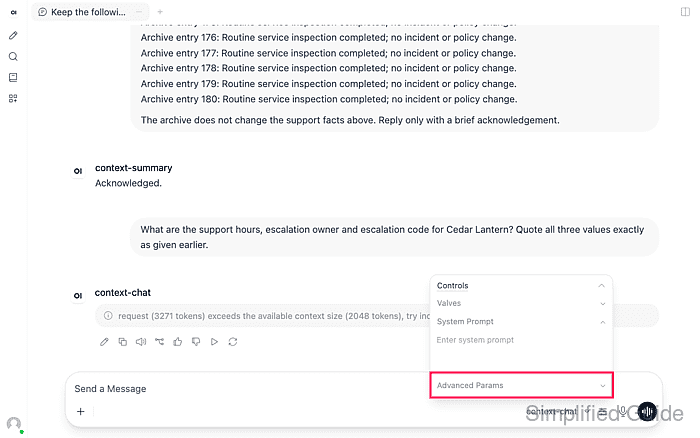
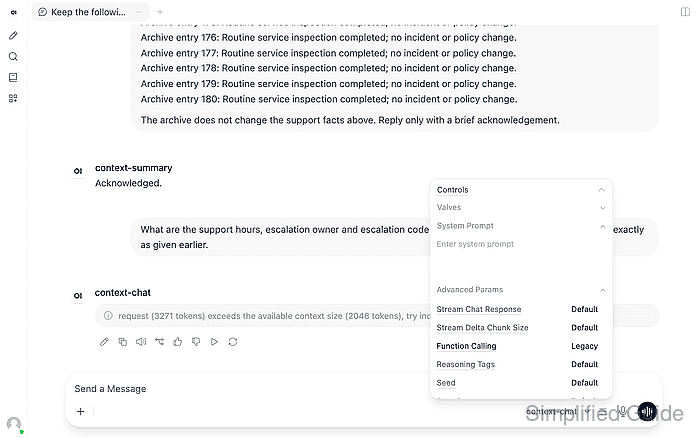
- Set Function Calling to Legacy for this plain text chat.
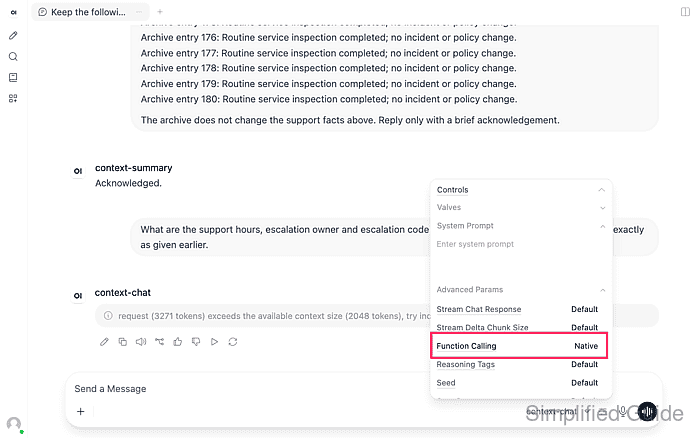
The control cycles through Default, Native and Legacy. Legacy avoids the built-in native tool definitions in the small model's request. History compaction cannot make an oversized set of tool definitions fit; a chat that needs native tools requires a window large enough for them.
- Dismiss the controls panel with Esc once Function Calling shows Legacy.
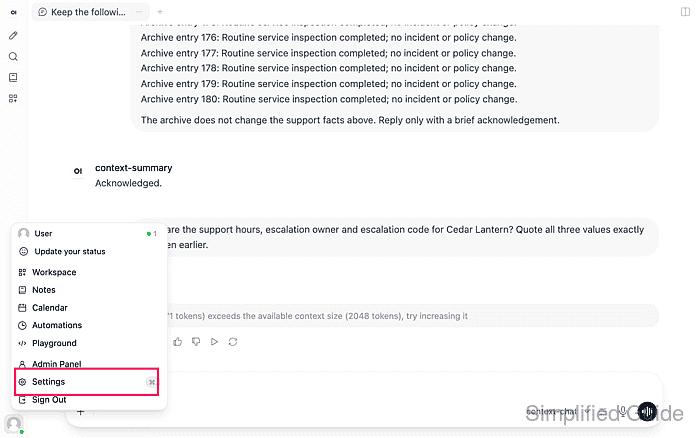
- Open Settings from the user menu.
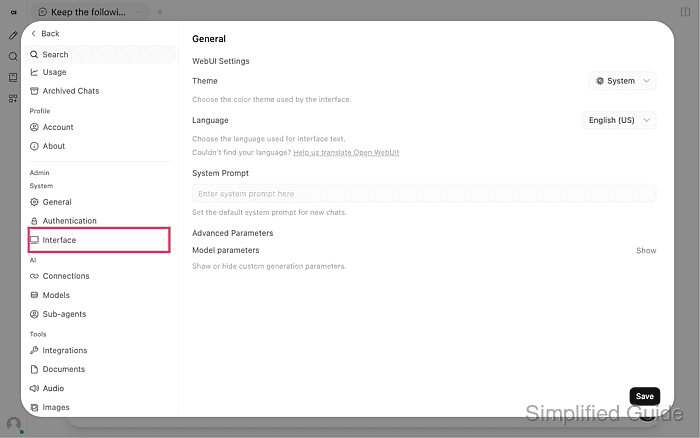
- Select Interface under Admin → System.
- Enable Context Compaction in the Chat section.
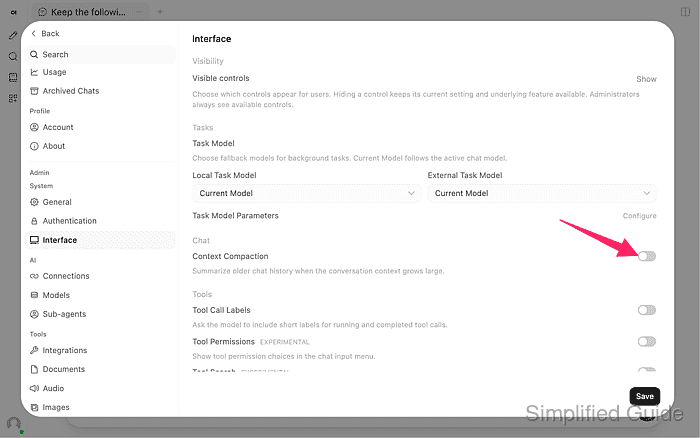
Compaction is disabled by default in version 0.13.3. These controls set instance defaults and can affect other chats. Compaction reduces the history sent to the model without deleting the saved conversation.
- Select a connected local summarizer with a large enough window in Context Compaction Model.
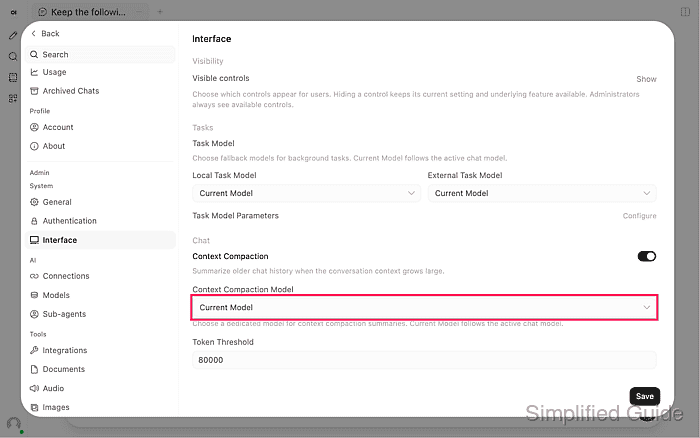
context-summary has a 16,384-token window for the rejected history and summarization prompt. Current Model would use the chat model's 2,048-token window and encounter the same input limit. The summarizer also needs enough output tokens to finish its summary.
Related: How to connect llama.cpp to Open WebUI - Set Token Threshold below the chat model's context limit.
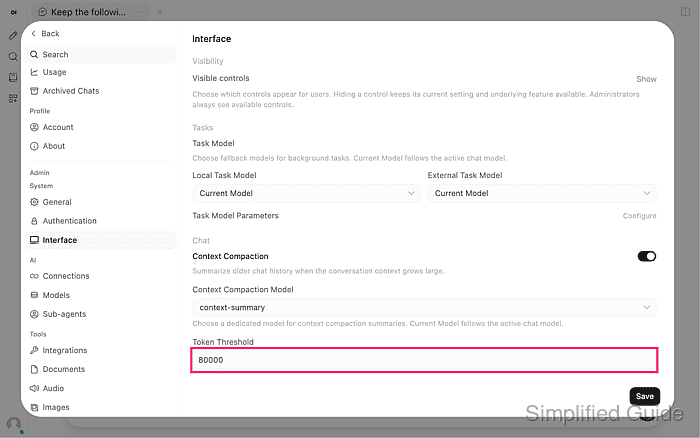
A threshold of 1200 leaves headroom in a 2,048-token window for the summary, recent messages and reply. The default 80000 cannot protect such a small window. Token estimates vary by tokenizer, so the threshold alone cannot guarantee that a request fits.
- Set Token Cap to the same limit for this small-context model.
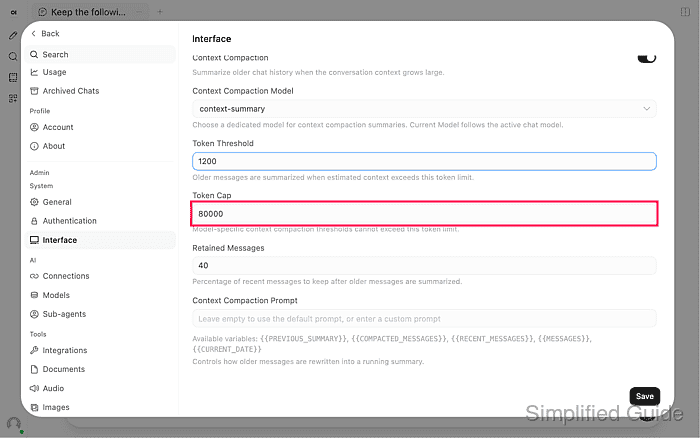
A cap of 1200 prevents a model-specific Context Compaction Threshold override from delaying compaction beyond that value. This cap also constrains other models on the instance.
- Set Retained Messages to 10 for the small-context conversation.
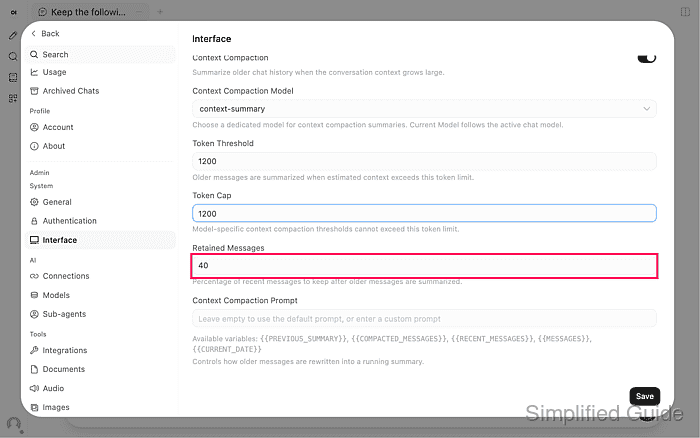
This retains 10% of recent messages verbatim and summarizes older turns. The allowed range is 10–50%. Retention counts messages rather than tokens, so one large recent message or attachment can still exceed the window. The empty Context Compaction Prompt field uses the built-in summary instructions.
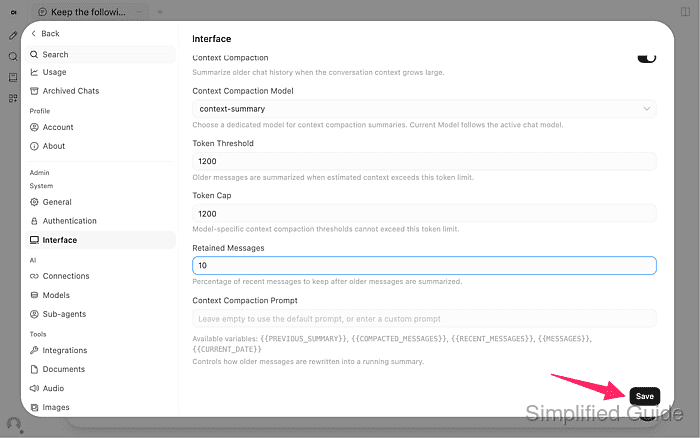
- Save the compaction settings.
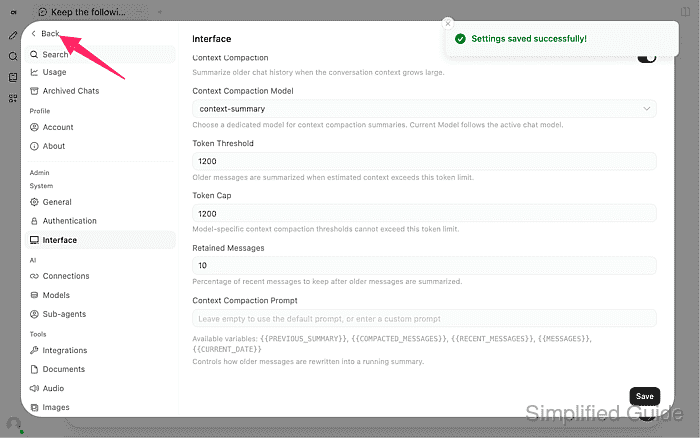
- Return to the conversation with Back.
- Open Regenerate beneath the failed response.
- Choose Try Again to retry the original question.
Compacting context appears while the summarizer runs. A summary-model context error means that model also cannot read the history; a cut-off summary requires a larger summarization output budget. The shared Task Model Parameters controls live above Chat on the same settings page.
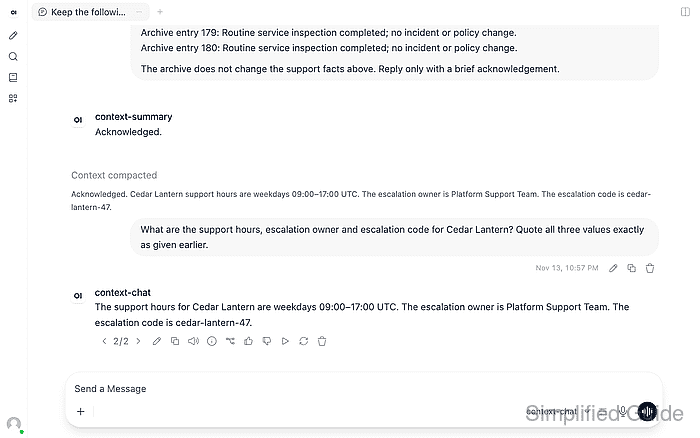
- Expand Context compacted above the question.
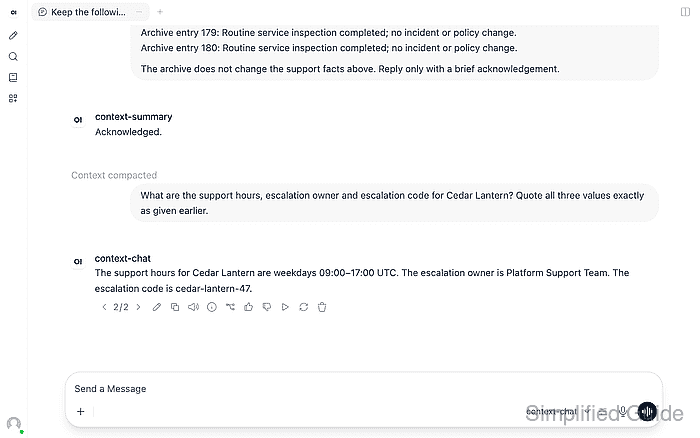
The Compaction summary shows which older details are now available to the chat model.
- Confirm that the reply answers the original question using facts from before compaction.
Example output:
The support hours for Cedar Lantern are weekdays 09:00–17:00 UTC. The escalation owner is Platform Support Team. The escalation code is cedar-lantern-47.
The Cedar Lantern reply must retain weekdays 09:00–17:00 UTC, Platform Support Team and cedar-lantern-47 from the earlier messages. For your conversation, the comparison is against its own earlier facts. A marker with an error, an unfinished reply or missing required details means the conversation has not recovered.