Ollama request parallelism controls how many requests the server can process concurrently. Tuning it helps busy local APIs balance throughput, latency, and memory use.
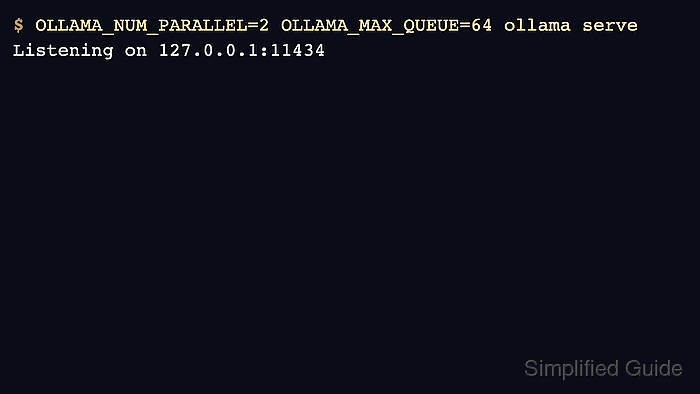
The relevant server variables include OLLAMA_NUM_PARALLEL for parallel requests, OLLAMA_MAX_QUEUE for queued requests, and OLLAMA_MAX_LOADED_MODELS for loaded model capacity. Set them before the server starts.
Increase values gradually and verify with real workload behavior. Higher parallelism can load more model state into memory and may reduce reliability on small GPUs.
Related: How to manage the Ollama service
Related: How to list running Ollama models
Related: How to set Ollama context length
Steps to set Ollama request parallelism:
- Choose conservative parallelism and queue values.
$ printf '%s\n' 'OLLAMA_NUM_PARALLEL=2 OLLAMA_MAX_QUEUE=64'
OLLAMA_NUM_PARALLEL=2 OLLAMA_MAX_QUEUE=64
- Test the settings with a foreground server.
$ OLLAMA_NUM_PARALLEL=2 OLLAMA_MAX_QUEUE=64 ollama serve
- For Linux systemd, add the values to the service override.
[Service]
Environment="OLLAMA_NUM_PARALLEL=2"
Environment="OLLAMA_MAX_QUEUE=64"
Environment="OLLAMA_MAX_LOADED_MODELS=1"
- Reload and restart Ollama.
$ sudo systemctl daemon-reload
$ sudo systemctl restart ollama
Related: How to manage the Ollama service
- Run concurrent smoke requests from clients and watch loaded models.
$ ollama ps
NAME           ID              SIZE     PROCESSOR    CONTEXT    UNTIL
gpt-oss:20b    17052f91a42e    12 GB    100% GPU     131072     5 minutes from now

Author: Mohd
Shakir Zakaria
Mohd Shakir Zakaria is a cloud architect with deep roots in software development and open-source advocacy. Certified in AWS, Red Hat, VMware, ITIL, and Linux, he specializes in designing and managing robust cloud and on-premises infrastructures.


Mohd Shakir Zakaria is a cloud architect with deep roots in software development and open-source advocacy. Certified in AWS, Red Hat, VMware, ITIL, and Linux, he specializes in designing and managing robust cloud and on-premises infrastructures.