An application's message format can tie it to a particular model provider. Ollama's Anthropic-compatible endpoint lets the Python Anthropic client obtain a local model's reply while retaining the Messages API format.
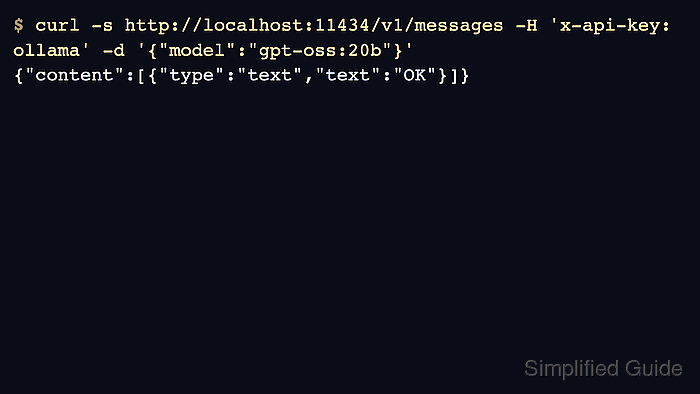
Messages responses contain a list of content blocks rather than a single answer string. Text blocks hold the answer, while other block types can carry reasoning or tool requests; a completed text reply is enough to establish the basic client connection.
Python 3.10 or later with virtual-environment support and a running local Ollama server are required. The server needs an installed chat model such as qwen2.5:0.5b, and the Python process must run on the same machine for a loopback address to reach it. Ollama implements a subset of the Anthropic API, so hosted Claude features are not automatically available.
Steps to use an Anthropic-compatible client with Ollama:
- Create a virtual environment for the Anthropic library.
$ python3 -m venv .venv
The shell commands use POSIX virtual-environment paths. On Windows, the environment's Python executable is in its Scripts directory.
- Install the official Anthropic Python SDK.
$ .venv/bin/python -m pip install anthropic
- Create ollama-anthropic.py with the local Messages client.
- ollama-anthropic.py
from anthropic import Anthropic

client = Anthropic(
    base_url="http://127.0.0.1:11434",
    api_key="ollama",
)
The SDK adds /v1/messages to this server address. The literal ollama key is a placeholder accepted by local Ollama, not a hosted Anthropic credential. It does not protect the server from other callers.
Related: How to start the Ollama server - Append a question for the installed Ollama model to ollama-anthropic.py.
message = client.messages.create(
    model="qwen2.5:0.5b",
    max_tokens=80,
    messages=[
        {"role": "user", "content": "What is 17 plus 25? Answer in one short sentence."}
    ],
)
The model value is an Ollama tag, not a Claude model name. The token budget allows a short reply. If the model is missing, it needs to be pulled on this server before the request can succeed.
Related: How to pull an Ollama model - Append text-block extraction and completion checks to ollama-anthropic.py.
text = "".join(block.text for block in message.content if block.type == "text")
assert message.stop_reason == "end_turn", message
assert text.strip(), message
print(f"Stop reason: {message.stop_reason}")
print(text)
The text comes from the returned message object. A missing answer or a stop reason such as max_tokens raises an error instead of passing an incomplete reply.
- Verify the completed Messages reply by running ollama-anthropic.py.
$ .venv/bin/python ollama-anthropic.py
Stop reason: end_turn
17 plus 25 equals 42.
The answer's wording can vary. A connection error means the client cannot reach the server address; a model-not-found error means the requested tag is absent there. The printed stop reason and text show that the SDK received and parsed a completed reply.