Node.js projects often need a test command that every developer and CI job can run the same way. Jest provides a project-local runner through npm, so the test tool, configuration, and first smoke test stay with the codebase.
A dedicated jest.config.cjs file keeps the test runner settings separate from package metadata. For server-side Node.js code, setting testEnvironment to node makes the runtime explicit and avoids accidentally relying on browser-only globals.
Start from the project root that contains package.json. The smoke test uses a .cjs file so it can run before the project adds transforms, TypeScript, browser-like jsdom tests, or full application test coverage.
Steps to configure Jest for a Node.js project:
- Open the Node.js project root that contains package.json.
$ npm pkg get name
"my-node-app"
If npm reports that no package.json exists, initialize the project first.
Related: How to create a Node.js project with npm - Install Jest as a development dependency.
$ npm install --save-dev jest
--save-dev records Jest under devDependencies because the test runner is used for development and CI rather than application runtime. Jest 30 dropped support for Node.js 14, 16, 19, and 21.
Related: How to install a Node.js dependency
Related: How to audit Node.js dependencies - Save the npm test script.
$ npm pkg set scripts.test="jest"
npm adds local executables from node_modules/.bin to the script path, so the script can call jest without a global install.
Related: How to run package.json scripts in Node.js - Create jest.config.cjs in the project root.
- jest.config.cjs
module.exports = {
  testEnvironment: 'node',
  verbose: true,
};
verbose prints each test name in the run output, which makes the first smoke test easier to inspect.
- Create a Jest smoke test.
- tests/jest-smoke.test.cjs
test('uses the Node.js environment', () => {
  expect(process.release.name).toBe('node');
});
Jest provides test() and expect() as globals in JavaScript test files. The .cjs extension keeps this smoke test in CommonJS mode even when the project later uses ES modules for application code.
- Check the saved test script.
$ npm pkg get scripts.test
"jest"
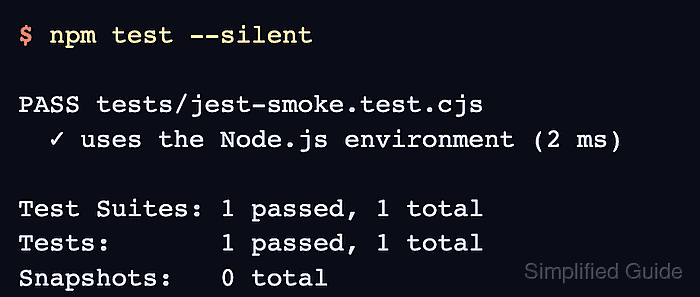
- Run Jest through npm and confirm the smoke test passes.
$ npm test --silent
PASS tests/jest-smoke.test.cjs
  ✓ uses the Node.js environment (2 ms)

Test Suites: 1 passed, 1 total
Tests:       1 passed, 1 total
Snapshots:   0 total
Time:        0.113 s
Ran all test suites.
--silent hides the npm script banner while still running the saved test script. Remove it when CI logs should show the underlying script command.