Node.js projects rely on npm packages for runtime libraries, build tools, and test utilities that live outside the project source. Adding a dependency with npm records the package in the project manifest so teammates and deployment systems can install the same requirement.
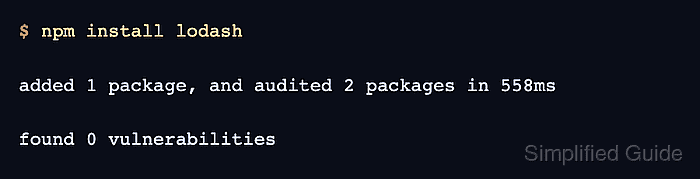
The npm install package-name command writes runtime packages to dependencies by default and updates package-lock.json when the project uses a lockfile. Use --save-dev for packages that only support local development, testing, linting, or builds.
Run the install from the project root that contains package.json, and review both package.json and package-lock.json before committing the dependency change. Replace the package name in the command with the library or tool the project needs.
Steps to install a Node.js dependency with npm:
- Confirm npm is reading the expected project.
$ npm pkg get name
"demo-app"
If npm reports that no package.json exists, open the correct project root or initialize the project first.
Related: How to create a Node.js project with npm - Install the runtime dependency.
$ npm install lodash

added 1 package, and audited 2 packages in 558ms

found 0 vulnerabilities
Use --save-dev instead of the default runtime save for test runners, linters, build tools, and other development-only packages.
- Check the saved dependency range in package.json.
$ npm pkg get dependencies.lodash
"^4.18.1"
Use package@version when the project needs a specific release instead of the registry version selected by npm.
- Check the lockfile entry.
$ npm ls lodash --package-lock-only --depth=0
demo-app@1.0.0 /path/demo-app
`-- lodash@4.18.1
--package-lock-only makes npm ls read package-lock.json instead of the installed node_modules tree.
- Run a small import check.
$ node -p 'require("lodash").kebabCase("Hello Node")'
hello-node