Reducing the version detail that Nginx sends in default headers and generated error pages removes one easy fingerprint from every request path. It does not harden the service by itself, but it reduces casual version disclosure and makes routine banner matching less direct.
The server_tokens directive controls whether the Server response header and Nginx-generated error pages show only nginx or a versioned build banner such as nginx/1.28.3 (Ubuntu). Current Nginx documentation allows the directive in the http, server, or location context, and the most specific active context wins for the response being served.
For a site-wide result, find any existing server_tokens directive first, then leave one active server_tokens off; setting in the global http context or in a file included from that context. The setting still leaves the plain nginx server name unless a separate header rewrite mechanism or commercial subscription feature is used, and reverse proxies or CDNs can replace the Server header before clients see it.
Related: How to improve Nginx security
Related: How to add custom response headers in Nginx
Tool: Web Server Detector
Steps to disable server_tokens in Nginx:
- Open a terminal with a user account that can run sudo.
- Search the active configuration tree for existing server_tokens directives.
$ sudo grep --recursive --line-number server_tokens /etc/nginx
/etc/nginx/nginx.conf:22:    server_tokens build; # Recommended practice is to turn this off
If no line appears, add the directive in the global http context. If a line already exists, edit that line instead of adding a duplicate directive in the same context.
- Open the file that sets the active global server_tokens value for Nginx.
$ sudoedit /etc/nginx/nginx.conf
On split layouts, a file included from the http block under /etc/nginx/conf.d/ can carry the same site-wide setting.
sudoedit uses $EDITOR and writes the file with elevated permissions when it is saved.
- Set server_tokens to off in the global http context.
http {
    server_tokens off;
    ##### snipped #####
}
Prefer the global http block when the goal is to suppress version strings everywhere, because early errors can use the default server before a name-based virtual host is selected.
A more specific server or location block can override the http value later in the active configuration.
- Confirm the active configuration tree now shows the intended server_tokens value.
$ sudo grep --recursive --line-number server_tokens /etc/nginx
/etc/nginx/nginx.conf:22:    server_tokens off;
If the same directive appears in multiple loaded files, Nginx uses the most specific matching context for the response it serves. Remove accidental duplicates at the same level before testing the configuration.
- Test the configuration for syntax errors before reloading it.
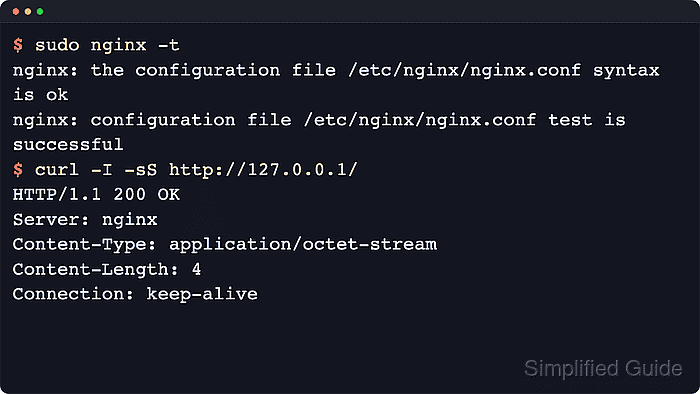
$ sudo nginx -t
nginx: the configuration file /etc/nginx/nginx.conf syntax is ok
nginx: configuration file /etc/nginx/nginx.conf test is successful
Related: How to test Nginx configuration
- Reload Nginx to apply the updated configuration.
$ sudo systemctl reload nginx
Use sudo nginx -s reload on hosts where systemd is not managing the service.
Related: How to manage the Nginx service
- Confirm that the Server header no longer exposes a version suffix on a normal response.
$ curl -I -sS http://127.0.0.1/
HTTP/1.1 200 OK
Server: nginx
Date: Sat, 06 Jun 2026 11:56:30 GMT
Content-Type: text/html
Content-Length: 3
Last-Modified: Sat, 06 Jun 2026 11:56:29 GMT
Connection: keep-alive
ETag: "6a240aed-3"
Accept-Ranges: bytes
Query the public hostname or add the expected Host header when 127.0.0.1 does not reach the same virtual host that clients use.
- Confirm that a server-generated error response also omits the version suffix.
$ curl -I -sS http://127.0.0.1/missing
HTTP/1.1 404 Not Found
Server: nginx
Date: Sat, 06 Jun 2026 11:56:30 GMT
Content-Type: text/html
Content-Length: 146
Connection: keep-alive
A custom error_page can change the body content, but the Nginx-generated response header should still drop the version when the effective server_tokens setting is off.

Mohd Shakir Zakaria is a cloud architect with deep roots in software development and open-source advocacy. Certified in AWS, Red Hat, VMware, ITIL, and Linux, he specializes in designing and managing robust cloud and on-premises infrastructures.


