Custom response headers let Nginx stamp every reply with security policy, cache instructions, routing hints, or integration metadata without changing application code. That is useful when a site needs consistent browser behavior, an operator needs proof of which layer served a request, or a proxy must attach a site-wide policy before the response leaves the server.
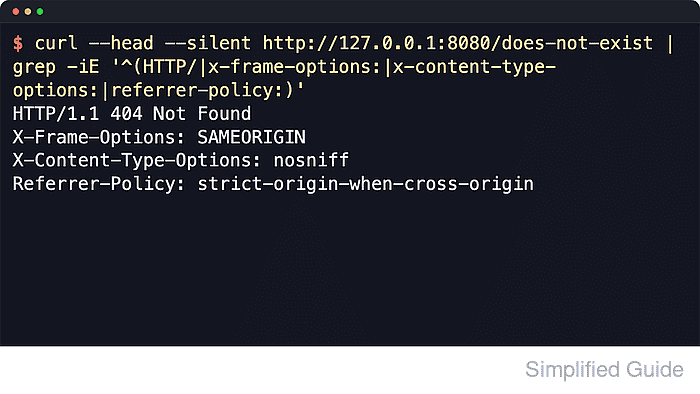
In Nginx, response headers are added with add_header name value [always]; inside the http, server, location, or if-inside-location contexts. Without always, the directive applies only to selected success and redirect status codes, so headers can disappear from locally generated 404 and 500 responses. Multiple add_header lines are allowed, but inheritance changes when a child context defines its own header directives.
The clearest place to start is the target site's server block so the change stays scoped to one hostname or application. The examples use the common Debian and Ubuntu layout (/etc/nginx/sites-available/ and the nginx service name). If the same header already comes from the application, a CDN, or another proxy layer, keep one source of truth so clients do not receive duplicate policy lines.
Related: How to improve Nginx security
Related: How to enable HSTS in Nginx
Steps to add custom response headers in Nginx:
- Decide which headers and values should be sent.
Common site-wide security examples are X-Frame-Options: SAMEORIGIN, X-Content-Type-Options: nosniff, and Referrer-Policy: strict-origin-when-cross-origin.
- Open the Nginx site configuration file for the host that should send the headers.
$ sudoedit /etc/nginx/sites-available/example.com
Site configs are commonly stored under /etc/nginx/sites-available/ (symlinked into /etc/nginx/sites-enabled/) or /etc/nginx/conf.d/ depending on the distribution.
- Locate the server block that serves the target site.
server { listen 80; listen [::]:80; server_name example.com; root /var/www/html; location / { try_files $uri $uri/ =404; } } - Add the required add_header directives inside that scope.
server { listen 80; listen [::]:80; server_name example.com; root /var/www/html; add_header X-Frame-Options "SAMEORIGIN" always; add_header X-Content-Type-Options "nosniff" always; add_header Referrer-Policy "strict-origin-when-cross-origin" always; location / { try_files $uri $uri/ =404; } }- add_header can be repeated for each header that should be sent.
- always keeps the header on locally generated non-success responses such as 404 Not Found and 500 Internal Server Error instead of limiting it to the default success and redirect status codes.
- If the header should apply to every virtual host, place the directives higher in the http block instead of repeating them in each server block.
Policies such as Content-Security-Policy, Permissions-Policy, and Strict-Transport-Security can break embeds, third-party scripts, OAuth flows, or subdomains when values are too strict. Validate them in staging before broad rollout.
- Repeat required headers in nested location blocks that add their own headers, or use add_header_inherit merge; only on Nginx 1.29.3 and newer builds.
location /api/ {
    add_header Content-Security-Policy "default-src 'self'" always;
    add_header X-Frame-Options "SAMEORIGIN" always;
    add_header X-Content-Type-Options "nosniff" always;
    add_header Referrer-Policy "strict-origin-when-cross-origin" always;

    try_files $uri =404;
}
If a nested block defines any add_header directive, older builds stop inheriting headers from the parent block. When nginx -t reports unknown directive "add_header_inherit", repeat the required headers manually in the child block.
Current upstream Nginx documentation says add_header_inherit merge; became available in version 1.29.3 and appends parent headers to the current block instead of replacing them. A fresh Ubuntu 26.04 package check reported nginx/1.28.3 (Ubuntu), so packaged hosts may still need the manual repetition pattern.
- Test the Nginx configuration before reloading it.
$ sudo nginx -t
nginx: the configuration file /etc/nginx/nginx.conf syntax is ok
nginx: configuration file /etc/nginx/nginx.conf test is successful
- Reload Nginx so new worker processes pick up the header rules.
$ sudo systemctl reload nginx
On systems that do not use systemd, sudo nginx -s reload asks the running master process to reload the configuration.
- Verify the headers on a normal response.
$ curl -I --silent http://127.0.0.1/index.html
HTTP/1.1 200 OK
Server: nginx/1.28.3 (Ubuntu)
Date: Sat, 06 Jun 2026 11:22:36 GMT
Content-Type: text/html
Content-Length: 20
Last-Modified: Sat, 06 Jun 2026 11:22:36 GMT
Connection: keep-alive
ETag: "6a2402fc-14"
X-Frame-Options: SAMEORIGIN
X-Content-Type-Options: nosniff
Referrer-Policy: strict-origin-when-cross-origin
Accept-Ranges: bytes
Use the real site URL instead of 127.0.0.1 when a reverse proxy, load balancer, or CDN sits in front of Nginx and the final client response matters more than the local origin response.
Tool: HTTP Header Checker
- Verify the headers on an error response to confirm the always behavior.
$ curl -I --silent http://127.0.0.1/does-not-exist
HTTP/1.1 404 Not Found
Server: nginx/1.28.3 (Ubuntu)
Date: Sat, 06 Jun 2026 11:22:36 GMT
Content-Type: text/html
Content-Length: 162
Connection: keep-alive
X-Frame-Options: SAMEORIGIN
X-Content-Type-Options: nosniff
Referrer-Policy: strict-origin-when-cross-origin
If the headers appear on the 200 OK response but disappear on the 404 response, the relevant add_header lines are probably missing the always parameter.
- Review the full header block for duplicate policy lines after the change.
Repeated lines usually mean the same header is being set in more than one layer. Keep one authoritative source or hide upstream copies with proxy_hide_header or fastcgi_hide_header where appropriate.

Mohd Shakir Zakaria is a cloud architect with deep roots in software development and open-source advocacy. Certified in AWS, Red Hat, VMware, ITIL, and Linux, he specializes in designing and managing robust cloud and on-premises infrastructures.


