Limiting request sizes in Nginx stops oversized uploads, cookies, and long request lines before they reach application workers. That reduces wasted bandwidth and disk I/O, narrows easy abuse paths, and turns vague upstream failures into predictable client-side errors at the web-server boundary.
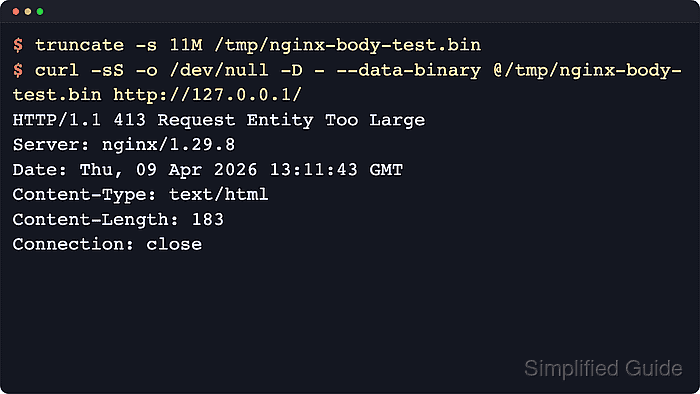
Request body size is controlled with client_max_body_size, while request line and header parsing start in client_header_buffer_size and fall back to large_client_header_buffers when a line does not fit in the small header buffer. When the body exceeds its configured limit, Nginx returns HTTP 413. When a request header field is larger than one large header buffer, Nginx returns HTTP 400, and when the request line itself exceeds one large header buffer, it returns HTTP 414.
Limits inherit by context, so a value set in http becomes the default for all sites, while server or location can narrow or raise the body limit for a specific virtual host or upload endpoint. Setting client_max_body_size 0; disables body-size checking entirely, and header-buffer directives are safest in the http block or the default server for a listen pair because Nginx uses those values while it is still deciding which virtual host should answer. Tight limits can also break SSO flows, large cookies, or upstream uploads, so align them with the real application, load balancer, and CDN limits.
Related: How to improve Nginx security
Related: How to prevent DoS abuse in Nginx
Steps to limit request sizes in Nginx:
- Decide the largest request body and largest request line or header field that the site should accept.
client_max_body_size accepts k, m, and g suffixes. Keep the limit high enough for real uploads, but low enough that rejected requests fail at Nginx instead of consuming application resources.
- Print the loaded Nginx configuration and locate the server block for the target virtual host.
$ sudo nginx -T
nginx: the configuration file /etc/nginx/nginx.conf syntax is ok
nginx: configuration file /etc/nginx/nginx.conf test is successful
##### snipped #####
# configuration file /etc/nginx/conf.d/example.com.conf:
server {
    listen 80;
    server_name example.com www.example.com;
    ##### snipped #####
}
If several files contain the same server name, use the one that also contains the correct listen directive for the site. For a catch-all site, inspect the block that contains default_server.
- Open the site configuration file for editing.
$ sudoedit /etc/nginx/conf.d/example.com.conf
- Set client_max_body_size in the affected server or location block.
# /etc/nginx/conf.d/example.com.conf

server {
    listen 80;
    server_name example.com www.example.com;

    client_max_body_size 10m;

    ##### snipped #####
}
Place the directive in a specific location block when only one endpoint, such as /upload/, needs a larger or smaller body limit.
Setting client_max_body_size 0; disables body-size checking and should only be used intentionally.
- Open the main Nginx configuration or the include file that defines global HTTP defaults.
$ sudoedit /etc/nginx/nginx.conf
Some distributions keep shared HTTP defaults in snippets such as /etc/nginx/conf.d/*.conf instead of directly in /etc/nginx/nginx.conf.
- Set request-line and request-header buffer limits in the http block.
# /etc/nginx/nginx.conf

http {
    client_header_buffer_size 1k;
    large_client_header_buffers 4 8k;

    ##### snipped #####
}
If you set these directives in a server block, Nginx can still use the default server's values while it reads the request line and headers for that address:port pair.
The older http2_max_field_size and http2_max_header_size directives are obsolete since Nginx 1.19.7. Use large_client_header_buffers for current HTTP/1.1 and HTTP/2 header sizing.
- Test the Nginx configuration for syntax errors.
$ sudo nginx -t
nginx: the configuration file /etc/nginx/nginx.conf syntax is ok
nginx: configuration file /etc/nginx/nginx.conf test is successful
Related: How to test Nginx configuration
- Reload the Nginx service to apply the new limits.
$ sudo systemctl reload nginx
Use sudo nginx -s reload on systems where systemd is not managing the service.
Related: How to manage the Nginx service
- Create a request body larger than the configured client_max_body_size.
$ truncate -s 11M /tmp/nginx-body-test.bin
- Send the oversized body and confirm that Nginx returns HTTP 413.
$ curl -sS -o /dev/null -D - -H 'Host: example.com' --data-binary @/tmp/nginx-body-test.bin http://127.0.0.1/
HTTP/1.1 413 Request Entity Too Large
Server: nginx/1.28.3 (Ubuntu)
Date: Sat, 06 Jun 2026 11:36:05 GMT
Content-Type: text/html
Content-Length: 192
Connection: close
Replace the URL with the real scheme, host, and port for the affected virtual host when 127.0.0.1 is not appropriate.
Browsers often show a generic upload failure instead of a clear 413 page, so command-line verification is more reliable.
- Create a header file containing a single oversized Cookie header.
$ python3 -c 'print("Cookie: bigcookie=" + "a" * 20000)' > /tmp/nginx-headers.txt
- Send the oversized header and confirm that Nginx returns an early client error.
$ curl -sS -o /dev/null -D - -H 'Host: example.com' -H @/tmp/nginx-headers.txt http://127.0.0.1/
HTTP/1.1 400 Bad Request
Server: nginx/1.28.3 (Ubuntu)
Date: Sat, 06 Jun 2026 11:36:05 GMT
Content-Type: text/html
Content-Length: 242
Connection: close
If the request line itself exceeds one large header buffer, Nginx returns 414 Request-URI Too Large instead of 400.
- Verify the rejection appears in the Nginx error log.
$ sudo grep "too large" /var/log/nginx/error.log
2026/06/06 11:36:05 [error] 3144#3144: *1 client intended to send too large body: 11534336 bytes, client: 127.0.0.1, server: example.com, request: "POST / HTTP/1.1", host: "example.com"
Use the configured error_log path if /var/log/nginx/error.log is not present, or inspect the journal when the service sends errors to systemd instead of a file.
- Remove the temporary test files when they are no longer needed.
$ rm -f /tmp/nginx-body-test.bin /tmp/nginx-headers.txt

Mohd Shakir Zakaria is a cloud architect with deep roots in software development and open-source advocacy. Certified in AWS, Red Hat, VMware, ITIL, and Linux, he specializes in designing and managing robust cloud and on-premises infrastructures.


