Visitors who type or follow an HTTP link reach your redirect before the browser knows the site should always use TLS. HSTS closes that repeat-visit gap by teaching browsers, after a successful HTTPS response, to upgrade future plain-HTTP requests automatically and block certificate-bypass clicks that would reopen downgrade or SSL-stripping risk.
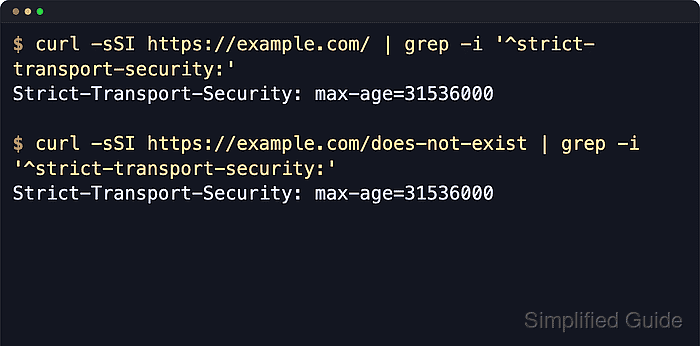
In Nginx, HSTS is sent with the Strict-Transport-Security response header from the HTTPS virtual host. The max-age value controls how long the browser keeps the policy, and the always parameter on add_header keeps the header on error responses as well as successful ones so the policy does not disappear on 404 or 500 pages.
Enable HSTS only after the site already has a trusted certificate and a stable HTTP-to-HTTPS redirect path, because a broken TLS configuration can lock users out until the cached policy expires. Send the header from HTTPS responses, not the plain HTTP redirect, and verify nested location blocks that define their own add_header directives so the server-level HSTS policy is not lost on route-specific responses.
Related: How to improve Nginx security
Related: How to redirect HTTP to HTTPS in Nginx
Steps to enable HSTS in Nginx:
- Confirm the site already answers over HTTPS with the expected certificate and hostname.
$ curl --head --silent --show-error https://example.com/
HTTP/1.1 200 OK
Server: nginx/1.28.3 (Ubuntu)
Date: Sat, 06 Jun 2026 11:40:20 GMT
Content-Type: text/html
Content-Length: 66
Last-Modified: Sat, 06 Jun 2026 11:40:19 GMT
Connection: keep-alive
ETag: "6a240723-42"
Accept-Ranges: bytes
Do not enable HSTS on a hostname that still shows certificate warnings, mismatched names, or an incomplete certificate chain.
- Confirm that plain HTTP requests already redirect to the secure URL.
$ curl --head --silent --show-error http://example.com/
HTTP/1.1 301 Moved Permanently
Server: nginx/1.28.3 (Ubuntu)
Date: Sat, 06 Jun 2026 11:40:20 GMT
Content-Type: text/html
Content-Length: 178
Connection: keep-alive
Location: https://example.com/
Browsers ignore Strict-Transport-Security if it is delivered over plain HTTP, so the redirect only moves the client to the HTTPS response that can teach the policy.
- Open the Nginx site configuration file that serves the HTTPS hostname.
$ sudoedit /etc/nginx/sites-available/example.com
Site files are commonly stored under /etc/nginx/sites-available with symlinks in /etc/nginx/sites-enabled, or directly under /etc/nginx/conf.d.
- Add the Strict-Transport-Security header inside the HTTPS server block.
server {
    listen 443 ssl;
    server_name example.com www.example.com;

    add_header Strict-Transport-Security "max-age=31536000" always;

    ##### snipped #####
}
For a first rollout, start with a short value such as max-age=300, verify behavior, then increase it to the intended long-lived policy.
Add includeSubDomains or preload only when every current and future subdomain is ready for HTTPS, because browsers can keep enforcing that policy until max-age expires.
- Repeat the header in every HTTPS server block and in nested blocks that define their own headers.
location /api/ {
    add_header X-Content-Type-Options "nosniff" always;
    add_header Strict-Transport-Security "max-age=31536000" always;

    proxy_pass http://127.0.0.1:9000;
}
If Nginx is version 1.29.3 or newer, add_header_inherit merge; can append inherited headers instead. On older packaged builds, repeat the HSTS line manually when a child block defines any add_header directive.
- Test the Nginx configuration syntax before reloading the service.
$ sudo nginx -t
nginx: the configuration file /etc/nginx/nginx.conf syntax is ok
nginx: configuration file /etc/nginx/nginx.conf test is successful
Related: How to test Nginx configuration
- Reload Nginx to apply the validated header change.
$ sudo systemctl reload nginx
Use sudo nginx -s reload on systems where systemd is not managing the service.
Related: How to manage the Nginx service
- Confirm the service stayed active after the reload.
$ sudo systemctl is-active nginx
active
If the unit reports failed or inactive, inspect the service log or journal before retrying the reload.
Related: How to manage the Nginx service
- Verify that the HSTS header appears on a normal HTTPS response.
$ curl --head --silent --show-error https://example.com/
HTTP/1.1 200 OK
Server: nginx/1.28.3 (Ubuntu)
Date: Sat, 06 Jun 2026 11:40:21 GMT
Content-Type: text/html
Content-Length: 66
Last-Modified: Sat, 06 Jun 2026 11:40:19 GMT
Connection: keep-alive
ETag: "6a240723-42"
Strict-Transport-Security: max-age=31536000
Accept-Ranges: bytes
The header name is case-insensitive, but using the canonical Strict-Transport-Security spelling makes configuration reviews easier.
- Verify that the HSTS header also appears on an HTTPS error response.
$ curl --head --silent --show-error https://example.com/does-not-exist
HTTP/1.1 404 Not Found
Server: nginx/1.28.3 (Ubuntu)
Date: Sat, 06 Jun 2026 11:40:21 GMT
Content-Type: text/html
Content-Length: 162
Connection: keep-alive
Strict-Transport-Security: max-age=31536000
If the header is missing on this response, the directive is usually missing the always parameter or being overridden in a more specific block.
- Verify any nested path that defines its own response headers.
$ curl --head --silent --show-error https://example.com/api/
HTTP/1.1 204 No Content
Server: nginx/1.28.3 (Ubuntu)
Date: Sat, 06 Jun 2026 11:40:21 GMT
Connection: keep-alive
X-Content-Type-Options: nosniff
Strict-Transport-Security: max-age=31536000
To remove an already deployed HSTS policy, serve Strict-Transport-Security: max-age=0 over HTTPS. Simply deleting the header does not clear a browser policy that is still cached.

Mohd Shakir Zakaria is a cloud architect with deep roots in software development and open-source advocacy. Certified in AWS, Red Hat, VMware, ITIL, and Linux, he specializes in designing and managing robust cloud and on-premises infrastructures.


