Blocking abusive User-Agent strings in Nginx can cut scanner noise, reduce log clutter, and stop low-effort scrapers before they waste upstream bandwidth or application capacity.
Nginx exposes client request headers as embedded variables, so the User-Agent header is available as $http_user_agent. A simple if condition in a server block can match that value with a case-insensitive regular expression using ~* and return 403 Forbidden before the request reaches a local application or upstream proxy target.
The User-Agent header is easy to spoof, so this works best as a coarse filter rather than a primary security control. Keep the pattern list narrow, keep the conditional body limited to a simple return, and validate the configuration with nginx -t before reloading so a typo does not break the active site.
Related: How to improve Nginx security
Related: How to prevent DoS abuse in Nginx
Tool: User-Agent Parser
Steps to block user agents in Nginx:
- Open the target virtual host configuration file in a text editor.
$ sudoedit /etc/nginx/sites-available/example.conf
Many packaged installs load site files from /etc/nginx/sites-available/ plus /etc/nginx/sites-enabled/, while other layouts use /etc/nginx/conf.d/ or edit /etc/nginx/nginx.conf directly.
- Choose narrow tokens or regular expressions that match only the abusive clients you actually want to stop.
Broad patterns can block legitimate browsers, uptime checks, or search crawlers that happen to share a substring with a bad client.
- Add a User-Agent match rule inside the relevant server block.
server {
    ##### snipped #####
    if ($http_user_agent ~* (masscan|sqlmap|zgrab|nikto)) {
        return 403;
    }
    ##### snipped #####
}
Keep the if block limited to return so the rule stays predictable and easy to audit.
Replace 403 with 444 to close the connection without sending a response header.
If several virtual hosts need the same block list, define a shared map in the http block and test the mapped variable inside each server block.
- Save the configuration file.
- Test the updated Nginx configuration before applying it.
$ sudo nginx -t
nginx: the configuration file /etc/nginx/nginx.conf syntax is ok
nginx: configuration file /etc/nginx/nginx.conf test is successful
Related: How to test Nginx configuration
- Reload Nginx to apply the new rule without dropping active connections.
$ sudo systemctl reload nginx
Use sudo nginx -s reload on systems that do not manage Nginx with systemd.
Related: How to manage the Nginx service
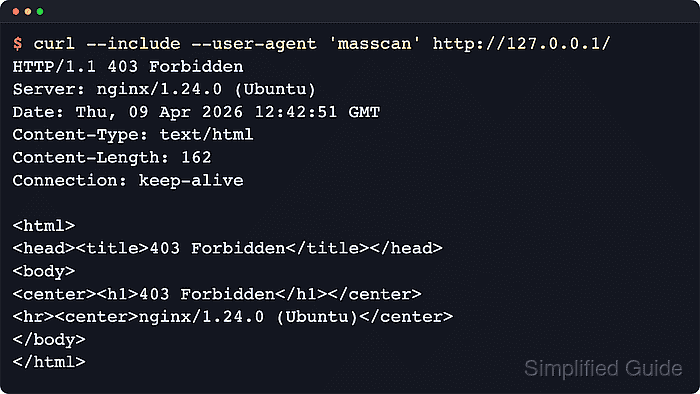
- Send a request with a blocked User-Agent string to confirm the rule returns 403 Forbidden.
$ curl --silent --include --user-agent 'masscan' http://127.0.0.1/
HTTP/1.1 403 Forbidden
Server: nginx/1.28.3 (Ubuntu)
Date: Sat, 06 Jun 2026 03:38:28 GMT
Content-Type: text/html
Content-Length: 162
Connection: keep-alive

<html>
<head><title>403 Forbidden</title></head>
<body>
<center><h1>403 Forbidden</h1></center>
<hr><center>nginx/1.28.3 (Ubuntu)</center>
</body>
</html>
Test the real protected hostname instead of 127.0.0.1 when the rule lives in a non-default virtual host.
- Send a request with a normal browser-style User-Agent string to confirm legitimate traffic still passes.
$ curl --silent --head --user-agent 'Mozilla/5.0' http://127.0.0.1/
HTTP/1.1 200 OK
Server: nginx/1.28.3 (Ubuntu)
Date: Sat, 06 Jun 2026 03:38:28 GMT
Content-Type: text/html
Content-Length: 21
Last-Modified: Sat, 06 Jun 2026 03:38:28 GMT
Connection: keep-alive
ETag: "6a239634-15"
Accept-Ranges: bytes

Mohd Shakir Zakaria is a cloud architect with deep roots in software development and open-source advocacy. Certified in AWS, Red Hat, VMware, ITIL, and Linux, he specializes in designing and managing robust cloud and on-premises infrastructures.


