NFS export definitions are the server-side access map for shared directories. They decide which local paths are published, which clients may mount them, and which options control write access, root mapping, and security flavor. Saving that map before a rebuild, migration, or risky edit gives the server a known export state to reload if the change has to be rolled back.
Linux NFS servers read export definitions from /etc/exports and files ending in .exports under /etc/exports.d. The exportfs command maintains the active export table from those source files, so a backup for export rollback should include both the saved files and a baseline exportfs -s capture for comparison.
The archive covers export configuration only. It does not back up the shared data inside exported directories, daemon settings such as /etc/nfs.conf, firewall rules, DNS records, Kerberos keys, or client mount files. Restoring over live export files can remove entries added after the archive was created, so compare the restored active table before returning clients to the server.
Related: How to list NFS exports on a server
Related: How to reload NFS exports
Related: How to create an NFS export
Steps to back up and restore NFS export definitions:
- Record the active export table before creating the archive.
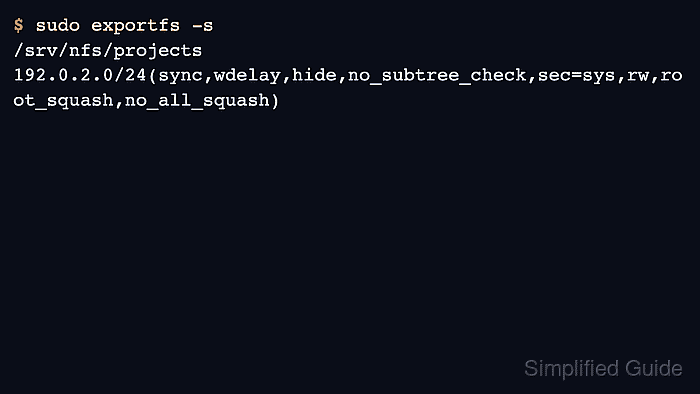
$ sudo exportfs -s
/srv/nfs/projects  192.0.2.0/24(sync,wdelay,hide,no_subtree_check,sec=sys,rw,root_squash,no_all_squash)
exportfs -s prints the active export table in a format close to /etc/exports syntax, which makes the restored state easier to compare later.
- Create a restricted backup directory on the NFS server.
$ sudo install -d -m 700 /root/nfs-export-backups
Keep the working archive in a root-owned directory because export files can reveal internal hostnames, client networks, and security options.
- Archive the main export file and export drop-in directory.
$ sudo tar --create --verbose --file /root/nfs-export-backups/nfs-exports-backup.tar /etc/exports /etc/exports.d
tar: Removing leading `/' from member names
/etc/exports
tar: Removing leading `/' from hard link targets
/etc/exports.d/
/etc/exports.d/projects.exports
The archive stores relative paths such as etc/exports so it can be restored under the filesystem root with --directory /.
- List the archive contents before editing exports or moving the server.
$ sudo tar --list --file /root/nfs-export-backups/nfs-exports-backup.tar
etc/exports
etc/exports.d/
etc/exports.d/projects.exports
The backup should include /etc/exports and every expected drop-in file under /etc/exports.d. exportfs ignores drop-in files that do not end in .exports.
- Copy the archive to the recovery storage location.
$ sudo cp /root/nfs-export-backups/nfs-exports-backup.tar /var/backups/nfs-exports-backup.tar
For a rebuild or migration, keep another copy outside the server being changed. A local-only archive can be lost with the server disk or rollback target.
- Restore the saved export files when rollback requires the archived state.
$ sudo tar --extract --verbose --file /var/backups/nfs-exports-backup.tar --directory /
etc/exports
etc/exports.d/
etc/exports.d/projects.exports
This overwrites matching export definition files. Preserve any newer entries first if another administrator or automation tool changed exports after the archive was created.
- Reload the restored export definitions.
$ sudo exportfs -rv
exporting 192.0.2.0/24:/srv/nfs/projects
exportfs -r synchronizes the active export table with /etc/exports and /etc/exports.d/*.exports, including removals from the restored files.
Related: How to reload NFS exports - Confirm that the active table matches the restored export options.
$ sudo exportfs -s
/srv/nfs/projects  192.0.2.0/24(sync,wdelay,hide,no_subtree_check,sec=sys,rw,root_squash,no_all_squash)
Compare the path, client selector, and options with the baseline captured before the change. If the table differs, inspect the restored source file and reload again before testing client mounts.
Related: How to list NFS exports on a server
Related: How to mount an NFS export on Linux
Tool: Config Drift Checker

Mohd Shakir Zakaria is a cloud architect with deep roots in software development and open-source advocacy. Certified in AWS, Red Hat, VMware, ITIL, and Linux, he specializes in designing and managing robust cloud and on-premises infrastructures.


