Nextcloud sends password reset links, share notifications, activity notices, and other user-facing messages through an external mail service. Connecting the instance to an SMTP relay gives those messages a sender address that belongs to the organization and avoids relying on a local sendmail binary or disabled mail delivery.
Mail settings are stored in config.php and can be written through occ from the server shell. The same values can also be saved from the Email server section in the web admin settings, where the Send email button performs the final delivery test.
Authenticated submission on port 587 normally uses None/STARTTLS in Nextcloud, because recent releases upgrade automatically when the relay advertises STARTTLS. Use ssl with port 465 only for implicit SMTPS, and keep relay passwords out of saved transcripts, tickets, and screenshots.
Related: How to run Nextcloud occ commands
Related: How to view Nextcloud logs
Related: How to check Nextcloud administration overview warnings
Steps to configure Nextcloud SMTP:
- Gather the relay settings from the mail administrator.
SMTP host: smtp.mail.example
Port: 587
Encryption: None/STARTTLS
Authentication: required
SMTP username: cloud-notify@example.com
Sender address: noreply@example.com
Use a relay account, app password, or provider-issued SMTP credential that is allowed to send as the selected sender address.
- Open a shell in the Nextcloud installation directory.
$ cd /var/www/nextcloud
Use the directory that contains the occ file. On Debian and Ubuntu web-server installs, the web user is usually www-data.
Related: How to run Nextcloud occ commands - Set the sender local part.
$ sudo -E -u www-data php occ config:system:set mail_from_address --value="noreply"
System config value mail_from_address set to noreply
- Set the sender domain.
$ sudo -E -u www-data php occ config:system:set mail_domain --value="example.com"
System config value mail_domain set to example.com
Nextcloud combines mail_from_address and mail_domain into the visible sender address, such as noreply@example.com.
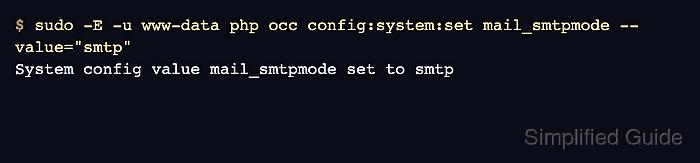
- Enable SMTP delivery mode.
$ sudo -E -u www-data php occ config:system:set mail_smtpmode --value="smtp"
System config value mail_smtpmode set to smtp
- Set the SMTP relay host.
$ sudo -E -u www-data php occ config:system:set mail_smtphost --value="smtp.mail.example"
System config value mail_smtphost set to smtp.mail.example
- Set the SMTP relay port as an integer.
$ sudo -E -u www-data php occ config:system:set mail_smtpport --value=587 --type=integer
System config value mail_smtpport set to integer 587
For implicit SMTPS, use port 465 and set mail_smtpsecure to ssl in the next step.
- Allow automatic STARTTLS for a submission relay.
$ sudo -E -u www-data php occ config:system:set mail_smtpsecure --value=""
System config value mail_smtpsecure set to
An empty mail_smtpsecure value maps to None/STARTTLS. Current Nextcloud releases use STARTTLS automatically when the relay supports it.
- Enable SMTP authentication.
$ sudo -E -u www-data php occ config:system:set mail_smtpauth --value=true --type=boolean
System config value mail_smtpauth set to boolean true
For a trusted internal relay that does not require authentication, set this value to false and leave mail_smtpname and mail_smtppassword empty.
- Set the SMTP username.
$ sudo -E -u www-data php occ config:system:set mail_smtpname --value="cloud-notify@example.com"
System config value mail_smtpname set to cloud-notify@example.com
- Set the SMTP password.
$ sudo -E -u www-data php occ config:system:set mail_smtppassword --value="provider-issued-app-password"
The password can be visible in shell history, process listings, or terminal logs while the command runs. Use a dedicated relay credential and rotate it if it is exposed.
- Check the saved relay host without printing the password.
$ sudo -E -u www-data php occ config:system:get mail_smtphost
smtp.mail.example
- Send a test message from the web admin settings.
Sign in as an administrator, open Settings → Administration → Basic settings, find Email server, and click Send email. The recipient should receive a message that says the settings seem to be correct.
- Check the Nextcloud log if the test message fails.
$ sudo -E -u www-data php occ log:tail 5
 --------- ------------- --------------------- ---------------------------
  Level     App           Message               Time
 --------- ------------- --------------------- ---------------------------
  Error     mail          Failed to connect      2026-06-29T08:10:42+00:00
                          to SMTP host

 --------- ------------- --------------------- ---------------------------
Use the log entry to separate relay reachability, authentication, sender-policy, and TLS problems before changing unrelated mail settings.
Related: How to view Nextcloud logs - Confirm that the recipient received the Nextcloud test message.
If you received this email, the settings seem to be correct.

Mohd Shakir Zakaria is a cloud architect with deep roots in software development and open-source advocacy. Certified in AWS, Red Hat, VMware, ITIL, and Linux, he specializes in designing and managing robust cloud and on-premises infrastructures.


