Nextcloud records application warnings, errors, and audit-related events in its logging backend so administrators can connect a symptom to a request ID, timestamp, app, and message. Viewing those entries from the server shell helps with failed uploads, login problems, background jobs, upgrades, and support handoffs when the browser interface does not show enough context.
The shell method uses occ, Nextcloud's server-side administration command, because it reads the active logging configuration before printing entries. A file-based install may also show the same entries under Settings → Administration → Logging, but the CLI keeps the exact fields available over SSH.
Run occ as the web-server user from the installed Nextcloud tree or point PHP directly at the occ file. Here, www-data is the web-server user and /var/www/nextcloud is the application directory; adjust those values for installs that use another user, web root, or container path.
Steps to view Nextcloud logs with occ:
- Check which logging backend and file path Nextcloud is using.
$ sudo -u www-data php /var/www/nextcloud/occ log:file
Log backend file: enabled
Log file: /var/www/nextcloud/data/nextcloud.log
Rotate at: 100 MB
When the file backend is enabled, the configured log path is the same file used by occ log viewing commands and the admin logging screen.
- Check the severity threshold and timezone for the log output.
$ sudo -u www-data php /var/www/nextcloud/occ log:manage
Enabled logging backend: file
Log level: Warning (2)
Log timezone: UTC
A Warning (2) threshold includes warnings and higher-severity entries. Lower-severity info or debug messages will not appear unless the logging level is changed before reproducing the problem.
- Print the recent Nextcloud log entries.
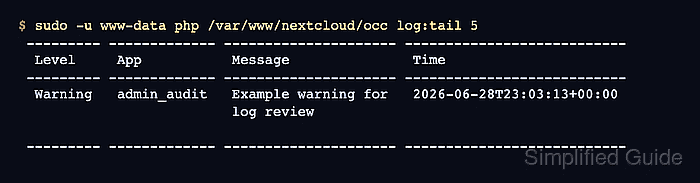
$ sudo -u www-data php /var/www/nextcloud/occ log:tail 5
 --------- ------------- --------------------- ---------------------------
  Level     App           Message               Time
 --------- ------------- --------------------- ---------------------------
  Warning   admin_audit   Example warning for   2026-06-28T23:03:13+00:00
                          log review

 --------- ------------- --------------------- ---------------------------
Increase the entry count when the incident spans more lines. Use log:watch only while reproducing an active problem, then stop it with Ctrl-C after the relevant entries appear.
- Print the latest entry in raw JSON when the request ID or full field set matters.
$ sudo -u www-data php /var/www/nextcloud/occ log:tail 1 --raw
{"reqId":"r7xYHh4pKQn21T6a9bLs","level":2,"time":"2026-06-28T23:03:13+00:00","remoteAddr":"203.0.113.24","user":"ada",
##### snipped #####
"app":"admin_audit","method":"GET","url":"/settings/admin/logging","message":"Example warning for log review","data":{"app":"admin_audit"}}
Keep reqId, time, app, message, and any exception fields together when sharing a log extract.
Tool: Application Log Pattern Analyzer

Mohd Shakir Zakaria is a cloud architect with deep roots in software development and open-source advocacy. Certified in AWS, Red Hat, VMware, ITIL, and Linux, he specializes in designing and managing robust cloud and on-premises infrastructures.


