A public Nextcloud deployment exposes enough information for an outside check to catch stale versions, unsupported branches, missing hardening features, and web-server header gaps. The Nextcloud Security Scan reads that public view and returns a rating plus the findings it can observe without an administrator login.
The scanner checks the URL that visitors reach, so run it against the canonical HTTPS hostname instead of an internal address, loopback URL, or temporary container name. Reverse proxies, trusted-proxy settings, HSTS, cookie prefix behavior, and response headers can differ by hostname and request path.
The result is only a snapshot from public signals. It does not prove private apps, database settings, support contracts, local patches, or every authenticated route, so compare the result with the Administration settings overview before closing a hardening ticket.
Steps to run a Nextcloud security scan:
- Check that the public status endpoint answers as a Nextcloud instance.
$ curl --silent --show-error https://cloud.example.com/status.php | jq '{installed, maintenance, version, productname}'
{
  "installed": true,
  "maintenance": false,
  "version": "34.0.1.2",
  "productname": "Nextcloud"
}
Use the same HTTPS hostname that users open in a browser. If /status.php is blocked, redirected to the wrong host, or not served by Nextcloud, the public scanner may fail or report the wrong deployment layer.
- Submit the public URL to the Nextcloud Security Scan queue.
$ curl --silent --show-error --request POST --header 'X-CSRF: true' --data-urlencode 'url=https://cloud.example.com' https://scan.nextcloud.com/api/queue
{"uuid":"8b7f369a-3dd6-4cde-82de-555a7ab2dd62"}
The public form at https://scan.nextcloud.com uses the same queue request. A fresh or busy target can need a short wait before the result is ready.
- Save the returned scan UUID for the result checks.
$ SCAN_UUID=8b7f369a-3dd6-4cde-82de-555a7ab2dd62
Replace this value with the UUID returned for your instance.
- Fetch the scanner summary.
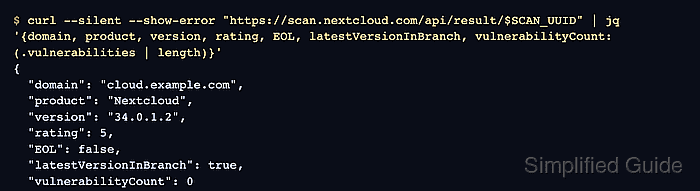
$ curl --silent --show-error "https://scan.nextcloud.com/api/result/$SCAN_UUID" | jq '{domain, product, version, rating, EOL, latestVersionInBranch, vulnerabilityCount: (.vulnerabilities | length)}'
{
  "domain": "cloud.example.com",
  "product": "Nextcloud",
  "version": "34.0.1.2",
  "rating": 5,
  "EOL": false,
  "latestVersionInBranch": true,
  "vulnerabilityCount": 0
}
The current result page maps ratings as 5=A+, 4=A, 3=C, 2=D, 1=E, and 0=F. Treat EOL: true, latestVersionInBranch: false, or a nonzero vulnerability count as update work before cosmetic hardening changes.
Related: How to upgrade Nextcloud - Check the hardening and setup detail.
$ curl --silent --show-error "https://scan.nextcloud.com/api/result/$SCAN_UUID" | jq '{hardenings, setup}'
{
  "hardenings": {
    "bruteforceProtection": true,
    "CSPv3": true,
    "sameSiteCookies": true,
    "passwordConfirmation": true,
    "__HostPrefix": true,
    "appPasswordsCanBeRestricted": true,
    "appPasswordsScannedForHaveIBeenPwned": true
  },
  "setup": {
    "https": {
      "enforced": true,
      "used": true
    },
    "headers": {
      "X-Frame-Options": true,
      "X-Content-Type-Options": true,
      "X-XSS-Protection": false,
      "X-Download-Options": true,
      "X-Permitted-Cross-Domain-Policies": true
    }
  }
}
Use the scanner result page to see the row labels behind false values before changing server headers. Header findings usually belong at the reverse proxy or web-server layer, not in /var/www/nextcloud/config/config.php.
Related: How to configure Nextcloud behind a reverse proxy
Tool: HTTP Header Checker - Save the result page URL with the remediation ticket or maintenance record.
$ printf 'https://scan.nextcloud.com/results/%s\n' "$SCAN_UUID"
https://scan.nextcloud.com/results/8b7f369a-3dd6-4cde-82de-555a7ab2dd62

Mohd Shakir Zakaria is a cloud architect with deep roots in software development and open-source advocacy. Certified in AWS, Red Hat, VMware, ITIL, and Linux, he specializes in designing and managing robust cloud and on-premises infrastructures.


