Configuring object storage for Mimir moves metric blocks, ruler state, or Alertmanager state out of local filesystem storage. It is a required step for production-style deployments where metrics must survive container or node replacement.
Mimir supports object storage backends such as Amazon S3 and S3-compatible systems, Google Cloud Storage, Azure Blob Storage, and Swift. Mimir does not create buckets for you, and block storage cannot share the same bucket path as ruler or Alertmanager state when the same common storage settings are reused.
Use separate buckets or storage prefixes for blocks, ruler, and Alertmanager data. A good validation path starts Mimir with the object storage settings, writes one sample, checks that objects appear in the expected bucket path, and queries the sample back through the Prometheus-compatible API.
Steps to configure object storage for Mimir:
- Create the object storage bucket or bucket prefixes before changing Mimir.
$ aws s3api create-bucket \
  --bucket mimir-metrics-prod \
  --region us-east-1
{
  "Location": "/mimir-metrics-prod"
}
Use the object storage provider and region that match the deployment. Keep bucket names, account IDs, and endpoints out of published examples and screenshots when they identify a real environment.
- Open the active Mimir configuration file.
$ vi mimir.yaml
- Configure common S3-compatible storage.
- mimir.yaml
common:
  storage:
    backend: s3
    s3:
      endpoint: s3.us-east-1.amazonaws.com
      bucket_name: mimir-metrics-prod
      region: us-east-1
For S3-compatible storage such as MinIO, use the service endpoint required by that platform and configure credentials through the runtime's secret mechanism.
- Point block storage at its own prefix.
- mimir.yaml
blocks_storage:
  backend: s3
  storage_prefix: blocks
  bucket_store:
    sync_dir: /tmp/mimir/tsdb-sync
  tsdb:
    dir: /tmp/mimir/tsdb
- Configure ruler storage with a different prefix or bucket.
- mimir.yaml
ruler_storage:
  backend: s3
  storage_prefix: ruler
- Configure Alertmanager storage with a different prefix or bucket when Alertmanager is enabled.
- mimir.yaml
alertmanager_storage:
  backend: s3
  storage_prefix: alertmanager
Do not point blocks, ruler, and Alertmanager stores at the same bucket path. Mimir can fail to start or mix state that should be isolated.
- Start Mimir with the updated configuration.
$ docker compose up -d mimir
Container mimir-mimir-1  Recreate
Container mimir-mimir-1  Started
- Check Mimir readiness.
$ curl --silent http://127.0.0.1:9009/ready
ready
- Write one metric sample through Prometheus remote write.
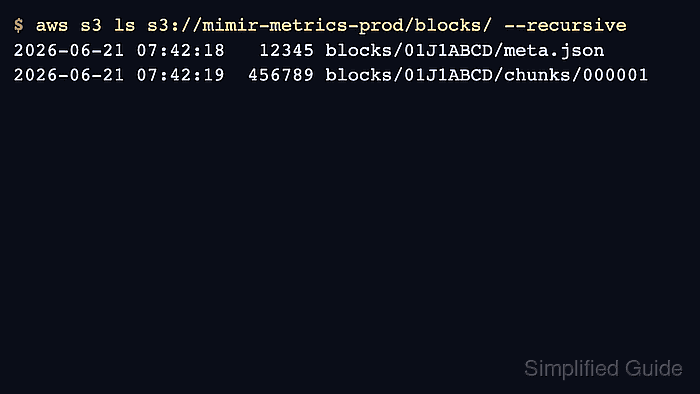
- Check the object storage path for newly written block data.
$ aws s3 ls s3://mimir-metrics-prod/blocks/ --recursive
2026-06-21 02:30:42      11423 blocks/single-tenant/01JY8Z9M7Z7J4K2YKZP4D5J3A/meta.json
2026-06-21 02:30:42      58312 blocks/single-tenant/01JY8Z9M7Z7J4K2YKZP4D5J3A/chunks/000001
- Query the metric back through Mimir.
$ curl --silent 'http://127.0.0.1:9009/prometheus/api/v1/query?query=up'
{"status":"success","data":{"resultType":"vector","result":[{"metric":{"__name__":"up","job":"prometheus"},"value":[1782008500.123,"1"]}]}}
The object listing proves Mimir is writing block data, and the query proves the configured storage path still supports reads.

Mohd Shakir Zakaria is a cloud architect with deep roots in software development and open-source advocacy. Certified in AWS, Red Hat, VMware, ITIL, and Linux, he specializes in designing and managing robust cloud and on-premises infrastructures.


