Configuring retention in Grafana Mimir controls how long metric blocks stay in object storage. Production retention usually balances storage cost, compliance rules, dashboard history, and the lookback windows used by alerts and investigations.
Mimir retention is enforced by the compactor. A global retention period applies to stored blocks, while tenant-specific overrides can shorten or lengthen retention when the deployment uses per-tenant limits.
Use a staging namespace to prove retention behavior with a short period. Production block deletion happens asynchronously and should not be forced by lowering retention on a live tenant just to create a quick test.
Steps to configure retention in Mimir:
- Confirm Mimir is using object storage.
$ helm get values mimir --namespace monitoring ##### snipped ##### common: storage: backend: s3 - Set the global compactor retention period.
- mimir-retention.yaml
mimir:
  structuredConfig:
    compactor:
      blocks_retention_period: 31d
- Add a tenant-specific retention override when one tenant needs a different period.
- mimir-retention.yaml
mimir:
  structuredConfig:
    limits:
      compactor_blocks_retention_period: 31d
    overrides:
      payments:
        compactor_blocks_retention_period: 90d
Use overrides only when the deployment already has a tenant model. Keep tenant names neutral in published examples.
- Render the Mimir release before applying the change.
$ helm template mimir grafana/mimir-distributed \
  --namespace monitoring \
  --values mimir-storage.yaml \
  --values mimir-retention.yaml
##### snipped #####
blocks_retention_period: 31d
- Upgrade Mimir with the retention values.
$ helm upgrade --install mimir grafana/mimir-distributed \
  --namespace monitoring \
  --values mimir-storage.yaml \
  --values mimir-retention.yaml \
  --wait --timeout 20m
Release "mimir" has been upgraded. Happy Helming!
- Check Mimir readiness.
$ curl --silent https://metrics.example.com/ready
ready
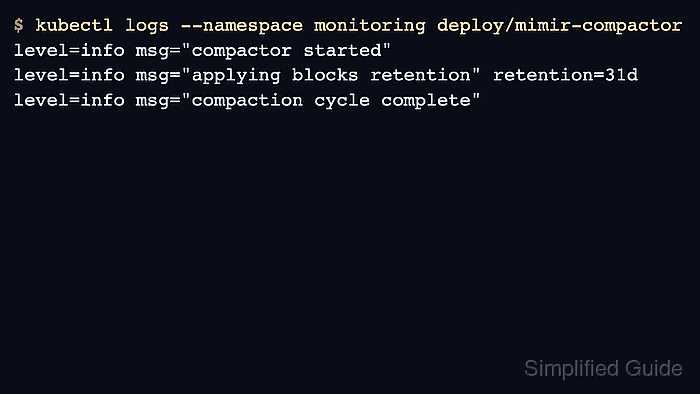
- Check compactor logs.
$ kubectl logs --namespace monitoring deploy/mimir-compactor
level=info msg="compactor started"
level=info msg="applying blocks retention" retention=31d
- Query a recent metric through Mimir.
$ curl --silent --get https://metrics.example.com/prometheus/api/v1/query \ --data-urlencode 'query=up' {"status":"success","data":{"resultType":"vector","result":[]}} - Check block objects in storage.
$ aws s3 ls s3://lgtm-mimir-prod/blocks/ --recursive
2026-06-21 09:30:00      11423 blocks/payments/01JY9BCDE/meta.json
2026-06-21 09:30:00      58312 blocks/payments/01JY9BCDE/chunks/000001
- Record the scheduled delete proof.
$ cat mimir-retention-proof.txt
retention_period=31d
recent_query=pass
compactor_logs=pass
expired_block_check=scheduled
Use a staging tenant with a short retention period to prove deletion behavior without shortening production history.

Mohd Shakir Zakaria is a cloud architect with deep roots in software development and open-source advocacy. Certified in AWS, Red Hat, VMware, ITIL, and Linux, he specializes in designing and managing robust cloud and on-premises infrastructures.


