Monitoring the LGTM stack itself makes the observability system visible when ingestion, storage, queries, or alerting degrade. Grafana, Loki, Tempo, and Mimir expose metrics that should be scraped, queried, dashboarded, and alerted like any other production service.
Self-monitoring should include both component metrics and synthetic telemetry. Component metrics show process health, rings, queues, and object storage errors, while synthetic logs, traces, and metrics prove that the end-to-end signal paths still work.
Keep the alerts focused on failures that require operator action. Readiness loss, failed remote write, object storage errors, ingestion drops, query failures, and notification delivery failures are stronger alert signals than raw pod restarts by themselves.
Steps to monitor the LGTM stack itself:
- Confirm the monitoring namespace exposes metrics endpoints.
$ kubectl get servicemonitor,podmonitor --namespace monitoring
NAME                                         AGE
servicemonitor.monitoring.coreos.com/grafana 12d
servicemonitor.monitoring.coreos.com/loki    12d
servicemonitor.monitoring.coreos.com/tempo   12d
servicemonitor.monitoring.coreos.com/mimir   12d
If the cluster does not use the Prometheus Operator, configure the equivalent scrape jobs in the active metrics collector.
- Query component target health from the metrics backend.
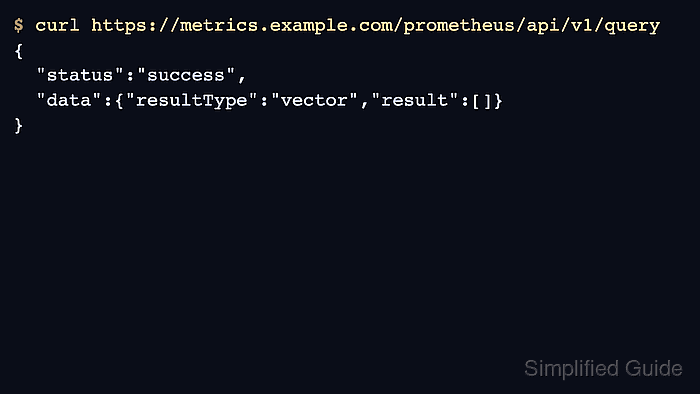
$ curl --silent --get https://metrics.example.com/prometheus/api/v1/query \ --data-urlencode 'query=up{namespace="monitoring"}' {"status":"success","data":{"resultType":"vector","result":[]}} - Check Loki ingestion metrics.
$ curl --silent --get https://metrics.example.com/prometheus/api/v1/query \ --data-urlencode 'query=sum(rate(loki_distributor_lines_received_total[5m]))' {"status":"success","data":{"resultType":"vector","result":[]}} - Check Tempo ingestion metrics.
$ curl --silent --get https://metrics.example.com/prometheus/api/v1/query \ --data-urlencode 'query=sum(rate(tempo_receiver_accepted_spans[5m]))' {"status":"success","data":{"resultType":"vector","result":[]}} - Check Mimir ingestion metrics.
$ curl --silent --get https://metrics.example.com/prometheus/api/v1/query \
  --data-urlencode 'query=sum(rate(cortex_distributor_received_samples_total[5m]))'
{"status":"success","data":{"resultType":"vector","result":[]}}
Mimir exposes many metrics with cortex_ prefixes for compatibility. Confirm exact metric names in the running version before final alert rollout.
- Add alert rules for backend readiness and failed ingestion.
- lgtm-alerts.yaml
apiVersion: 1
groups:
  - orgId: 1
    name: lgtm-stack-health
    folder: Observability
    interval: 1m
    rules:
      - uid: loki-no-ingest
        title: Loki is not receiving log lines
        condition: A
        data:
          - refId: A
            relativeTimeRange:
              from: 300
              to: 0
            datasourceUid: mimir
            model:
              expr: sum(rate(loki_distributor_lines_received_total[5m])) == 0
- Provision the alert rules with the Grafana release.
$ helm upgrade --install grafana grafana/grafana \
  --namespace monitoring \
  --values values/grafana.yaml \
  --values values/lgtm-alerts.yaml \
  --wait
Release "grafana" has been upgraded. Happy Helming!
- Confirm Grafana loaded the alert rule.
$ curl --silent --user admin:<password> \
  https://grafana.example.com/api/v1/provisioning/alert-rules
##### snipped #####
"title":"Loki is not receiving log lines"
- Send synthetic telemetry through the production ingestion path.
$ curl --silent --include https://otel.example.com/v1/traces
HTTP/2 405
content-type: text/plain
Use the organization's normal synthetic telemetry source when one exists. A GET check only proves the receiver is reachable; a complete check should write and query a known signal.
- Check the stack dashboard after the synthetic run.
$ curl --silent --user admin:<password> \
  https://grafana.example.com/api/search?query=LGTM
##### snipped #####
"title":"LGTM Stack Health"

Mohd Shakir Zakaria is a cloud architect with deep roots in software development and open-source advocacy. Certified in AWS, Red Hat, VMware, ITIL, and Linux, he specializes in designing and managing robust cloud and on-premises infrastructures.


