Mastodon statuses sometimes need to be removed by the automation that created them, such as release notices, moderation notices, or test posts that should not stay on an account. The Mastodon REST API exposes status deletion as an authenticated request, so a script can retract a known post without opening the web interface.
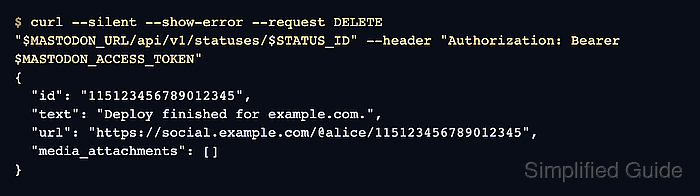
The deletion request targets DELETE /api/v1/statuses/:id on the instance that hosts the authenticated account. It needs a user access token with write:statuses, and Mastodon only deletes statuses owned by that account.
Deleting a status removes the post, but the successful response can still contain source fields that help with delete-and-redraft automation. Media attachments may stay available for about 24 hours for reuse unless delete_media is set, so decide whether the workflow needs immediate media cleanup before sending the request.
Steps to delete a Mastodon status with the API:
- Set the Mastodon instance URL for the current shell.
$ MASTODON_URL="https://social.example.com"
- Read the user access token into a silent shell variable.
$ read -s MASTODON_ACCESS_TOKEN
The token must belong to the status author and include write:statuses. Add read:statuses only when private-status verification also needs an authenticated API lookup.
- Set the status ID to delete.
$ STATUS_ID="115123456789012345"
Use the id field returned by Mastodon when the status was posted. A URL from another server or a boosted copy is not a safe substitute.
- Check the status API response before deletion.
$ curl --silent --show-error "$MASTODON_URL/api/v1/statuses/$STATUS_ID"
{
  "id": "115123456789012345",
  "content": "<p>Deploy finished for example.com.</p>",
  "url": "https://social.example.com/@alice/115123456789012345",
  "account": {
    "acct": "alice"
  }
}
Continue only when the id and url match the status that should disappear. The DELETE request is not a hide or unpublish action.
- Delete the status.
$ curl --silent --show-error --request DELETE \
  "$MASTODON_URL/api/v1/statuses/$STATUS_ID" \
  --header "Authorization: Bearer $MASTODON_ACCESS_TOKEN"
{
  "id": "115123456789012345",
  "text": "Deploy finished for example.com.",
  "url": "https://social.example.com/@alice/115123456789012345",
  "media_attachments": []
}
Add ?delete_media=true to the request URL only when attached media should be removed immediately instead of kept temporarily for delete-and-redraft reuse.
- Confirm that the status lookup no longer returns the original post.
$ curl --silent --show-error --include "$MASTODON_URL/api/v1/statuses/$STATUS_ID"
HTTP/2 404
server: Mastodon
content-type: application/json; charset=utf-8

{"error":"Record not found"}
On authorized-fetch servers or private-status checks, repeat the lookup with a token that has read:statuses or verify the post URL while signed in to the author account.
- Remove the temporary shell variables.
$ unset MASTODON_ACCESS_TOKEN MASTODON_URL STATUS_ID

Mohd Shakir Zakaria is a cloud architect with deep roots in software development and open-source advocacy. Certified in AWS, Red Hat, VMware, ITIL, and Linux, he specializes in designing and managing robust cloud and on-premises infrastructures.


