Mastodon API access tokens let scripts and client applications call private endpoints as a signed-in account. They are useful for account checks, posting workflows, media uploads, and other automation where a password should not be handed directly to a script.
Mastodon issues user tokens through OAuth 2.0. A client application is registered first, the account owner approves a scope-limited authorization request, and the one-time authorization code is exchanged for a bearer token.
An out-of-band redirect URI lets the authorization page display a code instead of sending the browser to an application callback. Keep the client secret, authorization code, and access token out of shell history, screenshots, shared logs, and repository files.
Steps to create a Mastodon access token with OAuth:
- Choose the Mastodon server and the minimum scopes required by the automation.
Use profile for the account smoke test and write:statuses for a later posting workflow. Use read:accounts instead of profile when the server is older than Mastodon 4.3.
- Register a client application on the Mastodon server.
$ curl -X POST https://social.example.com/api/v1/apps \
  -F 'client_name=Example automation' \
  -F 'redirect_uris=urn:ietf:wg:oauth:2.0:oob' \
  -F 'scopes=profile write:statuses' \
  -F 'website=https://example.com'
{
  "id": "563419",
  "name": "Example automation",
  "website": "https://example.com",
  "scopes": ["profile", "write:statuses"],
  "redirect_uris": ["urn:ietf:wg:oauth:2.0:oob"],
  "client_id": "CLIENT_ID",
  "client_secret": "CLIENT_SECRET",
  "client_secret_expires_at": 0
}
Treat client_id and client_secret as credentials. Anyone with the client secret can use the app registration during token exchange.
- Save the client_id and client_secret in the secret store used by the automation.
- Open the authorization URL in a browser where the intended Mastodon account can sign in.
https://social.example.com/oauth/authorize?response_type=code&client_id=CLIENT_ID&redirect_uri=urn:ietf:wg:oauth:2.0:oob&scope=profile%20write:statuses
- Approve the requested scopes and copy the displayed authorization code.
The authorization code can be used only once and should be treated like a password until it is exchanged.
- Exchange the authorization code for a user access token.
$ curl -X POST https://social.example.com/oauth/token \
  -F 'grant_type=authorization_code' \
  -F 'client_id=CLIENT_ID' \
  -F 'client_secret=CLIENT_SECRET' \
  -F 'redirect_uri=urn:ietf:wg:oauth:2.0:oob' \
  -F 'code=AUTHORIZATION_CODE' \
  -F 'scope=profile write:statuses'
{
  "access_token": "MASTODON_ACCESS_TOKEN",
  "token_type": "Bearer",
  "scope": "profile write:statuses",
  "created_at": 1782576000
}
- Copy only the access_token value into the automation secret store.
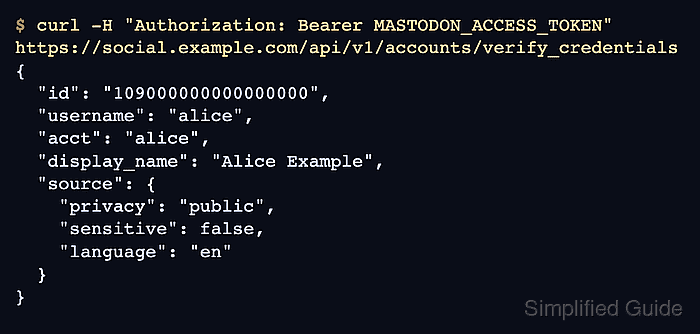
- Verify the token against the account credentials endpoint.
$ curl -H "Authorization: Bearer MASTODON_ACCESS_TOKEN" https://social.example.com/api/v1/accounts/verify_credentials
{
  "id": "109000000000000000",
  "username": "alice",
  "acct": "alice",
  "display_name": "Alice Example",
  "source": {
    "privacy": "public",
    "sensitive": false,
    "language": "en"
  }
}
A successful response includes the authenticated account and the source object, which is returned only for the account that owns the token.

Mohd Shakir Zakaria is a cloud architect with deep roots in software development and open-source advocacy. Certified in AWS, Red Hat, VMware, ITIL, and Linux, he specializes in designing and managing robust cloud and on-premises infrastructures.


