Removing an LVM volume group deletes the storage pool name after its logical volumes are no longer needed. Use this when retiring a test group, handing disks to another host, or preparing physical volumes for a different layout, and only after the data in that group has been backed up or retired.
The vgremove command removes a whole volume group, also called a VG. It is different from vgreduce, which removes one physical volume from a VG while keeping the VG, and different from pvremove, which erases the LVM label from a disk or partition.
A VG can contain active logical volumes and mounted filesystems. Remove or migrate those logical volumes before running vgremove, because confirming the wrong VG can delete every LV that belongs to it. After the VG is removed, former physical volumes may still show as unassigned LVM PVs until their labels are wiped separately.
Steps to remove an LVM volume group:
- List volume groups and identify the exact VG name.
$ sudo vgs
  VG         #PV #LV #SN Attr   VSize   VFree
  vg_archive   1   0   0 wz--n- 124.00m 124.00m
  vg_data      1   1   0 wz--n-  20.00g  12.00g
Check the VG column carefully. vgremove deletes the selected VG metadata and can remove all LVs inside it if the removal is confirmed.
- Check that no logical volumes remain in the target VG.
$ sudo lvs vg_archive
No output means vg_archive has no logical volumes. If rows appear, unmount the filesystems and remove or move those LVs before continuing.
Related: How to remove an LVM logical volume - Remove the empty volume group.
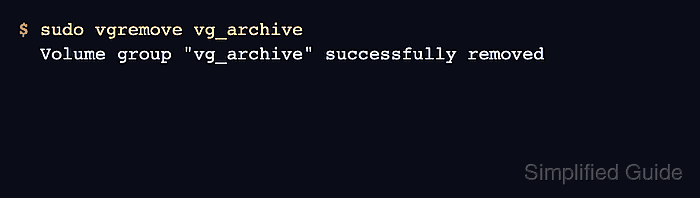
$ sudo vgremove vg_archive
  Volume group "vg_archive" successfully removed
- Confirm that LVM no longer finds the VG.
$ sudo vgs vg_archive
  Volume group "vg_archive" not found
  Cannot process volume group vg_archive
- Check a former physical volume before reusing the disk.
$ sudo pvs /dev/sdb1
  PV         VG Fmt  Attr PSize   PFree
  /dev/sdb1    lvm2 ---  128.00m 128.00m
A blank VG field means the PV no longer belongs to a volume group. Run pvremove only when the disk or partition should stop being an LVM PV.
Related: How to remove an LVM physical volume

Mohd Shakir Zakaria is a cloud architect with deep roots in software development and open-source advocacy. Certified in AWS, Red Hat, VMware, ITIL, and Linux, he specializes in designing and managing robust cloud and on-premises infrastructures.


