Retiring a disk or partition from LVM requires separating two states. The volume group, or VG, must stop using the physical volume, or PV, first, and the device label should be wiped only when the disk or partition should no longer appear as LVM storage.
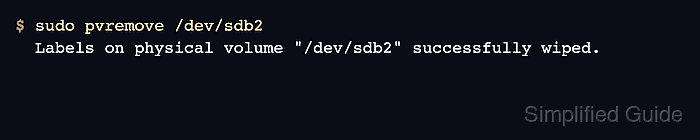
The vgreduce command removes an empty PV from a VG without deleting other PVs or logical volumes. After that, pvremove wipes the LVM label so scans such as pvs no longer recognize the device as a physical volume.
A PV with allocated extents still contains LV data. Move those extents elsewhere, remove the owning logical volume, or remove the whole VG before wiping the label. Confirm the exact device name, backup state, and Used value before continuing because pvremove erases LVM metadata from the selected block device.
Related: How to create an LVM physical volume
Steps to remove an LVM physical volume:
- List the target physical volume and confirm whether it still belongs to a volume group.
$ sudo pvs --options pv_name,vg_name,pv_fmt,pv_attr,pv_size,pv_free,pv_used /dev/sdb2
  PV         VG     Fmt  Attr PSize   PFree   Used
  /dev/sdb2 vgdata lvm2 a--  100.00g 100.00g   0
Replace /dev/sdb2 with the disk or partition being retired. Continue only when Used is 0, or move the allocated extents away before continuing.
Related: How to move LVM extents with pvmove
Related: How to remove an LVM logical volume - Remove the empty PV from its volume group when the VG column names a group.
$ sudo vgreduce vgdata /dev/sdb2
  Removed "/dev/sdb2" from volume group "vgdata"
Skip this step when the VG column is already blank. If the target is the only PV in its VG, remove or migrate the VG before wiping the PV label.
Related: How to remove an LVM volume group - Confirm that the PV no longer belongs to the volume group.
$ sudo pvs --options pv_name,vg_name,pv_fmt,pv_attr,pv_size,pv_free,pv_used /dev/sdb2
  PV         VG Fmt  Attr PSize   PFree   Used
  /dev/sdb2    lvm2 ---  100.00g 100.00g   0
A blank VG field means LVM still sees the device as a PV, but no volume group owns it.
- Wipe the LVM label from the unassigned PV.
$ sudo pvremove /dev/sdb2
  Labels on physical volume "/dev/sdb2" successfully wiped.
pvremove removes LVM metadata from the selected device. Check the device path again before confirming on a real disk.
- Verify that LVM no longer recognizes the device as a physical volume.
$ sudo pvs /dev/sdb2
  Failed to find physical volume "/dev/sdb2".

Mohd Shakir Zakaria is a cloud architect with deep roots in software development and open-source advocacy. Certified in AWS, Red Hat, VMware, ITIL, and Linux, he specializes in designing and managing robust cloud and on-premises infrastructures.


