Removing an LVM logical volume is a destructive storage cleanup task for a volume that has been retired, migrated, or recreated elsewhere. The operation deletes the selected LV and the filesystem or raw data stored on it, while other LVs in the same VG remain in place when the command names only the target volume.
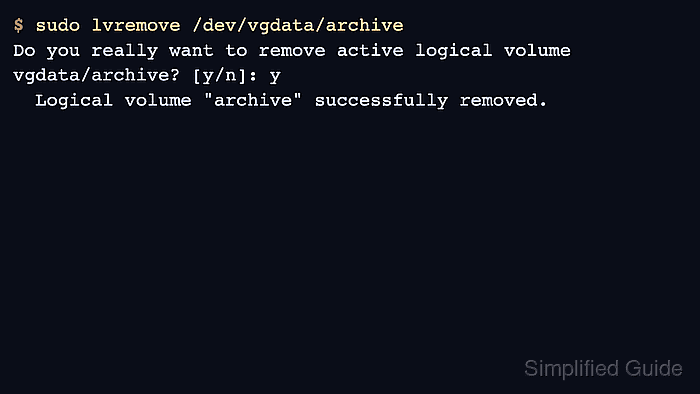
The lvremove command removes the LV metadata and returns its extents to the volume group. LVM asks before removing an active LV, but it cannot remove a device that is still open by a mounted filesystem, swap area, virtual machine, database, or another process using the block device.
Confirm the LV path, mount state, snapshot dependency, and completed backup or migration before accepting the removal prompt. Removing an origin LV also removes dependent snapshots, and removing the wrong LV can make an application volume unrecoverable without a backup.
Related: How to create an LVM logical volume
Related: How to remove an LVM volume group
Steps to remove an LVM logical volume:
- List the target logical volume.
$ sudo lvs --options lv_name,vg_name,lv_size,lv_attr vgdata/archive
  LV      VG     LSize Attr
  archive vgdata 1.00g -wi-ao----
Replace vgdata/archive with the VG and LV that should be removed. The o flag in Attr means the device is open, commonly because it is mounted or used by a process.
- Check whether the logical volume has a mounted filesystem.
$ findmnt --source /dev/vgdata/archive
TARGET       SOURCE                       FSTYPE OPTIONS
/srv/archive /dev/mapper/vgdata-archive  ext4   rw,relatime
No output means findmnt did not find a mount for that LV. Raw consumers such as swap, databases, virtual machines, or cluster resources can still keep the device open.
- Unmount the filesystem if a mount point was returned.
$ sudo umount /srv/archive
Stop the application or service first if umount reports that the target is busy. Removing an in-use block device can interrupt writes or corrupt the data the application still expects to own.
- Remove the logical volume after confirming the target path and backup state.
$ sudo lvremove /dev/vgdata/archive
Do you really want to remove active logical volume vgdata/archive? [y/n]: y
  Logical volume "archive" successfully removed.
lvremove permanently deletes the selected LV and its data. If the target is an origin LV, dependent snapshots are removed with it.
- List the remaining logical volumes in the volume group.
$ sudo lvs --options lv_name,vg_name,lv_size vgdata
  LV       VG     LSize
  projects vgdata 1.00g
The removed archive row should be absent. If no rows remain, the volume group contains no logical volumes.
- Confirm that the freed extents returned to the volume group.
$ sudo vgs vgdata
  VG     #PV #LV #SN Attr   VSize VFree
  vgdata   2   1   0 wz--n- 3.99g 2.99g

Mohd Shakir Zakaria is a cloud architect with deep roots in software development and open-source advocacy. Certified in AWS, Red Hat, VMware, ITIL, and Linux, he specializes in designing and managing robust cloud and on-premises infrastructures.


