Configuring object storage for Loki moves log chunks and index data out of local container storage and into a durable backend such as Amazon S3, Google Cloud Storage, Azure Blob Storage, or a compatible object store. Production Loki deployments need this before retained logs can survive pod or node replacement.
The current Loki Helm chart supports object storage through chart values that become Loki storage configuration. The exact provider settings depend on the object store, but the success state is the same: Loki starts, accepts a log line, writes objects to the expected bucket or prefix, and returns the line through LogQL.
Use separate buckets or prefixes for production, staging, and development. Object storage credentials should come from Kubernetes secrets, workload identity, or the cloud provider's native identity mechanism rather than raw keys in values files.
Related: How to configure retention in Loki
Related: How to run Loki with Docker Compose
Related: How to deploy a production LGTM stack
Steps to configure object storage for Loki:
- Create or confirm the Loki bucket.
$ aws s3api create-bucket \
  --bucket lgtm-loki-prod \
  --region us-east-1
{
  "Location": "/lgtm-loki-prod"
}
Use the provider and region approved for the deployment. Do not publish real bucket names when they identify a live environment.
- Create the object storage credential secret when workload identity is not used.
$ kubectl create secret generic loki-object-storage \
  --namespace monitoring \
  --from-literal=AWS_ACCESS_KEY_ID='<access-key-id>' \
  --from-literal=AWS_SECRET_ACCESS_KEY='<secret-access-key>'
secret/loki-object-storage created
- Add object storage settings to the Loki values file.
- loki-storage.yaml
loki:
  schemaConfig:
    configs:
      - from: "2024-04-01"
        store: tsdb
        object_store: s3
        schema: v13
        index:
          prefix: loki_index_
          period: 24h
  storage:
    type: s3
    bucketNames:
      chunks: lgtm-loki-prod
      ruler: lgtm-loki-prod
      admin: lgtm-loki-prod
    s3:
      region: us-east-1
  commonConfig:
    replication_factor: 3
The 24h index period is also required for Loki retention.
Related: How to configure retention in Loki - Reference the credential secret from the Loki pods.
- loki-storage.yaml
extraEnvFrom:
  - secretRef:
      name: loki-object-storage
Prefer cloud workload identity when the platform supports it. Secret references should not expose access keys in rendered manifests or task logs.
- Render the chart before applying it.
$ helm template loki grafana/loki \
  --namespace monitoring \
  --values loki-storage.yaml
##### snipped #####
object_store: s3
bucketnames: lgtm-loki-prod
- Upgrade the Loki release.
$ helm upgrade --install loki grafana/loki \
  --namespace monitoring \
  --values loki-storage.yaml \
  --wait --timeout 15m
Release "loki" has been upgraded. Happy Helming!
- Check Loki readiness.
$ curl --silent https://logs.example.com/ready
ready
- Push one smoke-test log line.
$ curl --silent --show-error --request POST \
  https://logs.example.com/loki/api/v1/push \
  --header 'Content-Type: application/json' \
  --data @loki-smoke.json
The payload should use a low-cardinality stream label such as service_name and a current nanosecond timestamp.
- Query the smoke-test log line.
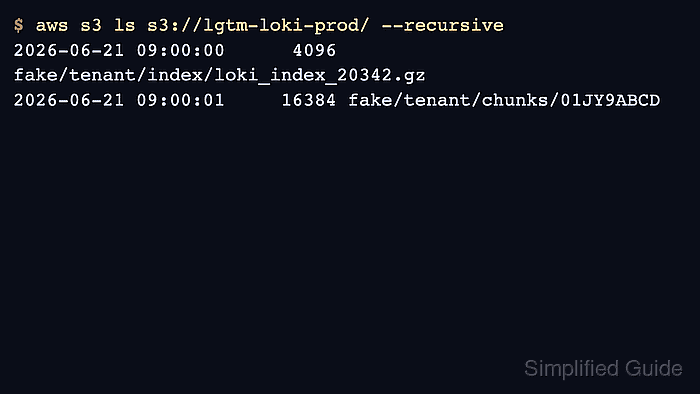
$ curl --silent --get https://logs.example.com/loki/api/v1/query_range \ --data-urlencode 'query={service_name="loki-smoke"}' \ --data-urlencode limit=5 {"status":"success","data":{"resultType":"streams","result":[]}} - Check that Loki wrote objects to the expected bucket.
$ aws s3 ls s3://lgtm-loki-prod/ --recursive
2026-06-21 09:00:00      4096 fake/tenant/index/loki_index_20342.gz
2026-06-21 09:00:01     16384 fake/tenant/chunks/...

Mohd Shakir Zakaria is a cloud architect with deep roots in software development and open-source advocacy. Certified in AWS, Red Hat, VMware, ITIL, and Linux, he specializes in designing and managing robust cloud and on-premises infrastructures.


