A LlamaIndex workflow normally runs only inside the Python process that imports it, so a service written in another language or running on another machine cannot start it. WorkflowServer from llama-agents-server serves that workflow over HTTP, so any client that can send JSON can start a run and fetch its result.
A workflow class needs no server code. WorkflowServer registers an instance under a name that becomes part of the URL, the fields of the workflow's StartEvent become the JSON input, and the StopEvent comes back as the JSON result. A background run answers at once with a handler ID, so the client never holds a connection open while a slow workflow finishes.
Those runs live in the server's memory unless it is given a store, so a restart loses any result not yet collected. The server has no authentication of its own, and anything that reaches its port can start a run, which is why it stays on the loopback address until a proxy that authenticates callers sits in front of it. A customer-brief workflow with no model or API key stands in for your own workflow, which replaces it through the import, class and name.
Steps to serve a LlamaIndex workflow over HTTP:
- Install llama-agents-server in your project's virtual environment.
$ python -m pip install llama-agents-server
Tested with llama-agents-server 0.8.0 and llama-index-workflows 2.26.1 on Python 3.14 and Ubuntu 26.04. The HTTP requests require an installed curl client.
Related: How to install cURL on Ubuntu
Related: How to create a virtual environment in Python
Related: How to activate a Python virtual environment - Create a file named brief_server.py beside the customer_brief_workflow.py file from How to build a workflow in LlamaIndex using your text editor.
- brief_server.py
import asyncio

from llama_agents.server import WorkflowServer

from customer_brief_workflow import CustomerBriefWorkflow

server = WorkflowServer()
server.add_workflow("brief", CustomerBriefWorkflow())
To serve your own workflow, change the import, the class and the name in this file. The name you give add_workflow is the name in the URL.
Older examples import from workflows.server, which still works but raises a DeprecationWarning. - Add the following lines at the end of brief_server.py.
if __name__ == "__main__":
    asyncio.run(server.serve("127.0.0.1", 8080))
serve() with no arguments listens on localhost port 80, so these arguments set port 8080 and name the loopback address.
The server has no authentication, so every client that reaches the port can start runs and read results. Its default CORS settings also approve any website origin, so CORS does not stop a web page in a local browser from calling the server. To allow only your own origins, pass a CORSMiddleware entry through the middleware argument of WorkflowServer, because an empty list keeps the default.
To accept requests from other hosts, replace 127.0.0.1 with 0.0.0.0 only behind a firewall or an authenticating proxy.
Related: How to configure Nginx as a reverse proxy - Save brief_server.py.
- Start the server from your project directory with the virtual environment active.
$ python brief_server.py
INFO:     Started server process [2356]
INFO:     Waiting for application startup.
INFO:     Application startup complete.
##### snipped #####
The server stays in the foreground until you press Ctrl+C, so leave this terminal open and send the curl requests from a second one.
- Confirm from a second terminal that the server registered the workflow.
$ curl -s http://127.0.0.1:8080/workflows {"workflows":["brief"]} - Start a run of the workflow with your input as the start_event object.
$ curl -s -X POST \
  http://127.0.0.1:8080/workflows/brief/run-nowait \
  -H 'Content-Type: application/json' \
  -d '{"start_event":{"topic":"billing","audience":"sales"}}' \
  | python3 -m json.tool
{
    "handler_id": "OFVEBJFcHp",
    "workflow_name": "brief",
    "run_id": "KLzgBJehEN",
    "error": null,
    "result": null,
    "result_unreadable": false,
    "status": "running",
    "started_at": "2026-11-11T13:43:04.269131+00:00",
    "updated_at": "2026-11-11T13:43:04.269131+00:00",
    "completed_at": null
}
The start_event fields are the fields of BriefRequest. For your own workflow, send the fields of its StartEvent subclass, or the names its step reads with ev.get() when it takes the plain StartEvent.
A name that is not registered returns 404 with Workflow not found, and a missing required field returns 400 with a validation error that names the field.
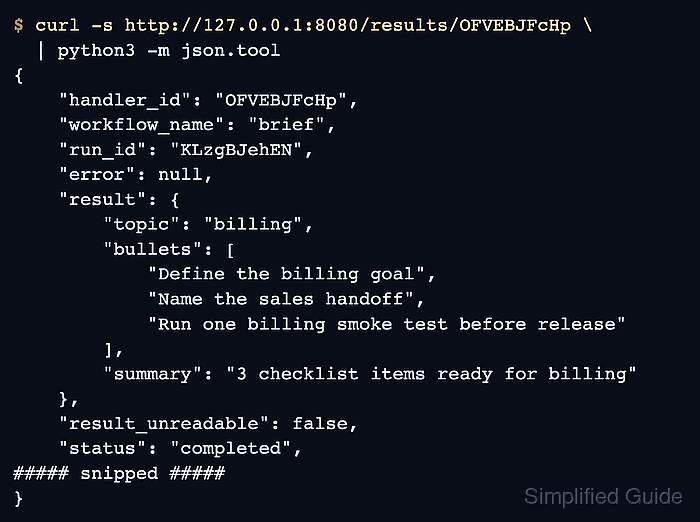
/workflows/<name>/run takes the same body and holds the request open until the workflow finishes. - Fetch the result, using the handler_id from your own response in place of OFVEBJFcHp.
$ curl -s http://127.0.0.1:8080/results/OFVEBJFcHp \
  | python3 -m json.tool
{
    "handler_id": "OFVEBJFcHp",
    "workflow_name": "brief",
    "run_id": "KLzgBJehEN",
    "error": null,
    "result": {
        "topic": "billing",
        "bullets": [
            "Define the billing goal",
            "Name the sales handoff",
            "Run one billing smoke test before release"
        ],
        "summary": "3 checklist items ready for billing"
    },
    "result_unreadable": false,
    "status": "completed",
##### snipped #####
}
status reads completed, and the result object holds the BriefResult fields built from the topic and audience you sent. A workflow that ends in a plain StopEvent returns its value directly.
A run still in progress shows running with status 202, so repeat the request. A failed run shows failed with status 500 and the exception text in error.
/handlers/<handler_id> reports the same run and wraps the result with its event type.
A restart empties the default in-memory store, and the request then returns 404 with Handler not found. SqliteWorkflowStore keeps runs across restarts.
Related: Deploying workflows as a server - Confirm that the result request returns HTTP status 200.
$ curl -si http://127.0.0.1:8080/results/OFVEBJFcHp | head -n 1
HTTP/1.1 200 OK