Ubuntu hosts often need cURL before repository bootstrap, API checks, downloads, or scripted transfers can make HTTP requests. Installing it from the standard Ubuntu repositories gives the system the command-line client without replacing the distro-managed libraries that later updates expect.
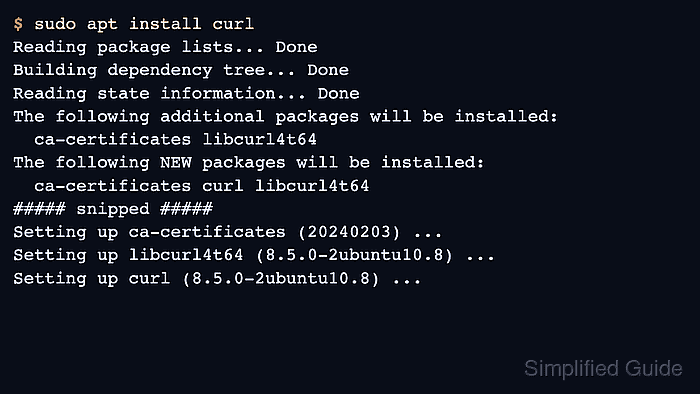
On current Ubuntu releases, installing the curl package places the binary at /usr/bin/curl and uses the packaged libcurl runtime for protocol and TLS support. The package transaction also brings in the system certificate bundle when a stripped environment is missing it, so HTTPS requests can validate server certificates through the normal Ubuntu trust store.
Use an Ubuntu host with working repositories and an account that can run sudo. If curl is already present, apt reports that the newest package is already installed; if the final HTTPS request fails after installation, outbound DNS, proxy policy, or certificate trust still needs attention.
Related: How to save cURL output to a file
Related: How to debug HTTP requests with cURL
Steps to install cURL on Ubuntu:
- Refresh the local apt package index before installing the package.
$ sudo apt update
Hit:1 http://archive.ubuntu.com/ubuntu resolute InRelease
Hit:2 http://security.ubuntu.com/ubuntu resolute-security InRelease
Hit:3 http://archive.ubuntu.com/ubuntu resolute-updates InRelease
##### snipped #####
Reading package lists...
Building dependency tree...
Reading state information...
apt update refreshes repository metadata so the install step can select the current curl package from the configured Ubuntu sources.
- Install the distro-managed curl package.
$ sudo apt install --assume-yes curl
Reading package lists...
Building dependency tree...
Reading state information...
Solving dependencies...
Installing:
  curl

Installing dependencies:
  ca-certificates   libcurl4t64   libnghttp2-14
##### snipped #####
Setting up ca-certificates (20260223) ...
Setting up libcurl4t64:arm64 (8.18.0-1ubuntu2.1) ...
Setting up curl (8.18.0-1ubuntu2.1) ...
--assume-yes accepts the apt transaction without a confirmation prompt. Omit that option if you want to review the package list before installation. When curl is already installed, the same command reports that the newest package is already present instead of reinstalling it.
- Check the installed package status and version.
$ dpkg -s curl
Package: curl
Status: install ok installed
##### snipped #####
Architecture: arm64
Version: 8.18.0-1ubuntu2.1
Depends: libcurl4t64 (= 8.18.0-1ubuntu2.1), libc6 (>= 2.34), zlib1g (>= 1:1.1.4)
Description: command line tool for transferring data with URL syntax
The exact version, dependency package name, and architecture vary by Ubuntu release and hardware, but the installed status and package version confirm that apt registered the package correctly.
- Send a simple HTTPS HEAD request to confirm curl can resolve names, negotiate TLS, and receive a response.
$ curl --silent --show-error --head https://example.com/
HTTP/2 200
date: Sat, 06 Jun 2026 01:57:18 GMT
content-type: text/html
server: cloudflare
last-modified: Fri, 05 Jun 2026 20:00:44 GMT
allow: GET, HEAD
accept-ranges: bytes
--silent keeps the header check readable and --show-error still prints a failure reason if the request cannot complete. If this request fails, the package installation completed but outbound DNS, HTTPS inspection, proxy policy, or CA trust still needs correction before automation can rely on curl.

Mohd Shakir Zakaria is a cloud architect with deep roots in software development and open-source advocacy. Certified in AWS, Red Hat, VMware, ITIL, and Linux, he specializes in designing and managing robust cloud and on-premises infrastructures.


