Qdrant gives a LlamaIndex retrieval app a networked vector database instead of a process-local vector store. Building a Qdrant-backed store is useful when document embeddings need to survive Python restarts and when the vector database should be inspected or operated separately from the application code.
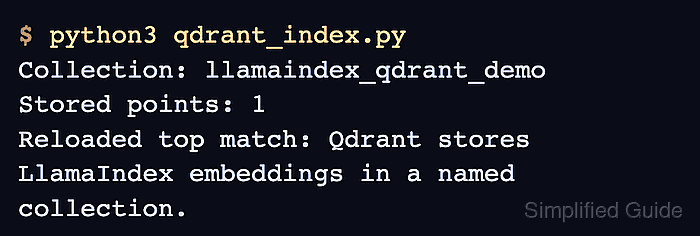
The llama-index-vector-stores-qdrant integration connects a QdrantClient to QdrantVectorStore, then passes that store into StorageContext before VectorStoreIndex writes nodes. The local smoke test uses MockEmbedding and MockLLM, so the storage path can be validated without sending text to an external embedding or chat API.
Keep collection names and embedding dimensions tied to the model that writes the vectors. The demo resets only the named sample collection for repeatability; replace the collection name and remove that reset before pointing the script at an existing Qdrant collection.
Steps to build a Qdrant vector store in LlamaIndex:
- Start a local Qdrant container with a named storage volume.
$ docker run --name llamaindex-qdrant \
  -p 6333:6333 \
  -v llamaindex-qdrant-data:/qdrant/storage \
  -d qdrant/qdrant
The named volume keeps Qdrant data under /qdrant/storage without relying on a host folder mount. If port 6333 is already in use, change the host port and set QDRANT_URL to match it.
- Confirm the Qdrant HTTP API is ready.
$ curl http://localhost:6333/readyz
all shards are ready
- Install the LlamaIndex Qdrant vector store integration in the active Python environment.
$ python3 -m pip install --upgrade llama-index llama-index-vector-stores-qdrant qdrant-client
Collecting llama-index
Collecting llama-index-vector-stores-qdrant
Collecting qdrant-client
##### snipped #####
Successfully installed llama-index-0.14.23 llama-index-vector-stores-qdrant-0.10.1 qdrant-client-1.18.0
Use a project virtual environment so the integration packages stay with the application code.
Related: How to install LlamaIndex with pip - Create a script that writes one document into Qdrant and reloads the store through a fresh client.
$ cat > qdrant_index.py <<'PY'
import os

from llama_index.core import Document, Settings, StorageContext, VectorStoreIndex
from llama_index.core.embeddings import MockEmbedding
from llama_index.core.llms import MockLLM
from llama_index.vector_stores.qdrant import QdrantVectorStore
from qdrant_client import QdrantClient


qdrant_url = os.getenv("QDRANT_URL", "http://localhost:6333")
collection_name = os.getenv("QDRANT_COLLECTION", "llamaindex_qdrant_demo")

embed_model = MockEmbedding(embed_dim=8)
llm = MockLLM()
Settings.embed_model = embed_model
Settings.llm = llm

client = QdrantClient(url=qdrant_url)

if client.collection_exists(collection_name):
    client.delete_collection(collection_name)

vector_store = QdrantVectorStore(
    client=client,
    collection_name=collection_name,
)
storage_context = StorageContext.from_defaults(vector_store=vector_store)
documents = [
    Document(text="Qdrant stores LlamaIndex embeddings in a named collection.")
]
VectorStoreIndex.from_documents(
    documents,
    storage_context=storage_context,
    embed_model=embed_model,
    llm=llm,
)

collection_info = client.get_collection(collection_name)

reloaded_client = QdrantClient(url=qdrant_url)
reloaded_store = QdrantVectorStore(
    client=reloaded_client,
    collection_name=collection_name,
)
reloaded_index = VectorStoreIndex.from_vector_store(
    vector_store=reloaded_store,
    embed_model=embed_model,
    llm=llm,
)
retriever = reloaded_index.as_retriever(similarity_top_k=1)
results = retriever.retrieve("Where does Qdrant keep the LlamaIndex embeddings?")

print(f"Collection: {collection_name}")
print(f"Stored points: {collection_info.points_count}")
print(f"Reloaded top match: {results[0].node.get_content()}")
PY
The delete_collection() call removes only the collection named by QDRANT_COLLECTION. Delete that reset line before using a collection that already contains application data.
- Run the script and confirm the reloaded vector store returns the stored node.
$ python3 qdrant_index.py
Collection: llamaindex_qdrant_demo
Stored points: 1
Reloaded top match: Qdrant stores LlamaIndex embeddings in a named collection.

Mohd Shakir Zakaria is a cloud architect with deep roots in software development and open-source advocacy. Certified in AWS, Red Hat, VMware, ITIL, and Linux, he specializes in designing and managing robust cloud and on-premises infrastructures.


