PostgreSQL can act as the durable vector database behind a LlamaIndex retrieval workflow when the pgvector extension owns the embedding table. A PGVectorStore keeps document vectors in PostgreSQL instead of the default in-memory store, which lets the same data survive a Python process restart and fit into existing database backup and monitoring practices.
The llama-index-vector-stores-postgres integration connects LlamaIndex to PostgreSQL through PGVectorStore.from_params() and attaches the store to a StorageContext. The smoke test uses a Dockerized PostgreSQL service plus MockEmbedding and MockLLM, so the storage path can be validated without sending text to an external embedding or chat API.
Keep embed_dim equal to the embedding model that writes and queries the table. The sample uses a small eight-dimensional mock embedding for a local check, while production OpenAI-style embeddings commonly use larger dimensions. The reload step creates a new PGVectorStore for the same table and retrieves the stored node through a reloaded VectorStoreIndex.
Steps to build a pgvector vector store in LlamaIndex:
- Start a PostgreSQL container with pgvector enabled.
$ docker run --name llamaindex-pgvector \
  -e POSTGRES_PASSWORD=password \
  -e POSTGRES_DB=vector_db \
  -p 55432:5432 \
  -d pgvector/pgvector:pg17
Use a task-specific password and private network for real application databases. Port 55432 keeps the local demo separate from a default PostgreSQL service on port 5432.
- Confirm PostgreSQL is accepting connections.
$ docker exec llamaindex-pgvector pg_isready -U postgres -d vector_db
/var/run/postgresql:5432 - accepting connections
- Install the LlamaIndex Postgres vector store integration in the active Python environment.
$ python3 -m pip install --upgrade llama-index llama-index-vector-stores-postgres psycopg2-binary
Successfully installed llama-index llama-index-vector-stores-postgres psycopg2-binary
Use a project virtual environment when the system Python environment is shared.
Related: How to install LlamaIndex with pip - Create a script that writes one document into the pgvector store and reloads it.
$ cat > pgvector_index.py <<'PY'
import os

from llama_index.core import Document, Settings, StorageContext, VectorStoreIndex
from llama_index.core.embeddings import MockEmbedding
from llama_index.core.llms import MockLLM
from llama_index.vector_stores.postgres import PGVectorStore


embed_model = MockEmbedding(embed_dim=8)
llm = MockLLM()
Settings.embed_model = embed_model
Settings.llm = llm

vector_store = PGVectorStore.from_params(
    database=os.getenv("PGDATABASE", "vector_db"),
    host=os.getenv("PGHOST", "localhost"),
    password=os.getenv("PGPASSWORD", "password"),
    port=int(os.getenv("PGPORT", "55432")),
    user=os.getenv("PGUSER", "postgres"),
    table_name="llamaindex_pgvector_demo",
    embed_dim=8,
    hnsw_kwargs={
        "hnsw_m": 16,
        "hnsw_ef_construction": 64,
        "hnsw_ef_search": 40,
        "hnsw_dist_method": "vector_cosine_ops",
    },
)

# Keep the demo repeatable. Remove this line when appending to an existing table.
vector_store.clear()

storage_context = StorageContext.from_defaults(vector_store=vector_store)
documents = [
    Document(text="pgvector stores LlamaIndex embeddings inside PostgreSQL.")
]
index = VectorStoreIndex.from_documents(
    documents,
    storage_context=storage_context,
    embed_model=embed_model,
    llm=llm,
)

reloaded_store = PGVectorStore.from_params(
    database=os.getenv("PGDATABASE", "vector_db"),
    host=os.getenv("PGHOST", "localhost"),
    password=os.getenv("PGPASSWORD", "password"),
    port=int(os.getenv("PGPORT", "55432")),
    user=os.getenv("PGUSER", "postgres"),
    table_name="llamaindex_pgvector_demo",
    embed_dim=8,
)
reloaded_index = VectorStoreIndex.from_vector_store(
    vector_store=reloaded_store,
    embed_model=embed_model,
    llm=llm,
)
retriever = reloaded_index.as_retriever(similarity_top_k=1)
results = retriever.retrieve("Where does pgvector store embeddings?")

print(f"Inserted documents: {len(documents)}")
print(f"Reloaded top match: {results[0].node.get_content()}")
PY
The call to vector_store.clear() removes rows from llamaindex_pgvector_demo so the demo stays repeatable. Remove that line before adding documents to an existing table.
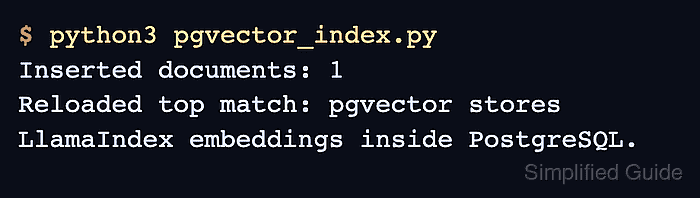
- Run the script and confirm the reloaded index returns the stored document.
$ python3 pgvector_index.py
Inserted documents: 1
Reloaded top match: pgvector stores LlamaIndex embeddings inside PostgreSQL.

Mohd Shakir Zakaria is a cloud architect with deep roots in software development and open-source advocacy. Certified in AWS, Red Hat, VMware, ITIL, and Linux, he specializes in designing and managing robust cloud and on-premises infrastructures.


